
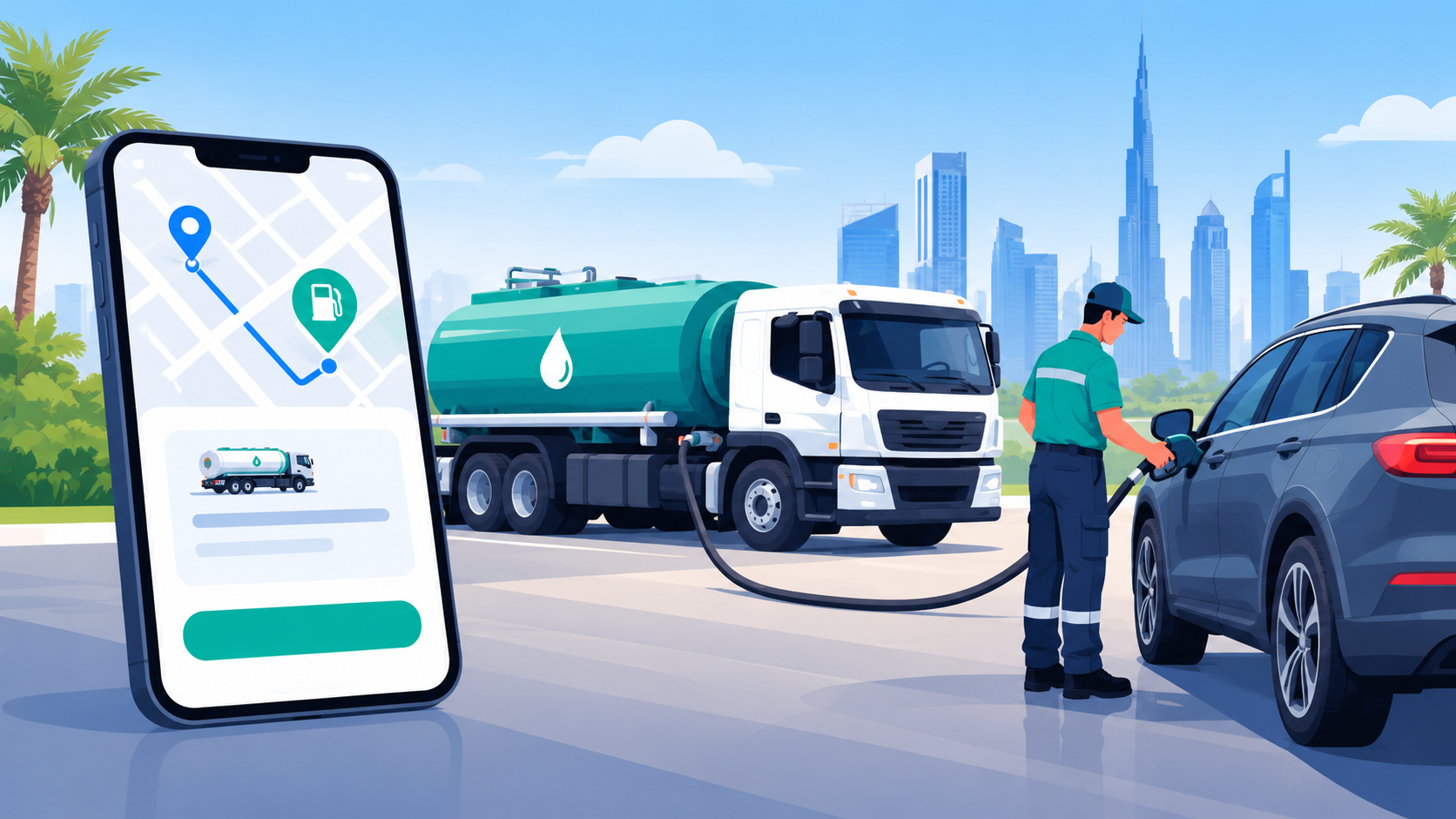
Key Takeaways:
- Plan the core features: Focus on ordering, payments, GPS tracking, driver management, and administration.
- Prioritize fleet efficiency: Use automated dispatching, route optimization, and vehicle tracking to streamline deliveries.
- Build secure payments: Provide trusted payment options and protect customer transaction data.
- Start with an MVP: Launch essential functionality first and expand based on customer feedback and business requirements.
- Plan for scalability: Choose flexible architecture and infrastructure that can support increasing orders, users, drivers, and service locations.
Building a fuel delivery app like CAFU requires more than adding fuel ordering and payment features.
You need a reliable platform that connects customers, drivers, fuel stations, and fleet managers in real time.
The app should make it easy for users to schedule fuel delivery, track orders, choose payment options, and receive timely updates.
On the operations side, fleet management, driver tracking, route optimization, fuel inventory, and dispatch automation play a major role in keeping deliveries efficient.
Businesses also need strong security and scalable backend infrastructure to handle growing demand.
In this guide, we’ll explore how to build a fuel delivery app like CAFU, the essential features, fleet operations, development process, and the key factors that influence the overall app development cost.
Why Are Fuel Delivery Apps Like CAFU Gaining Market Demand?
Fuel delivery apps are changing how drivers and businesses refuel. They bring convenience, reduce station visits, and support faster fleet operations.
As demand grows, businesses are also paying closer attention to fuel delivery app development costs when planning digital fueling solutions.
Growing smartphone use, digital payments, and on-demand services are creating more demand for app-based fueling solutions.
These platforms offer a practical way to simplify refueling while helping businesses manage deliveries, drivers, and fleet operations more efficiently.
1. Convenient On-Demand Refueling
Users can order fuel from their phones and choose a convenient delivery location. This removes the need to drive to a gas station and wait in line.
The model fits busy commuters, households, and businesses that value time and convenience.
2. Growing Mobile Fuel Delivery Market
The mobile fuel delivery market is projected to grow from $5.84 billion in 2025 to $11.93 billion by 2035, at a 7.4% CAGR. This growth reflects rising demand for on-site refueling and digitally managed fuel services.
3. Stronger Fleet Management
Fuel delivery apps help fleet operators schedule refueling, track vehicles, monitor fuel usage, and reduce unnecessary station trips.
These tools can support smoother daily operations for delivery companies, contractors, and other businesses that depend on multiple commercial vehicles.
4. Rising Demand for Digital Fuel Services
The global on-demand fuel delivery market was estimated at $5.06 billion in 2025 and is projected to reach $12 billion by 2035, representing a 9.1% CAGR. Digital ordering and scheduled delivery models are among the technologies shaping this expansion.
How Does a Fuel Delivery App Like CAFU Work?
A fuel delivery app connects customers with delivery drivers through a centralized digital platform.
Users place fuel orders, select delivery details, make payments, and track drivers. Behind the scenes, automated dispatch, fleet tracking, and inventory management keep each delivery moving smoothly.
1. User Creates a Fuel Order
Customers open the app, enter their delivery location, select the required fuel type and quantity, and choose a preferred delivery time.
The app displays the estimated price and delivery details, allowing users to review their order before confirming it.
2. App Confirms Location and Availability
After receiving the order, the platform verifies the customer’s location and checks fuel availability.
GPS technology helps identify nearby delivery vehicles and suitable service areas. The system can also calculate delivery distance, estimated arrival time, and applicable service charges.
3. System Assigns a Delivery Driver
The backend automatically matches the order with an available driver based on location, vehicle capacity, fuel type, workload, and route.
Automated dispatch reduces manual coordination and helps fleet operators assign deliveries efficiently while keeping customer wait times under control.
4. Driver Receives and Accepts the Order
The assigned driver receives order information through the driver app, including the customer’s location, fuel requirements, and delivery instructions.
After accepting the request, the driver follows GPS navigation to reach the destination using the most practical available route.
5. Customer Tracks the Delivery
Customers can monitor their fuel delivery in real time through an in-app tracking interface. GPS updates show the driver’s location and estimated arrival time.
Push notifications can inform users when the driver starts the trip, arrives nearby, and completes delivery.
6. Fuel Is Delivered and Payment Completed
Once the driver reaches the destination, the fuel is safely dispensed into the customer’s vehicle or approved container.
The app records the completed transaction, processes digital payment, generates a receipt, and updates order history for future reference.
Essential Features to Include in a Fuel Delivery App
A successful fuel delivery app needs features that simplify ordering, improve delivery visibility, and support efficient fleet operations.
A reliable fuel delivery app development company can build these capabilities into a scalable platform that serves customers, drivers, dispatchers, and administrators.
1. User Registration and Profile Management
Users should be able to create accounts using email, phone numbers, or social logins.
Profile management can store delivery addresses, vehicle details, preferred fuel types, payment methods, and order history. This makes repeat fuel orders faster and more convenient.
2. Fuel Selection and Order Placement
The app should let customers select fuel types, specify quantities, enter delivery locations, and choose delivery times.
Clear pricing and order summaries help users understand charges before confirming. A simple checkout flow can reduce friction and improve completed orders.
3. Real-Time GPS Tracking
Real-time GPS tracking allows customers to follow their driver after an order is assigned. The feature can display the vehicle’s current location, estimated arrival time, and delivery progress.
Push notifications can provide timely updates when the driver starts, approaches, or completes delivery.
4. Driver and Fleet Management
A dedicated driver module should help delivery personnel view assigned orders, access customer details, navigate routes, and update delivery status.
Fleet managers can monitor vehicle locations, driver availability, fuel capacity, and daily activities from a centralized dashboard.
5. Secure Digital Payments
Multiple payment options can make fuel purchases more convenient for customers. The app can support credit and debit cards, digital wallets, and other online payment methods.
Secure payment processing, transaction records, invoices, and automated receipts also simplify financial management.
6. Admin Dashboard and Analytics
An admin dashboard gives operators centralized control over customers, orders, drivers, vehicles, pricing, and service areas.
Analytics can reveal order volumes, delivery times, revenue trends, fuel demand, and fleet performance, helping businesses identify operational issues and make informed decisions.
How to Build a Fuel Delivery App Like CAFU?
Building a fuel delivery app like CAFU requires strategy, technology, and efficient fleet operations.
Partnering with an automotive software development team can help transform the concept into a scalable platform with ordering, tracking, payments, dispatch, and customer support reliably and effectively.
1. Define Your Business Requirements
Start by defining customers, service areas, fuel types, delivery model, and business goals. Study competitors to understand their customer experience and operations.
Then identify key gaps the app can address through better pricing, faster delivery, or stronger fleet management.
2. Map the User Journey
Map the customer journey from registration and location selection to fuel ordering, payment, tracking, and confirmation. Keep every step simple and intuitive.
A clear user flow reduces friction, helps customers complete orders faster, and creates a consistent experience across devices.
3. Choose Essential Features
Choose core features your platform needs before development begins. Customer accounts, fuel selection, order scheduling, secure payments, live tracking, notifications, driver management, and admin controls form the foundation.
Prioritize features based on customer needs, operational complexity, and available resources.
4. Design User-Friendly Interfaces
Design separate experiences for customers, drivers, and administrators. Customers need simple ordering and tracking screens, while drivers need navigation, delivery instructions, and status updates.
Administrators need dashboards for orders, pricing, fleet activity, customers, and service areas. Keep interfaces focused overall.
5. Select the Technology Stack
Select a scalable technology stack that supports real-time communication, secure payments, maps, notifications, and data management.
Evaluate frameworks, databases, and third-party APIs based on performance and growth. Proper architecture also makes maintenance and feature expansion easier.
6. Integrate GPS Tracking
Integrate GPS capabilities to support driver locations, route monitoring, estimated arrival times, and delivery tracking. Mapping services improve dispatch decisions and navigation.
Before budgeting, research the GPS tracking app development cost because API usage, features, and geographic coverage affect expenses.
7. Develop the Backend
Develop the backend to manage users, orders, payments, drivers, vehicles, inventory, pricing, and delivery statuses. Build APIs connecting mobile apps with administrative systems.
Add role-based access controls and data validation to protect sensitive information and maintain consistent operations daily.
8. Test the Application
Test the app across different devices, network conditions, and user scenarios before launch. Check ordering, payments, GPS tracking, notifications, driver workflows, and administrative functions.
Conduct security and performance testing as well. Fix critical issues before releasing the platform to customers.
9. Launch and Monitor
Launch the app in a service area before expanding to new areas. Monitor delivery times, customer feedback, driver performance, and technical issues during launch.
Use these insights to improve workflows, optimize routes, refine features, and prepare the platform for greater demand.
10. Improve After Launch
Plan continuous improvements after launch using customer feedback and operational data.
Add features such as loyalty programs, recurring orders, fleet analytics, automated dispatch, and business accounts when demand supports them. Regular updates improve retention, operational efficiency, and long-term platform scalability.
How Much Does It Cost to Build a Fuel Delivery App Like CAFU?
Building a fuel delivery app like CAFU can cost between $7,000 and $60,000, depending on features, platform, integrations, and development complexity.
The mobile payment app development cost also influences the budget when adding secure transactions, wallets, invoices, and payment gateways.
|
Cost Element |
Estimated Cost $ |
Detailed Description |
|
UI/UX Design |
700–3,000 |
Covers wireframes, user journeys, interactive prototypes, visual design, and responsive screens for the customer app, driver app, and admin dashboard. |
|
Customer App |
2,000–8,000 |
Includes registration, profile management, fuel selection, quantity selection, delivery scheduling, address management, order placement, order history, and delivery status updates. |
|
Driver App |
1,500–6,000 |
Includes driver registration, order assignment, delivery details, GPS navigation, route access, delivery status updates, customer communication, earnings information, and proof-of-delivery features. |
|
Admin Dashboard |
1,500–6,000 |
Provides centralized management for customers, drivers, fuel orders, pricing, delivery zones, vehicles, service requests, payments, promotions, and overall fleet activity. |
|
GPS Integration |
900–4,000 |
Covers map integration, real-time driver location, route navigation, delivery tracking, estimated arrival times, geolocation services, and location-based dispatch capabilities. |
|
Payment Integration |
900–4,000 |
Supports secure card payments, digital wallets, payment gateways, transaction verification, refunds, invoices, receipts, saved payment methods, and payment history within the application. |
|
Backend Development |
2,000–10,000 |
Includes server-side development, APIs, database architecture, authentication, order processing, fleet coordination, pricing logic, inventory management, data synchronization, and secure business operations. |
|
Push Notifications |
700–2,000 |
Enables real-time alerts for order confirmations, driver assignments, payment updates, delivery progress, arrival notifications, promotional offers, cancellations, and other important customer communications. |
|
Testing & QA |
900–4,000 |
Covers functional testing, usability testing, API testing, payment verification, GPS testing, security checks, performance testing, compatibility testing, and bug fixing across supported devices. |
|
Maintenance & Updates |
1,000–5,000 |
Includes post-launch bug fixes, security updates, server monitoring, performance improvements, third-party API updates, feature enhancements, compatibility updates, and ongoing technical support. |
How to Manage Fleet Operations and Fuel Deliveries?
Managing fuel deliveries requires real-time visibility, accurate dispatching, and strong driver coordination.
Businesses using automotive software development services can streamline fleet operations, monitor vehicles, optimize routes, track fuel usage, and maintain consistent delivery performance while reducing delays, costs, and mileage.
1. Use a Centralized Fleet Management System
Use a centralized fleet management system to monitor vehicles, drivers, fuel levels, delivery schedules, and order statuses.
A unified dashboard gives managers real-time visibility into operations, helping them identify delays, reassign resources, and respond quickly to unexpected delivery issues daily.
2. Track Vehicles With GPS
Track every vehicle using GPS technology to monitor location, speed, route progress, and estimated arrival times.
Managers can view active deliveries, identify route deviations, and provide timely support when drivers encounter traffic, incorrect addresses, vehicle issues, or road conditions.
3. Automate Order Assignment
Automate order assignment based on driver availability, vehicle capacity, location, fuel type, and delivery priority. Intelligent dispatching reduces manual coordination and helps assign suitable drivers quickly.
This approach improves response times, balances workloads, and keeps deliveries moving throughout the day.
4. Optimize Delivery Routes
Use route optimization tools to calculate practical delivery routes based on distance, traffic conditions, delivery windows, and vehicle availability.
Optimized routes help drivers avoid unnecessary mileage, reduce fuel consumption, improve delivery times, and support more predictable scheduling across multiple locations.
5. Monitor Fuel Inventory
Monitor fuel inventory across storage facilities, vehicles, and delivery operations to maintain adequate supply.
Digital inventory tracking can record fuel quantities, consumption patterns, replenishment needs, and delivery volumes, helping operators prevent shortages while maintaining accurate records for daily business planning.
6. Schedule Preventive Vehicle Maintenance
Schedule preventive maintenance based on mileage, engine hours, vehicle usage, and manufacturer recommendations.
Regular inspections can identify mechanical problems before they disrupt deliveries. Maintenance records also help managers track service history, reduce unexpected downtime, and keep delivery vehicles operating reliably.
7. Monitor Driver Performance
Monitor driver performance using metrics such as completed deliveries, delivery times, route efficiency, customer feedback, and safety records.
Performance insights can highlight training needs, recognize operational improvements, and help managers maintain consistent service standards across the entire delivery team daily.
8. Analyze Fleet Data Regularly
Analyze fleet data regularly to identify trends in fuel consumption, delivery demand, vehicle utilization, operating costs, and customer orders.
These insights help managers adjust staffing, improve routes, plan maintenance, control expenses, and make informed decisions as delivery volumes change overall.
Final Thoughts
Building a fuel delivery app like CAFU requires more than creating a simple ordering platform. It involves customer-friendly features, reliable GPS tracking, secure payments, smart dispatching, and efficient fleet management.
Businesses must also consider backend infrastructure, driver operations, fuel inventory, and ongoing maintenance when planning development.
A well-designed platform can make fuel ordering more convenient while helping operators manage deliveries with greater visibility and control.
The development cost can vary significantly based on app complexity, integrations, technology choices, and the number of features included.
Starting with a focused MVP can help validate the business model before investing in advanced capabilities.
With the right technology strategy and development approach, businesses can build a scalable fuel delivery solution designed for long-term growth and changing customer expectations.
FAQ's
The development cost can range from $7,000 to $60,000, depending on features, integrations, platforms, design complexity, and development team location.
A basic MVP may take around 2–4 months, while a feature-rich platform with advanced fleet management, GPS tracking, payments, and analytics can take longer.
Essential features include fuel ordering, user registration, payment integration, GPS tracking, delivery scheduling, push notifications, driver management, order tracking, and an admin dashboard.
GPS integration tracks delivery vehicles in real time. It can provide driver locations, estimated arrival times, route information, and delivery progress to customers and fleet managers.
Yes. Apps can integrate credit and debit cards, digital wallets, payment gateways, and other supported payment methods to provide customers with flexible checkout options.
It helps operators monitor vehicles, assign drivers, optimize routes, track deliveries, manage fuel usage, schedule maintenance, and analyze fleet performance from a centralized dashboard.
Yes. Businesses can start with core features such as registration, fuel ordering, payments, GPS tracking, driver management, and basic administration before adding advanced capabilities.
Development may involve mobile frameworks, backend technologies, cloud infrastructure, mapping APIs, payment gateways, databases, push notification services, and real-time communication technologies.
Automated dispatching, GPS tracking, route optimization, driver monitoring, and real-time notifications can help reduce unnecessary travel, improve scheduling, and provide better operational visibility.
Yes. An admin dashboard gives businesses centralized control over customers, orders, drivers, vehicles, pricing, service areas, payments, inventory, and operational analytics.

CrinPro
CrinPro Solutions is a leading IT company that helps startups and enterprises build innovative digital products. From intuitive mobile applications and high-performance websites to AI-powered solutions and enterprise software, our team delivers scalable, secure, and user-focused products tailored to unique business needs. With expertise across multiple industries, we transform ideas into digital experiences that drive growth, improve efficiency, and create long-term business value.


