Key Takeaways
-
Costs scale with complexity and device count. Basic apps start around $8,000, while enterprise-grade fleet tracking platforms can reach $70,000 or more.
-
Real-time infrastructure is the biggest cost driver. Low-latency location streaming requires significantly more technical investment than basic periodic location updates.
-
Use case shapes technical requirements. Personal safety, fleet tracking, and asset tracking each demand different hardware, features, and scalability considerations.
-
Mapping API choice affects long-term costs. Google Maps, Mapbox, and OpenStreetMap carry different pricing models that impact both development and ongoing expenses.
-
Team experience reduces development risk. Developers familiar with GPS-specific challenges like hardware integration and real-time data catch issues general teams often miss.
From delivery fleets to worried parents tracking their teenager's first solo drive, GPS tracking apps have become genuinely essential tools across dozens of industries and everyday use cases.
What started as simple dot-on-a-map technology has evolved into sophisticated platforms handling geofencing, real-time alerts, historical route analysis, and integration with IoT hardware.
Understanding GPS tracking app development cost matters enormously before committing budget, since pricing shifts significantly based on which features you need, how many devices you're tracking simultaneously, and whether you're building for consumer use or enterprise-scale fleet operations.
A basic personal safety app looks drastically different in price from a comprehensive logistics platform managing hundreds of vehicles in real time.
This guide breaks down exactly what drives cost, which features matter most, and what technology powers reliable tracking systems.
What Is a GPS Tracking App and How Does It Work?
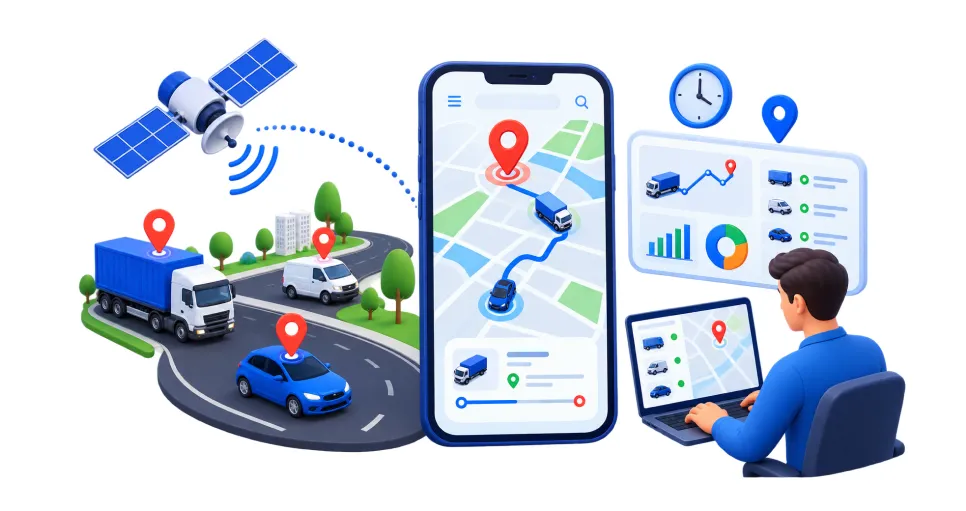
A GPS tracking app uses satellite positioning technology combined with software to monitor and display the real-time location of people, vehicles, or assets.
Understanding the basic mechanics behind GPS tracking app development helps clarify what actually happens behind that moving dot on the map.
1. GPS satellites determine precise location data
Devices equipped with GPS receivers communicate with satellites orbiting Earth, calculating exact position through signal timing differences.
This satellite-based positioning forms the foundational layer of accuracy, typically pinpointing location within a few meters under normal, unobstructed conditions.
2. Location data is transmitted to a central server
Once a device determines its position, it sends this data, usually via cellular or Wi-Fi networks, to a backend server processing and stores the information.
This transmission happens continuously or at set intervals, depending on how the app is configured.
3. The app processes and displays data on a map interface
The backend server processes incoming location data and pushes it to the user-facing app, where it renders on an interactive map in real time.
This visual representation lets users see current position, historical routes, or multiple tracked entities simultaneously.
4. Additional features layer on top of core tracking
Beyond basic location display, features like geofencing, speed alerts, and route history analyze the raw location data further.
These additions transform simple tracking into genuinely actionable insights, alerting users to specific events or patterns worth their attention.
Types of GPS Tracking Apps and Their Use Cases
GPS tracking technology serves remarkably different purposes depending on who's using it and why. Modern real-time GPS tracking software spans several distinct categories, each solving a specific tracking need across personal, business, and logistics contexts.
1. Personal safety and family tracking apps
Designed for parents monitoring children or families checking on elderly relatives, this category of location tracking app development prioritizes simplicity and peace of mind.
Features typically include real-time location sharing, geofenced safe zones, and instant alerts when someone leaves designated areas.
2. Fleet and vehicle tracking systems
Businesses managing delivery trucks, taxis, or company vehicles rely on GPS fleet tracking software to monitor location, driver behavior, and route efficiency simultaneously.
This category emphasizes scalability, supporting hundreds of vehicles while providing detailed analytics on fuel usage and performance.
3. Personal vehicle and anti-theft tracking
Individual car owners use dedicated vehicle tracking app development solutions to monitor their own vehicle's location, receive theft alerts, and access historical trip data.
This category prioritizes security features like tamper alerts and instant notifications if the vehicle moves unexpectedly.
4. Asset and equipment tracking
Businesses tracking valuable equipment, containers, or inventory rely on specialized GPS tracking system development built for stationary or slow-moving assets rather than fast-moving vehicles.
This category often uses longer battery life sensors since equipment doesn't need constant, high-frequency location updates.
5. Pet tracking apps
Pet owners increasingly use GPS-enabled collars paired with mobile apps to track wandering pets, set safe zone boundaries, and receive alerts if their animal strays too far.
This category prioritizes lightweight, durable hardware suited to outdoor conditions and animal movement patterns.
6. Logistics and delivery tracking apps
E-commerce and delivery businesses use GPS tracking to give customers real-time visibility into package location and estimated arrival times.
This category focuses heavily on customer-facing tracking interfaces alongside backend route optimization tools for delivery drivers and dispatchers.
Must-Have Features for a Reliable GPS Tracking App
Getting core functionality right determines whether users actually trust and rely on your app daily.
Successful GPS tracking app development depends on these six feature categories working together to deliver accurate, genuinely useful tracking experiences.
1. Real-time location tracking and updates
Accurate, continuously updating location data forms the foundation of any reliable tracking app.
Strong location-based app development ensures minimal delay between actual movement and what users see on screen, since stale or inaccurate data quickly undermines trust in the entire system.
2. Geofencing and boundary alerts
Letting users set virtual boundaries and receive instant alerts when a tracked entity enters or exits that zone adds genuine practical value.
Reliable asset tracking software development relies heavily on this feature for security, safety, and operational monitoring purposes across various use cases.
3. Historical route and activity logs
Storing and displaying past routes, stops, and movement patterns helps users analyze behavior over time, whether that's a delivery driver's efficiency or a pet's typical wandering range.
Solid route tracking app development makes this historical data easily searchable and visually clear.
4. Multi-device and multi-user support
Businesses and families alike often need to track multiple entities simultaneously from a single account or dashboard.
Effective custom GPS tracking app development supports this scalability, letting users switch between tracked devices or view several locations on one map at once.
5. Push notifications and customizable alerts
Timely alerts for speed limits, low battery, geofence breaches, or unusual stops keep users informed without requiring constant manual checking.
This feature matters enormously for courier delivery app development, where timely notifications directly impact customer satisfaction and delivery accountability.
6. Battery optimization and offline data caching
Continuous GPS tracking drains device battery quickly, making power-efficient location polling essential for both hardware trackers and mobile apps.
Offline caching ensures location data isn't lost during connectivity gaps, syncing automatically once signal returns to maintain accurate historical records.
Choosing the Right Technology Stack for GPS Tracking Apps
Technology decisions directly shape tracking accuracy, real-time performance, and long-term scalability.
Building genuinely reliable real-time GPS tracking software requires careful consideration of hardware compatibility, data infrastructure, and mapping technology across every layer of the platform.
1. Select reliable GPS hardware and sensor compatibility
Choosing quality GPS trackers or leveraging device-native GPS chips forms the technical foundation of accurate location data.
Robust GPS tracking software solutions depend on this hardware layer performing consistently, since poor sensor accuracy undermines every other feature built on top of it.
2. Choose a scalable backend framework
Node.js, Django, or Java-based frameworks handle real-time location data, user accounts, and device management reliably at scale.
Many teams working on automotive software development favor these frameworks for their strong support of continuous, high-frequency data processing requirements.
3. Implement real-time data streaming infrastructure
Live location updates require low-latency streaming technology like WebSocket or MQTT protocols to feel accurate and responsive.
Solid route tracking app development depends on this infrastructure choice, since delayed or laggy updates directly undermine user trust in the tracking system.
4. Select mapping and geolocation APIs
Google Maps, Mapbox, or OpenStreetMap provide the visual mapping layer displaying tracked locations, routes, and geofences.
Choosing the right mapping API depends on budget, customization needs, and regional map accuracy relevant to where your users actually operate.
5. Build time-series database architecture
Location data arrives continuously and requires specialized storage optimized for time-stamped readings rather than standard relational databases.
Time-series databases handle this structure far more efficiently, supporting fast queries even as historical tracking data accumulates significantly over time.
6. Evaluate cloud hosting and infrastructure providers
AWS, Google Cloud, or Microsoft Azure all offer reliable hosting with scalable pricing models suited to growing tracking demands.
Choosing a provider with strong IoT-specific services simplifies device management and reduces technical complexity as your user base expands.
7. Prioritize cross-platform mobile development
React Native or Flutter let teams build for iOS and Android from a single codebase, reducing development time and cost significantly.
This approach suits most GPS tracking apps well, unless deep native hardware integration specifically requires fully native development instead.
8. Implement strong data security and encryption standards
Location data is inherently sensitive, revealing patterns about where people live, work, and travel.
Encrypted data transmission, secure authentication, and regular security audits protect both the business and user privacy from potential vulnerabilities or unauthorized access attempts.
GPS Tracking App Development Cost
Understanding where your budget actually goes makes planning far easier.
Overall GPS tracking app development cost breaks down across ten major categories, each with typical sub-components and pricing, helping you estimate total investment realistically between $8,000 and $70,000.
1. Discovery and Planning Phase
Before development begins, teams spend time on requirement gathering, market research, and technical planning.
This foundational phase shapes overall logistics software development cost and prevents costly changes later, making it a worthwhile upfront investment regardless of final app complexity.
|
Task |
Description |
Cost Range |
|
Requirement Gathering |
Stakeholder interviews, feature scoping |
$300 – $700 |
|
Market & Competitor Research |
Analyzing existing tracking apps and gaps |
$250 – $600 |
|
Technical Planning |
Architecture decisions, tech stack selection |
$350 – $800 |
2. UI/UX Design
Visual design and user experience directly impact user adoption and daily usability.
This phase, central to any location tracking app development project, includes wireframing, prototyping, and creating a clear, map-centric interface that makes tracking data genuinely easy to understand.
|
Task |
Description |
Cost Range |
|
Wireframing |
Low-fidelity screen layouts and user flows |
$350 – $800 |
|
UI Design |
High-fidelity visual design, branding |
$600 – $1,600 |
|
Prototyping |
Interactive clickable prototype for testing |
$400 – $900 |
3. Real-Time Location Tracking System
Core functionality handling live GPS data collection, transmission, and display forms the technical backbone of the entire app.
This module is central to any GPS fleet tracking software build, requiring careful integration between hardware sensors and backend infrastructure for accurate, low-latency performance.
|
Task |
Description |
Cost Range |
|
GPS Data Collection |
Hardware/sensor integration and calibration |
$800 – $2,800 |
|
Real-Time Data Streaming |
Live location update infrastructure |
$900 – $3,000 |
|
Map Rendering & Display |
Interactive map interface showing live location |
$700 – $2,200 |
4. Geofencing and Alert System
Letting users set virtual boundaries and receive instant notifications when tracked entities enter or exit zones adds significant practical value.
This feature meaningfully affects overall mobile app development cost, since it requires precise boundary calculation logic alongside reliable push notification infrastructure.
|
Task |
Description |
Cost Range |
|
Geofence Creation Tools |
Boundary drawing and configuration interface |
$500 – $1,600 |
|
Alert & Notification Engine |
Real-time breach detection and alerts |
$600 – $1,800 |
|
Custom Alert Rules |
Configurable triggers and thresholds |
$400 – $1,200 |
5. Historical Route and Activity Logs
Storing and displaying past movement data helps users analyze patterns over time.
This module is essential to genuine vehicle tracking app development, requiring efficient data storage architecture capable of handling large volumes of historical location data without slowing app performance.
|
Task |
Description |
Cost Range |
|
Route History Storage |
Time-series database implementation |
$700 – $2,400 |
|
Historical Data Visualization |
Route playback and timeline display |
$600 – $1,900 |
|
Data Export & Reporting |
Downloadable reports and summaries |
$400 – $1,200 |
6. Multi-Device and Multi-User Support
Supporting multiple tracked entities from a single account requires careful account architecture and permission management.
Comprehensive GPS tracking system development accounts for this scalability, since complexity increases depending on how many simultaneous devices or users the system needs to support.
|
Task |
Description |
Cost Range |
|
Multi-Device Dashboard |
Simultaneous tracking of multiple entities |
$600 – $2,000 |
|
User Role & Permissions |
Access control for different user types |
$500 – $1,600 |
|
Account Management System |
User profiles and device linking |
$450 – $1,400 |
7. Push Notifications and Alerts
Timely notifications for speed limits, low battery, or unusual activity keep users informed without constant manual checking.
Many businesses choose to hire dedicated developers specifically for this module, ensuring alerts arrive promptly across different devices and network conditions.
|
Task |
Description |
Cost Range |
|
Push Notification Setup |
Cross-platform notification infrastructure |
$350 – $1,000 |
|
Custom Alert Configuration |
User-defined alert types and thresholds |
$400 – $1,200 |
|
SMS/Email Alert Integration |
Alternative notification channels |
$350 – $900 |
8. Mapping and Geolocation Integration
Connecting to third-party mapping APIs like Google Maps or Mapbox provides the visual foundation for displaying tracked locations and routes.
This integration is a notable driver of overall GPS tracking app development cost, requiring careful API configuration and usage-based pricing management.
|
Task |
Description |
Cost Range |
|
Mapping API Integration |
Google Maps, Mapbox, or similar setup |
$500 – $1,600 |
|
Route Optimization Logic |
Smart routing and path calculation |
$700 – $2,200 |
|
Offline Map Caching |
Limited offline map access |
$450 – $1,400 |
9. Backend and Database Architecture
Server setup, database design, and API development determine how well your app performs under real usage.
This stage forms the technical foundation of scalable location-based app development, preventing performance issues as user numbers and tracked devices grow over time.
|
Task |
Description |
Cost Range |
|
Server & Cloud Setup |
AWS, Google Cloud, or Azure hosting |
$600 – $2,000 |
|
Database Architecture |
Scalable time-series data structure |
$700 – $2,400 |
|
API Development |
Backend APIs connecting app features |
$800 – $2,600 |
10. Testing, QA, and Deployment
Rigorous testing across devices and network conditions catches bugs before real users encounter them.
Many businesses bring on mobile app developers for hire specifically for this final stage, covering app store submission, compliance checks, and post-launch monitoring setup.
|
Task |
Description |
Cost Range |
|
Cross-Device QA Testing |
Testing across phones, tablets, and OS versions |
$450 – $1,300 |
|
Location Accuracy Testing |
Real-world GPS accuracy validation |
$400 – $1,200 |
|
App Store Submission |
Deployment to Apple App Store and Google Play |
$300 – $800 |
Factors That Influence GPS Tracking App Development Cost
No two projects cost the same. Whether you're comparing quotes from freelancers or established AI app development companies, eight key variables shape final project cost, from feature complexity through team location and technology choices.
1. App complexity and feature scope
A basic location-sharing app costs significantly less than a comprehensive asset tracking software development project combining geofencing, historical routes, and multi-device support.
More features mean more development hours, testing, and integration work throughout the entire build process.
2. Number of devices and users supported
Simple single-user tracking costs less than enterprise-grade GPS tracking software solutions supporting hundreds of simultaneous devices and users.
Higher scalability requirements demand more robust backend architecture, directly increasing both development cost and ongoing infrastructure expenses.
3. Hardware integration requirements
Apps relying purely on device-native GPS cost less than those requiring custom GPS tracking app development for specific IoT hardware or third-party tracker compatibility.
Broader hardware compatibility requires more testing and integration work across different manufacturers and protocols.
4. Real-time data processing needs
Basic periodic location updates cost less than true real-time, low-latency tracking systems requiring continuous data streaming infrastructure.
Any experienced mobile app development company will note that higher update frequency demands significantly more robust backend processing capability.
5. Mapping and geolocation API costs
Different mapping providers like Google Maps, Mapbox, or OpenStreetMap carry different licensing costs and usage-based pricing models.
Higher usage volume or premium mapping features, like offline caching or advanced routing, directly increase both development and ongoing operational costs.
6. Platform choice: iOS, Android, or both
Building for both platforms simultaneously roughly doubles frontend development time compared to launching on a single platform first.
Many founders start with the platform matching their primary target audience before expanding to the second platform later.
7. Design complexity and customization level
Template-based interfaces cost less than fully custom UI/UX work tailored to specific branding needs.
Understanding overall GPS tracking app development cost means recognizing that unique map visualizations, custom icons, and highly polished dashboards require additional design hours.
8. Team location and hiring model
Developer rates vary dramatically by region, directly affecting overall project cost and timeline.
Agencies in North America or Western Europe typically charge more than teams in South Asia or Eastern Europe, though GPS-specific experience matters just as much as location.
Conclusion
Building a reliable GPS tracking app means balancing accurate, real-time location data with genuinely useful features like geofencing, historical routes, and smart alerts, all without overwhelming users with unnecessary complexity.
From personal safety apps for families through enterprise fleet management platforms tracking hundreds of vehicles, the fundamentals stay consistent: prioritize location accuracy, choose reliable mapping infrastructure, and design around real-world use cases.
Costs vary considerably based on feature scope, device count, and hardware integration needs, but breaking the project into individual components makes budgeting far more manageable.
Whether you're building a simple pet tracker or a comprehensive logistics platform, getting the technical foundation right from day one prevents costly rebuilds and ensures your app delivers genuine value to the people relying on it.
FAQ's
A basic app with core location tracking and simple alerts usually starts around $8,000 to $18,000, depending on design complexity and platform choice.
Real-time location tracking with low-latency streaming infrastructure typically requires the most development time and represents one of the largest cost contributors.
It depends on your use case. Personal and vehicle apps often use device-native GPS, while asset tracking usually requires dedicated hardware trackers.
A basic MVP typically takes three to five months, while a fully-featured enterprise platform with fleet management can take seven to ten months.
Google Maps offers strong accuracy and features but higher usage costs, while Mapbox and OpenStreetMap provide more budget-friendly alternatives with solid functionality.
Mapping API usage fees, server hosting, and regular updates typically account for 15-20% of the original development cost annually.
Not particularly, though it requires careful boundary calculation logic and reliable notification infrastructure to trigger alerts accurately and promptly.
Yes, though it's often more efficient to plan for multi-device and multi-user support from the start rather than retrofitting it later.

CrinPro
CrinPro Solutions is a leading IT company that helps startups and enterprises build innovative digital products. From intuitive mobile applications and high-performance websites to AI-powered solutions and enterprise software, our team delivers scalable, secure, and user-focused products tailored to unique business needs. With expertise across multiple industries, we transform ideas into digital experiences that drive growth, improve efficiency, and create long-term business value.


