Key Takeaways:
- Development Cost: Building a home service app like Angi can cost 7,000–80,000+.
- Essential Features: Prioritise service search, provider profiles, bookings, reviews, and secure payments.
- Business Model: Generate revenue through lead fees, commissions, subscriptions, or featured listings.
- Technology Stack: Choose scalable technologies for booking management, GPS, payments, and notifications.
- Phased Development: Launch an MVP first, then expand based on user feedback and business needs.
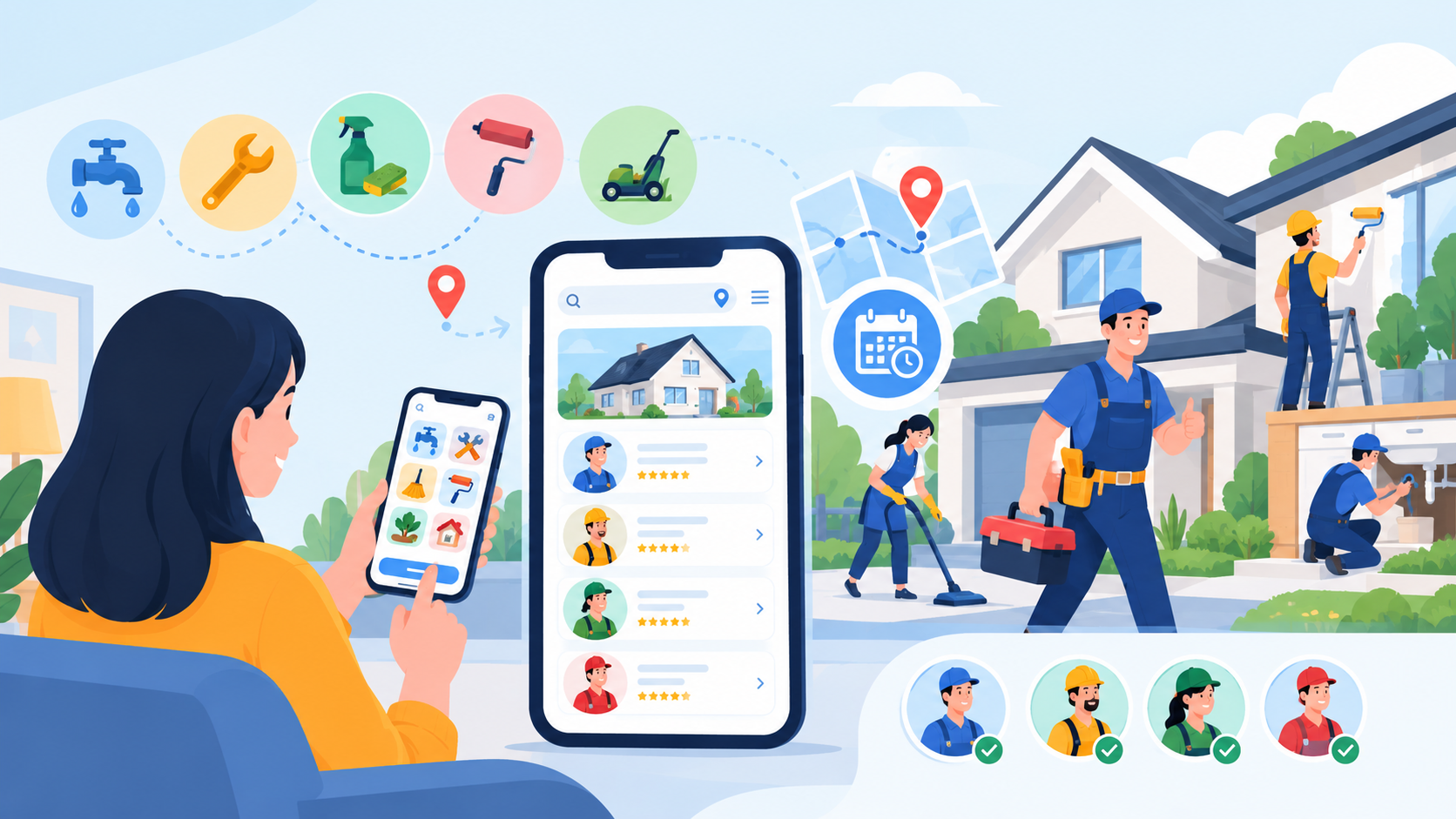
Home service apps like Angi make it easier for customers to find professionals for plumbing, electrical work, cleaning, repairs, and home improvement. These platforms connect customers with service providers through searchable listings, booking tools, reviews, and payment options.
In 2027, businesses planning to enter this market need to consider more than app design. The home service app development cost depends on features, provider verification, booking workflows, location tracking, payment integration, and the complexity of the business model.
A successful platform should offer a convenient customer experience while helping service professionals manage enquiries, appointments, pricing, and customer relationships. Businesses should define their target market and core features before estimating the budget, development timeline, and ongoing operating costs.
Exploring the Home Services App Market and Its Growth Potential
Home service platforms connect customers with professionals who handle household repairs, maintenance, cleaning, and improvement projects. Apps like Angi demonstrate how digital marketplaces can simplify service discovery by bringing provider listings, reviews, estimates, and customer enquiries into one place.
Why Businesses Are Investing in Home Service Apps
- Convenient service discovery: Customers can search for professionals by service type, location, availability, and ratings.
- Simplified bookings: Digital scheduling reduces the need for repeated calls and manual coordination.
- Greater provider visibility: Professionals can reach customers searching for specific services.
- Trust and transparency: Reviews, verified profiles, and clear service information help customers make informed choices.
- Operational efficiency: Providers can manage appointments, enquiries, and customer communication through a central platform.
Opportunities for New Platforms
Businesses can build general-purpose marketplaces or focus on a specific niche, such as cleaning, plumbing, electrical repairs, landscaping, or home renovation. A specialised platform may offer tailored booking workflows and attract a clearly defined customer segment.
When planning On-demand app development, businesses should research local demand, competitor pricing, provider availability, and customer expectations before selecting features. The strongest opportunity is often solving a specific service-market problem rather than simply copying an existing app.
Essential Features Every Home Service App Should Include
A home service app needs features that make it easy for customers to find professionals and for providers to manage service requests. The right feature set depends on whether the platform focuses on lead generation, direct bookings, or a combination of both.
1. Customer Features
- Registration and profiles: Allow users to create accounts, save addresses, and manage personal details.
- Service search: Help customers find plumbers, electricians, cleaners, and other professionals using categories and location-based filters.
- Provider profiles: Display service descriptions, ratings, reviews, experience, and relevant verification details.
- Quote requests and bookings: Let customers describe jobs, compare estimates, and schedule appointments.
- Secure payments: Support suitable payment methods and provide transaction records when payments are handled in the app.
- Notifications: Send booking confirmations, appointment reminders, and service updates.
- Ratings and reviews: Allow customers to share feedback after completed services.
2. Service Provider Features
Providers need a dedicated dashboard to manage enquiries, respond to quote requests, update availability, and track appointments. They should also be able to maintain service listings, communicate with customers, and review their earnings where applicable.
3. Admin Panel Features
The admin panel should support user management, provider verification, listing moderation, dispute handling, payment oversight, and reporting. Role-based access controls help protect sensitive information and restrict administrative actions to authorised staff.
4. Advanced Features for a Competitive Platform
Businesses can introduce AI-assisted service recommendations, automated enquiry routing, estimated pricing, and intelligent scheduling as the platform grows. These features should be tested against real user needs rather than added simply for complexity.
Starting with essential search, provider profiles, quote requests, bookings, and administration can keep the initial scope manageable while leaving room for future expansion.
Choosing the Right Business Model for Your Home Services App
The business model determines how a home service app attracts customers, works with professionals, and generates revenue. Choosing the right approach early helps define the platform's features and operational requirements.
1. Lead-Generation Marketplace
The platform connects customers with relevant professionals and charges providers for qualified leads or customer enquiries. This model suits businesses that want to help users compare providers without managing every booking.
2. Commission-Based Marketplace
The app earns a percentage of completed bookings. It typically requires booking management, payment tracking, cancellation handling, and clear commission rules.
3. Subscription-Based Platform
Service providers pay recurring fees to access listings, customer enquiries, or premium business tools. This can create predictable revenue when the platform delivers consistent value.
4. Hybrid Business Model
A hybrid model combines subscriptions, lead fees, commissions, or optional promotional placements. It offers flexibility but requires transparent pricing and careful management of provider incentives.
Which Model Should You Choose?
Start with the model that best fits your target market and level of operational responsibility. Lead generation may suit a platform focused on customer discovery, while commissions are more appropriate when bookings and transactions can be tracked reliably within the app.
Businesses can use On-Demand App Development Services to build flexible service marketplaces with efficient booking workflows, provider management, and scalable integrations.
Technology Stack for Home Service App Development
A home service app like Angi needs technologies that support customer and provider apps, service bookings, secure payments, location tracking, and administration. The following stack provides a practical starting point, with indicative implementation costs for each layer.
|
Technology Layer |
Recommended Technologies |
Purpose |
Estimated Cost (USD) |
|
Mobile App |
Flutter, React Native |
Customer and provider apps for iOS and Android |
5,000–15,000 |
|
Web Frontend |
React.js, Next.js |
Web portals and admin dashboards |
3,000–8,000 |
|
Backend and APIs |
Node.js, Python |
Booking logic, provider management, and integrations |
5,000–15,000 |
|
Database |
PostgreSQL, MongoDB |
Store profiles, bookings, reviews, and service details |
2,000–6,000 |
|
Cloud Infrastructure |
AWS, Microsoft Azure, Google Cloud |
Hosting, storage, backups, and scalability |
2,000–7,000 |
|
Maps and GPS |
Google Maps Platform, Mapbox |
Provider locations, service areas, and route guidance |
1,500–6,000 |
|
Payment Integration |
Stripe, PayPal, regional gateways |
Payments, refunds, and transaction records |
1,500–5,000 |
|
Notifications |
Firebase Cloud Messaging, Twilio |
Booking updates, reminders, SMS, and push notifications |
1,000–3,000 |
|
Authentication and Security |
Firebase Auth, OAuth 2.0, MFA |
Secure login and access management |
1,500–4,000 |
|
Testing and Monitoring |
Postman, Grafana, Sentry |
Quality assurance, error tracking, and performance monitoring |
2,000–5,000 |
How to Choose the Right Stack
- For an MVP: Use cross-platform development and established services to reduce duplicated work.
- For real-time bookings: Add reliable availability checks, notifications, and provider status updates.
- For location-based services: Choose mapping tools based on coverage, routing requirements, and expected usage costs.
- For future growth: Prioritise secure APIs, scalable infrastructure, and maintainable code.
The technology stack should match the business model and expected demand. More complex GPS functionality may also increase the GPS tracking app development cost, particularly when continuous location updates and route optimisation are required.
Step-by-Step Home Service App Development Process in 9 Stages
Building a home service app like Angi requires a structured process that connects business planning, user experience, service-provider operations, and technical development. Following these stages helps businesses control costs, reduce risks, and prepare the platform for launch.
1. Research the Market and Competitors
Start by researching customer needs, local service demand, competitor platforms, and provider availability. Study how existing apps handle service discovery, quotes, bookings, reviews, and payments.
Identify gaps your platform can address, such as faster quote comparisons, specialised service categories, or better tools for independent professionals. This research helps validate the business idea before significant development spending begins.
2. Define the Business Model and Requirements
Choose whether the app will generate revenue through lead fees, booking commissions, subscriptions, or a hybrid model. Define the target audience, launch locations, service categories, and responsibilities of customers, providers, and administrators.
Document the required features, payment rules, cancellation policies, verification requirements, and expected outcomes. A clear scope helps prevent unnecessary features from increasing the budget.
3. Plan the Features and Technical Architecture
Organise features into essential launch requirements and future enhancements. The initial release may include registration, provider listings, search filters, quote requests, booking management, reviews, and an admin dashboard.
Next, plan how the frontend, backend, database, payment gateway, mapping services, and notification systems will communicate. Define access permissions and data flows early, especially for customer information and provider verification records.
4. Design the User Experience and Interface
Create user journeys and wireframes for customers, service providers, and administrators. Customers should be able to find professionals and request services without navigating complicated screens.
Provider interfaces should make it easy to respond to enquiries, manage availability, and update booking statuses. Test prototypes with representative users before finalising the design to identify confusing workflows early.
5. Develop the Backend and Core Application
Build the APIs and business logic for accounts, service listings, search, quote requests, bookings, and reviews. Implement the database structures needed to manage users, providers, appointments, and transactions.
Develop the customer and provider interfaces alongside the backend, ensuring that both sides receive consistent booking information. Secure authentication, input validation, and role-based permissions should be part of development from the beginning.
6. Integrate Payments, Maps, and Notifications
Connect the application to suitable payment gateways, mapping services, and messaging providers. These integrations can support transaction processing, location-based search, appointment reminders, and booking updates.
Test payment success and failure scenarios, notification delivery, location accuracy, and cancellation workflows. If the platform handles payments directly, ensure transaction records and refund processes remain consistent across the application.
7. Verify Providers and Implement Safety Controls
Create workflows for checking provider information, reviewing service listings, and handling customer reports. Depending on the service category and market, verification may involve identity checks, qualifications, licences, or insurance documentation.
Add reporting, blocking, dispute management, and administrative review tools where appropriate. Clearly communicate what has been verified, and avoid presenting verification as a guarantee of service quality.
8. Test Functionality, Security, and Performance
Test the app across supported devices and operating systems. Check registration, searches, quote requests, booking confirmations, payments, notifications, and review submission.
Conduct security testing, API validation, load testing, and usability checks. Also test unusual scenarios, such as unavailable providers, duplicate requests, failed payments, and last-minute cancellations, to ensure the application handles them correctly.
9. Launch, Monitor, and Improve
Release the application in a controlled launch area or with a limited set of service categories. Monitor crashes, booking completion rates, provider response times, customer feedback, and support requests.
Use these findings to fix problems and prioritise improvements. As demand grows, the business can expand service coverage, improve provider-matching logic, introduce additional payment options, and add features based on measurable user needs.
Integrating Payments, GPS Tracking, and Notifications
Reliable integrations help a home service app coordinate bookings, connect customers with professionals, and keep both parties informed throughout the service journey.
1. Payment Integration
Payment gateways can support online payments, refunds, transaction records, and provider payouts where required. Businesses should also define cancellation charges, commission calculations, and payment-failure handling before launch.
The mobile payment app development cost may increase when the platform requires complex payout workflows, multiple payment methods, or marketplace payment management.
2. GPS and Location Services
Mapping services can help customers find professionals who serve their area and help providers navigate to appointments. Depending on the business model, location features may include address selection, service-radius checks, route guidance, and arrival updates.
Continuous GPS tracking should be used only when necessary, with appropriate permission and clear privacy controls. Location-service usage fees may also affect ongoing operating costs.
3. Push Notifications and Messaging
Notifications can deliver booking confirmations, quote updates, appointment reminders, cancellations, and service-status changes. SMS or email can provide additional communication options when push notifications are unavailable.
4. Reliable Integration Workflows
Use secure APIs, webhooks, validation, retries, and monitoring to manage communication between the app and external services. These controls help prevent inconsistent booking statuses and reduce disruptions when an integration temporarily fails.
Home Service App Development Cost and Timeline in 2027
The cost of building a home service app like Angi depends on its features, business model, platform requirements, integrations, and expected user volume.
|
App Type |
Estimated Cost (USD) |
Development Timeline |
|
Basic Home Service App |
7,000–18,000 |
2–3 months |
|
Mid-Level Service Marketplace |
18,000–35,000 |
3–5 months |
|
Advanced App with GPS and AI |
35,000–60,000 |
5–7 months |
|
Enterprise Home Service Platform |
60,000–80,000+ |
7–10+ months |
What Influences the Development Cost?
- Features and complexity: Quote requests, booking management, reviews, and provider dashboards affect development effort.
- Platform selection: Building for iOS, Android, and web can increase the budget.
- Payment and GPS integrations: Marketplace payouts, refunds, route guidance, and location updates add complexity.
- Provider verification and security: Identity checks, access controls, and moderation workflows require additional implementation.
- AI capabilities: Recommendations, automated enquiry routing, and demand forecasting can increase costs.
- Maintenance and scalability: Hosting, security updates, support, and third-party API usage contribute to ongoing expenses.
How to Manage Your Budget
Start with an MVP that includes customer registration, provider listings, search, quote requests or bookings, reviews, and essential administration tools. Introduce advanced features after validating demand and measuring user engagement.
Businesses should request a detailed estimate covering development, testing, integrations, deployment, and post-launch support. This provides a clearer picture of the total investment required to build and operate the platform.
Working with a home service app development company can help businesses define the right MVP scope, select suitable technologies, and plan future enhancements within their budget.
Top Revenue Models and Monetisation Strategies for Home Service Apps
A home service app can generate revenue through several models, depending on how it connects customers with professionals.
- Lead fees: Charge providers for qualified customer enquiries.
- Booking commissions: Earn a percentage of completed service bookings.
- Provider subscriptions: Offer paid plans with enhanced listings or business tools.
- Featured listings: Let professionals pay for clearly labelled promotional placement.
- Premium services: Offer additional tools, reports, or support to providers.
A hybrid model can combine multiple revenue streams, but pricing should remain transparent and provide value to both customers and professionals.
Before selecting a strategy, evaluate provider acquisition costs, customer demand, payment processing fees, support expenses, and expected booking volume. This helps determine whether the platform can generate sustainable revenue as it grows.
Key Challenges in Home Service App Development and How to Overcome Them
Building a reliable home service app requires careful planning around provider quality, booking reliability, security, and platform growth.
|
Challenge |
Practical Solution |
|
Unverified providers |
Introduce appropriate identity and credential checks. |
|
Unreliable bookings |
Use availability checks and automated confirmations. |
|
Payment disputes |
Maintain transaction records and clear refund policies. |
|
Customer trust |
Support reviews, reporting, and dispute resolution. |
|
Location inaccuracies |
Validate addresses and use reliable mapping services. |
|
Security risks |
Apply encryption, access controls, and regular security testing. |
|
Scaling difficulties |
Use monitored, scalable infrastructure and phased expansion. |
Maintaining Service Quality
Businesses should monitor provider response times, booking completion rates, cancellations, and customer feedback. Clear service policies and accessible support help resolve disputes and improve user confidence.
Launching in a limited area first allows businesses to identify operational issues before expanding to more locations. Combining reliable technology with strong provider management is essential for long-term platform growth.
Conclusion
Building a home service app like Angi in 2027 can cost approximately $7,000 to $80,000+, depending on its features, integrations, and business model.
A successful platform combines convenient service discovery, reliable bookings, trusted providers, secure payments, and effective administration. Starting with an MVP and expanding based on user feedback can help businesses manage costs while building a scalable marketplace.
With the right development strategy, businesses can create a platform that connects customers with qualified professionals and supports sustainable growth.
FAQ's
Development can cost around $7,000 to $80,000+, depending on features, integrations, and complexity.
A basic app may take 2–3 months, while an advanced platform can require 5–10 months or longer.
Essential features include service search, provider profiles, quote requests, bookings, reviews, notifications, and an admin dashboard.
Common models include lead fees, booking commissions, provider subscriptions, and featured listings.
Yes. Mapping and location services can support service-area searches, navigation, and appointment updates.
AI can help recommend providers, route enquiries, forecast demand, and assist with customer support.
They can introduce identity checks, relevant credential verification, reviews, reporting tools, and moderation workflows.
Yes. An MVP helps validate demand and test core features before investing in advanced functionality.

CrinPro
CrinPro Solutions is a leading IT company that helps startups and enterprises build innovative digital products. From intuitive mobile applications and high-performance websites to AI-powered solutions and enterprise software, our team delivers scalable, secure, and user-focused products tailored to unique business needs. With expertise across multiple industries, we transform ideas into digital experiences that drive growth, improve efficiency, and create long-term business value.


