
Key Takeaways:
- Wearable apps deliver real-time health, fitness, and productivity experiences through smart connected devices.
- Success depends on simple UI, fast performance, battery efficiency, and reliable sensor integration.
- AI makes wearable apps smarter with personalized insights, predictive analytics, and intelligent automation.
- Development cost ranges from $8,000 to $90,000+, depending on features, platform, and complexity.
- Strong security, offline support, and cross-device compatibility improve user trust and long-term adoption.
- Healthcare, fitness, enterprise, and smart wearables are driving the biggest growth opportunities in 2026.
Your smartwatch buzzes.
Your fitness ring tracks your sleep before you even wake up. Cool, right? But here's the catch: most businesses still don't know how to build an app that actually works on these tiny screens.
That's a problem, because users expect speed, accuracy, and real-time data, not laggy features borrowed from a phone app. This gap is exactly why wearable app development has become such a hot topic in 2026.
In this blog, we're breaking down what wearable apps are, how they work, what they cost, and how you can build one the right way.
What Is a Wearable App? And How Does It Work?
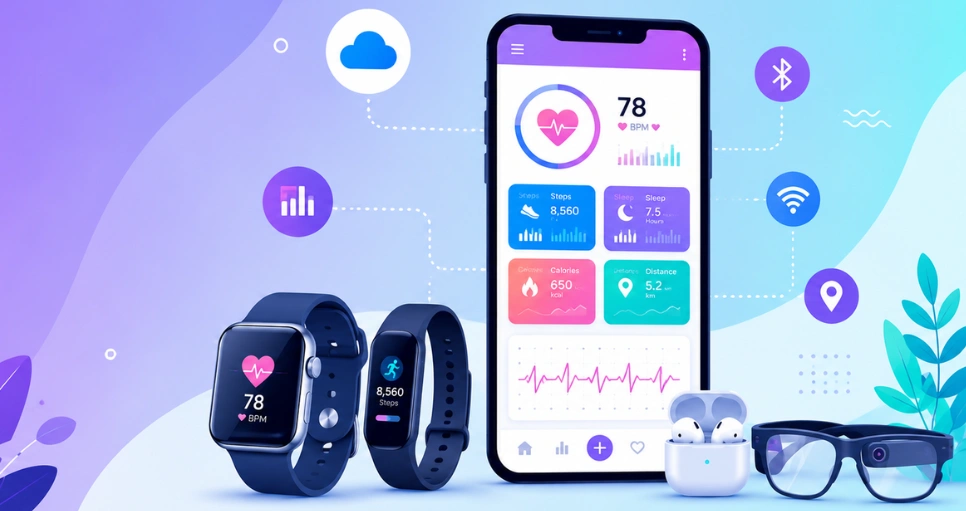
A wearable app is software built to run on smart devices worn on the body, like watches, rings, or glasses, syncing data in real time.
According to Intel Market Research's Wearable Device App Development Service Market report, the global wearable device app development service market was valued at USD 4.64 billion in 2025. The report forecasts it will grow from USD 5.32 billion in 2026 to USD 15.34 billion by 2034, expanding at a CAGR of 18.8% during the forecast period.
The WiseGuy Reports Wearable App Development Market report estimates the global wearable app development market at USD 20.7 billion in 2025. It also projects the market to reach USD 45.0 billion by 2035, growing at a CAGR of 8.1% from 2026 to 2035.
Here's how it actually works, step by step:
- Sensors collect data from your body, like heart rate or steps.
- The app processes this raw data on the device itself.
- Data syncs to your phone or cloud through Bluetooth or WiFi.
- You get insights through alerts, dashboards, or health reports.
Difference between wearable apps and mobile apps
Wearable apps run on small screens with limited battery, while mobile apps handle bigger tasks. Screen size, sensor use, and power needs set them apart completely.
|
Factor |
Wearable App |
Mobile App |
|
Screen Size |
Very small, glanceable |
Large, detailed |
|
Battery Use |
Extremely low power |
Higher power usage |
|
Sensors |
Heart rate, motion, GPS |
Camera, mic, GPS |
|
Connectivity |
Often needs a paired phone |
Standalone internet access |
|
Interaction |
Quick taps, voice, gestures |
Full touch and typing |
|
Use Case |
Instant health or notification data |
Full feature-rich tasks |
Types of Wearable Apps
Wearables come in many shapes now, and each type solves a different problem for the user. A good mobile app development company understands these differences before writing a single line of code.
1. Smartwatch Apps
Smartwatch apps handle everything from texts to workouts. They're built for glanceable data, so users check things fast without pulling out their phone. Most brands now offer on demand app development for custom watch features tailored to specific industries.
Examples: Apple Watch, Samsung Galaxy Watch, Google Pixel Watch, Garmin Venu, and Huawei Watch
2. Fitness Tracker Apps
These apps live and breathe activity data. Step counts, calories, workout modes, it's all tracked here. Fitness tracker apps focus on motivation too, using streaks and badges to keep people moving daily.
Examples: Fitbit Charge, Garmin Vivosmart, Xiaomi Smart Band, WHOOP Strap, and Amazfit Band
3. Healthcare Wearable Apps
Healthcare Wearable Apps monitor vitals like heart rhythm and oxygen levels. Doctors use this data for remote check-ins, which cuts down hospital visits and catches issues early, sometimes before symptoms even show.
Examples: Dexcom G7, Abbott FreeStyle Libre, Apple Health, BioBeat, and AliveCor KardiaMobile
4. Smart Ring Apps
Small but mighty. Smart Ring Apps track sleep, temperature, and recovery without a bulky screen. People like them because they're discreet, comfortable, and still deliver solid health data around the clock.
Examples: Oura Ring, Samsung Galaxy Ring, Ultrahuman Ring AIR, RingConn, and Circular Ring
5. Smart Glasses Apps
Smart Glasses Apps overlay digital info onto the real world. Think navigation arrows floating in your vision, or translated text appearing instantly. This niche is growing fast thanks to better optics and lighter frames.
Examples: Ray-Ban Meta Smart Glasses, Google Glass Enterprise Edition, Microsoft HoloLens 2, XREAL Air, and Vuzix Blade
6. Industrial Wearable Apps
Factories and warehouses use Industrial Wearable Apps for safety alerts and hands-free instructions. Workers get real-time warnings about hazards, which honestly saves lives on busy production floors.
Examples: RealWear Navigator, Zebra HD4000, Honeywell Connected Worker, TeamViewer Frontline, and Microsoft HoloLens 2
Why Businesses Are Investing in Custom Wearable App Development
Companies aren't building wearable apps just to look trendy. Custom wearable app development brings real, measurable business value, from loyalty to fresh revenue streams.
1. Better Customer Engagement
Push alerts on a wrist get noticed way faster than an email buried in an inbox. That instant visibility means brands can nudge users toward action right when it matters most, not hours later.
2. Real-Time Data
Sensors feed live numbers straight into your systems. Whether it's a delivery driver's location or a patient's heart rate, real-time data means faster decisions and fewer nasty surprises down the line.
3. Customer Retention
People stick around when a product actually fits into their daily routine. A wearable app worn on the body all day builds a habit loop that's hard to break, which keeps churn rates low.
4. Personalization
Every user's data is different, so the app should feel different too. Personalization through wearable data lets brands tailor workouts, alerts, or offers to each person instead of a one-size-fits-all approach.
5. Premium Subscriptions
Advanced health insights, custom coaching, deeper analytics, these all sell well as paid tiers. Premium subscriptions turn a free wearable app into a steady, recurring income stream for the business.
6. Competitive Advantage
Full-stack development companies are helping brands launch wearable features before their rivals even start planning. Early movers usually grab the loyal users first, and that head start is tough for competitors to close.
Internal linking words:
AI App Development Companies
Benefits of Wearable Mobile App Development for Users
It's not just businesses who win here. Wearable Mobile App Development gives everyday users faster access to health data and daily convenience they didn't have before.
1. Convenience
No more digging for your phone every few minutes. A quick glance at your wrist gives you the message, the weather, or the next turn on your route.
2. Health Monitoring
Continuous health tracking catches small changes before they become big problems. Heart rate spikes, irregular rhythms, all flagged early enough to actually do something about it.
3. Fitness Tracking
Steps, workouts, calories burned, it's all logged automatically. Users don't need to manually enter data anymore, which honestly makes people way more consistent with their goals.
4. Remote Monitoring
Elderly parents living far away? Remote monitoring lets family members or doctors check vitals without an in-person visit, which brings a lot of peace of mind.
5. Instant Notifications
Texts, calls, calendar reminders, all pop up instantly on the wrist. Instant notifications mean users never miss something important, even mid-meeting or mid-workout.
6. Contactless Payments
Tap your wrist, done. Contactless payments through wearables mean no wallet, no phone, just a quick tap at checkout, which feels almost magical the first time you try it.
Essential Features Every Wearable App Development Company Should Build
A skilled Wearable App Development Company balances user needs, admin controls, and smart automation. Here's a breakdown of what belongs where.
|
User Features |
Admin Features |
AI Features |
|
Live Dashboard: shows steps, heart rate, and sleep in one glance for quick daily checks. |
User Management: lets admins view, edit, or remove accounts across the whole platform easily. |
Smart Alerts: flags unusual health patterns automatically before they become bigger issues. |
|
Voice Control: allows hands-free commands for messages, alarms, or quick app actions. |
Data Analytics: tracks usage trends and device health across every connected wearable. |
Predictive Insights: forecasts fatigue or illness risk using ongoing sensor data patterns. |
|
Notifications: pushes calls, texts, and reminders straight to the wearable screen. |
Security Controls: manages permissions, encryption settings, and compliance rules centrally. |
Auto Coaching: suggests workout or rest adjustments based on daily performance data. |
|
Offline Mode: keeps core tracking features running even without an internet connection. |
Content Updates: pushes new features or firmware updates to devices remotely. |
Voice Recognition: understands natural speech for hands-free wearable interactions. |
How to Build a Wearable App in 2026: A Step-By-Step Process
Building a wearable app isn't like building a regular mobile app. It needs its own roadmap, one built around small screens and even smaller batteries. Many mobile app development companies now follow this exact process for every wearable project.
1. Research
Start by figuring out who your user actually is, and what problem they need solved. Skip this step, and you'll waste time and money on features nobody uses. Key things to check:
- Target audience and daily habits
- Competing wearable apps already in the market
- Device compatibility, like Wear OS or watchOS
- Rough budget range, since web app development cost varies a lot by scope
2. UI UX
Small screens demand big discipline. Every button, every text label has to earn its place. Designers usually sketch multiple versions before picking one that feels natural on a two-inch display. Focus areas include:
- Glanceable layouts with minimal text
- Large tap targets for quick interaction
- Consistent gestures across the whole app
- Dark mode for battery savings
3. Architecture
This is the technical skeleton holding everything together. A weak architecture means constant crashes later, so teams spend real time here upfront. Core decisions include:
- Choosing cloud vs edge processing
- Planning data sync between phone and wearable
- Setting up secure API structures
- Deciding on offline data storage limits
4. Development
Now the actual coding begins, usually in parallel across the watch app, companion phone app, and backend. AI app development cost estimates often get revisited here once real feature scope is clear. Development typically covers:
- Native or cross-platform coding
- Sensor data handling logic
- Notification and alert systems
- Battery-efficient background processes
5. Device Integration
Wearables must talk to sensors, other apps, and sometimes even other devices. This step makes sure everything connects smoothly without draining the battery. Common integration tasks:
- Bluetooth and NFC pairing setup
- Health API connections, like HealthKit
- GPS and motion sensor calibration
- Cross-device notification syncing
6. Testing
Bugs on a wearable feel worse than on a phone, since there's no room to hide a glitch. Testing needs to cover real-world conditions, not just a lab environment. Testing checklist usually includes:
- Battery drain under heavy use
- Sensor accuracy across body types
- Connectivity drops and reconnections
- Different screen sizes and OS versions
7. Deployment
Launch day brings its own headaches, especially with strict app store rules for wearables. Teams usually roll out slowly, watching for crashes before a full release. Deployment steps include:
- App store submission and review
- Staged rollout to limited users first
- Server load testing under real traffic
- Backup plans for update failures
8. Maintenance
The work doesn't stop at launch. Firmware changes, new OS versions, and user feedback all demand ongoing updates. Skipping maintenance is how good apps quietly die. Ongoing tasks include:
- Regular firmware compatibility checks
- Bug fixes based on user reports
- New feature rollouts based on demand
- Security patch updates
Top Technology Stack for Custom Smartwatch and Wearable App Development Services
Picking the right tools early saves massive headaches later. Custom Smartwatch and Wearable App Development Services usually rely on this proven stack.
|
Technology |
Purpose |
|
Wear OS |
Google's platform for Android-based smartwatches. |
|
watchOS |
Apple's operating system for the Apple Watch. |
|
Bluetooth Low Energy (BLE) |
Low-power connection between wearable and phone. |
|
NFC |
Enables contactless payments and quick pairing. |
|
GPS |
Tracks location for fitness and navigation features. |
|
IoT |
Connects wearables to a broader network of smart devices. |
|
Cloud |
Stores and processes data outside the device itself. |
|
AI |
Powers smart alerts and personalized recommendations. |
|
Machine Learning |
Improves predictions based on ongoing user data. |
|
Health APIs |
Standardizes health data sharing across platforms. |
|
Apple HealthKit |
Apple's framework for storing and sharing health data. |
|
Google Health Connect |
Android's central hub for fitness and health data. |
|
Firebase |
Backend platform for real-time sync and notifications. |
The Role of AI in Modern Smartwatch App Development
AI isn't a buzzword anymore, it's the backbone of good smartwatch app development.
Today, many AI app development companies build intelligent models that power features like health predictions, activity recognition, and personalized coaching. Without AI, most wearable features would feel flat and generic.
1. Personalized Insights
AI studies your patterns over weeks, not just one day. That means the advice you get actually fits your body, not some generic average pulled from a stock dataset.
2. Predictive Analytics
Instead of reacting to problems, predictive analytics spots trends early. A slight change in resting heart rate over time might flag stress before you even notice it yourself.
3. Smart Notifications
Not every alert deserves your attention right away. Smart notifications learn what matters to you, filtering out noise so you only get pinged when it's actually worth it.
4. Activity Recognition
Walking, running, cycling, swimming, the app figures out what you're doing without you tapping a single button. Activity recognition makes tracking almost effortless.
5. Sleep Analysis
Sleep analysis breaks down light sleep, deep sleep, and REM cycles automatically. Users wake up to a clear picture of how well they actually rested overnight.
6. Health Recommendations
Based on all this data, the app can suggest small daily changes. Maybe it's an earlier bedtime, or a shorter workout. Health recommendations feel like a coach that never sleeps.
Wearable App Development Cost in 2026
Pricing varies a lot depending on features and platforms chosen. Wearable App Development Cost typically ranges anywhere from a basic build to a fully custom enterprise solution.
|
App Type |
Estimated Cost (USD) |
Estimated Timeline |
|
Basic Fitness Tracker App |
$8,000 – $18,000 |
2–3 Months |
|
Standard Smartwatch App |
$18,000 – $35,000 |
3–5 Months |
|
Healthcare Wearable App |
$35,000 – $60,000 |
5–7 Months |
|
AI-Powered Enterprise Wearable App |
$60,000 – $90,000+ |
7–12+ Months |
Factors affecting cost:
- Platform: building for Wear OS, watchOS, or both changes pricing fast.
- Complexity: simple tracking costs less than full AI-driven features.
- Features: payments, health APIs, and voice control all add cost.
- Third-party integrations: connecting to outside health systems adds development time.
- Team: in-house teams often cost more than outsourced specialists.
- Location: developer rates shift a lot depending on region hired.
Common Challenges in Wearable Application Development
Building for wearables comes with its own headaches, ones regular app teams rarely deal with. Here are the big ones, and how to fix them.
1. Battery Optimization
Challenge: Small batteries drain fast with constant sensor use and background syncing running nonstop.
Solution: Use low-power modes and limit background processes to only what's truly essential for the user.
2. Small Screen UI
Challenge: Tiny screens leave almost no room for detailed menus or long blocks of text.
Solution: Stick to glanceable cards, big icons, and voice input wherever it makes sense.
3. Sensor Accuracy
Challenge: Skin tone, movement, and sweat can all throw off sensor readings unexpectedly.
Solution: Calibrate sensors regularly and cross-check data with multiple sensor types when possible.
4. Connectivity
Challenge: Wearables often lose connection when moving between wifi, bluetooth, and cellular networks.
Solution: Build strong offline caching so the app keeps working during signal drops.
5. Privacy
Challenge: Health data is sensitive, and users get nervous about who sees it.
Solution: Use strong encryption and clear consent screens explaining exactly how data gets used.
6. Data Synchronization
Challenge: Syncing between the wearable, phone, and cloud can create lag or duplicate records.
Solution: Use conflict resolution logic and background sync queues to keep everything clean.
7. Device Compatibility
Challenge: Not every wearable supports the same sensors or screen sizes across brands.
Solution: Build modular code that adapts layouts and features per device automatically.
8. Performance
Challenge: Slow load times feel worse on a wearable since users expect instant responses. mobile app development cost often rises when teams have to optimize heavily for speed this late in the process.
Solution: Keep the app lightweight and test constantly on real devices, not just simulators.
Best Practices for Developing Wearable Applications
Following a solid Wearable App Development Guide for Businesses saves time and avoids costly rework later. These practices apply across almost every wearable project.
1. Simple UI
Less is genuinely more here. A cluttered screen on a tiny display frustrates users fast, so keep every layout clean and obvious.
2. Fast Loading
Users expect instant feedback on a wearable. Even a two-second delay feels sluggish, so performance testing needs to be constant.
3. Offline Support
Not every moment has a signal. Core features should still work even when the device briefly loses connection.
4. Security
Health and location data need strong protection. Encryption and secure logins aren't optional, they're expected by every user now.
5. Battery Optimization
Features should be built with power consumption in mind from day one, not patched in later as an afterthought.
6. Accessibility
Bigger text options, voice commands, and clear contrast help everyone use the app, including users with visual or motor challenges.
Future Trends in Wearable App Development
The wearable space keeps shifting fast, and 2026 is bringing some genuinely exciting changes worth watching.
1. AI Wearables
AI wearables are moving beyond simple tracking into full conversation and coaching. Expect devices that talk back with real, useful suggestions instead of just numbers on a screen.
2. Smart Rings
Smart rings are gaining ground fast thanks to their discreet design. People who dislike bulky watches are switching over for the same health tracking in a smaller package.
3. Remote Patient Monitoring
Hospitals are leaning harder into remote patient monitoring to cut costs and free up beds. Wearables send live vitals straight to care teams without a single office visit.
4. Digital Therapeutics
Digital therapeutics use wearable data to guide treatment plans directly through the app. Think guided breathing exercises triggered automatically when stress levels spike.
5. Edge AI
Processing data directly on the device, called edge AI, cuts down on lag and keeps sensitive data more private since it never has to leave the wearable.
6. AR Wearables
AR wearables are blending digital overlays into daily life more naturally now. Navigation, translation, and notifications appear right in your field of view.
7. Continuous Health Monitoring
Continuous health monitoring is becoming the norm rather than the exception. Users expect round-the-clock tracking, not just a quick daily check-in.
8. Generative AI
Generative AI is starting to write personalized workout plans and health summaries on the fly, adapting instantly based on fresh data instead of static templates.
9. Predictive Healthcare
Predictive healthcare aims to catch problems weeks before symptoms show. This shift from reactive to proactive care might be the biggest change wearables bring to medicine.
Conclusion
Wearables aren't a passing trend anymore, they're becoming part of daily life for millions of people.
Getting wearable app development right means balancing tiny screens, limited battery, and real user needs, all while building something people actually trust with their health data.
Businesses that invest here now are setting themselves up for stronger engagement and loyalty down the road. Whether you're building a fitness tracker or a full healthcare platform, the fundamentals stay the same: keep it simple, keep it fast, and keep the user's real needs at the center of every decision you make.
FAQ's
Wearable app development is the process of creating apps for smartwatches, fitness bands, smart rings, smart glasses, and other connected wearable devices.
Most wearable apps cost between $8,000 and $90,000+, depending on features, supported platforms, integrations, and AI capabilities.
A basic wearable app usually takes 2–3 months, while advanced healthcare or AI-powered apps can take 7–12 months or longer.
Most wearable apps are built for Wear OS and watchOS, with support for Bluetooth, HealthKit, Health Connect, and cloud services.
Healthcare, fitness, logistics, manufacturing, retail, insurance, and enterprise businesses use wearable apps to improve efficiency and user engagement.
Yes. Many wearable apps work offline by storing data on the device and syncing it automatically when a connection is available.
Core features include health tracking, notifications, voice control, offline mode, secure data sync, GPS, and AI-powered insights.
Wearable apps boost customer engagement, collect real-time data, improve retention, create subscription revenue, and help brands stay competitive.

CrinPro
CrinPro Solutions is a leading IT company that helps startups and enterprises build innovative digital products. From intuitive mobile applications and high-performance websites to AI-powered solutions and enterprise software, our team delivers scalable, secure, and user-focused products tailored to unique business needs. With expertise across multiple industries, we transform ideas into digital experiences that drive growth, improve efficiency, and create long-term business value.


