
Key Takeaways:
- Build the data foundation first because accurate AI insights depend on clean, structured, governed business data.
- Keep the MVP focused on natural language analytics, dashboards, secure data access, and one clear business use case.
- Use machine learning for forecasting and anomaly detection, while LLMs handle natural language and insight explanations.
- Protect sensitive business data with role-based access, tenant isolation, encryption, validation, audit logs, and secure queries.
- Measure success through faster reporting, accurate answers, better decisions, and measurable business outcomes rather than feature count.
Your dashboard is full of numbers, yet the answer you need is usually buried somewhere inside them. That is the frustrating part.
Teams spend hours cleaning data, building reports, and chasing trends that may already be affecting revenue.
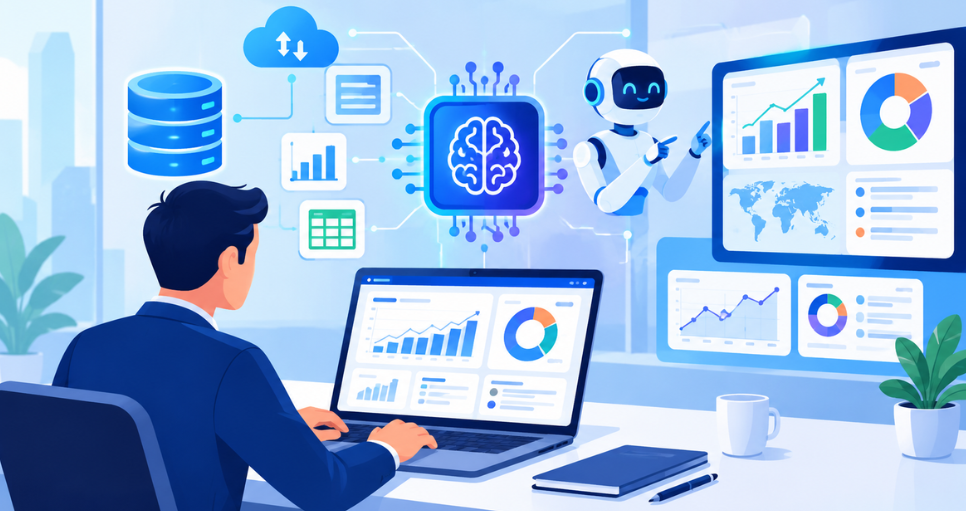
That is where AI business intelligence software development becomes valuable. AI-powered analytics can connect business data, uncover patterns, answer natural language queries, and support faster decisions.
But building it is not just about adding an LLM to a dashboard. Data architecture, predictive analytics, automation, security, and the right BI features all matter.
This guide breaks down the development process, features, technology stack, timeline, and cost.
AI-Powered Business Intelligence Software Development: What It Is and How It Works
AI Business Intelligence Software is a data analytics platform that uses artificial intelligence to turn business data into insights, forecasts, natural language answers, and decision support.
The global business intelligence software market was valued at $46.42 billion in 2025 and is projected to reach $150.24 billion by 2034, growing at a 13.94% CAGR.
The workflow is fairly straightforward. Behind the scenes, several data and AI components work together to turn raw information into useful business intelligence.
1. Connect Business Data
CRM, ERP, spreadsheets, APIs, e-commerce platforms, and cloud databases feed data into a unified analytics environment.
2. Clean and Structure Data
Data pipelines clean, transform, and organize raw records so the analytics engine can work with consistent business metrics.
3. Analyze Business Data
The semantic layer adds business meaning while AI and machine learning models identify patterns, trends, relationships, and anomalies.
4. Deliver Insights
Dashboards, natural language answers, forecasts, alerts, and recommendations turn analysis into action, supporting AI workflow automation software development.
Key Features of Intelligent Data Analytics Software for Businesses
This is the part most people building an AI BI platform actually care about most. What goes in it?
1. Data Integration
Connections to CRM tools, ERP systems, databases, APIs, spreadsheets, e-commerce platforms, advertising platforms, and payment systems like Stripe. If the data can't get in cleanly, nothing after this step matters.
2. Interactive Dashboards
KPIs, charts, filters, drill-downs, and custom reports make business data easier to understand. AI data visualization software can also surface important trends and patterns without forcing users to dig through every chart manually.
3. Natural Language Analytics
Users type or speak a question instead of manually building a report from scratch.
4. Text to SQL
The engine that quietly converts a plain English question into a structured database query behind the scenes.
5. AI-Generated Insights
The system spots trends, sudden changes, relationships, and anomalies automatically, a capability that can become part of agentic AI software development for proactive business intelligence.
6. Predictive Analytics
Revenue forecasting, demand forecasting, churn prediction, sales forecasting, all built on proper statistical or machine learning models, not guesswork.
7. Automated Reporting
Scheduled reports and executive summaries can reach decision makers without anyone lifting a finger. AI reporting and dashboard software can combine automated reporting with live KPIs, business insights, and performance summaries in one place.
8. Anomaly Detection
The system flags unusual changes in important metrics before a human would even notice something's off.
9. Conversational Analytics
Users can ask a follow-up question and keep exploring the same dataset, the same way you'd keep talking to a coworker who knows the numbers cold.
10. AI Recommendations
The platform suggests where attention is needed, instead of waiting to be asked.
11. Role-Based Access Control
Users only see the data that's relevant and appropriate for their role, nothing more.
12. Real-Time Alerts
Notifications the moment a predefined business condition changes, like churn crossing a threshold or revenue dipping below plan
How to Approach Business Analytics Platform Development
Building this the right way takes longer than wiring an LLM up to a database and calling it finished. But that's exactly why it works when it's done properly.
1. Start with the core use case
Before choosing AI models or technologies, decide who will use the platform and what decisions it will help them make.
For example, you could build AI BI software for:
- Ecommerce companies
- SaaS businesses
- Financial teams
- Sales organizations
- Marketing teams
- Healthcare organizations
- Enterprise operations
For an MVP, focus on one business function first. If you work with AI app development companies, make sure they understand your data sources, business metrics, AI requirements, and target users before development begins.
For example:
An AI sales intelligence platform that connects CRM and sales data and lets managers ask questions about revenue, leads, conversion rates, sales performance, and customer churn.
This is much easier to validate than trying to build a universal BI platform immediately.
2. Build the data connection layer
Your AI cannot produce useful business intelligence without reliable data.
Your platform should connect with sources such as:
|
Data Source |
Example |
|
CRM |
Salesforce, HubSpot |
|
Databases |
PostgreSQL, MySQL |
|
Spreadsheets |
Excel, CSV |
|
Ecommerce |
Shopify |
|
Marketing |
Google Ads, Meta Ads |
|
Payments |
Stripe |
|
ERP |
SAP, Oracle |
|
Cloud storage |
AWS S3 |
|
Data warehouses |
Snowflake, BigQuery |
The architecture could look like this:
Business systems → Data connectors → Data processing → Data warehouse → Analytics engine → AI layer → Dashboard
This data foundation is one of the most important parts of the entire product.
3. Create a unified data model
This is where many AI BI projects become difficult.
Different businesses use different names for the same concepts.
For example, one system might call something:
Customer
Another might use:
Account
Another might use:
Client
Your platform needs to understand these relationships.
You may create standardized business entities such as:
- Customer
- Product
- Order
- Revenue
- Employee
- Campaign
- Lead
- Subscription
- Invoice
You can then define metrics such as:
Revenue = completed transaction value
Conversion Rate = converted leads ÷ total leads
Customer Acquisition Cost = marketing and sales cost ÷ new customers
This gives the AI a reliable business context.
4. Add the traditional BI layer
Do not skip conventional BI capabilities just because the product contains AI.
Users still need:
- Dashboards
- Charts
- KPIs
- Filters
- Drill downs
- Reports
- Data tables
- Scheduled reports
For example, a sales dashboard might show:
Revenue
$2.4M
Monthly growth
+14.2%
New customers
1,284
Conversion rate
8.7%
Customer churn
3.2%
The AI layer should sit on top of this analytics foundation.
5. Build the natural language interface
This is one of the most valuable AI features.
Instead of requiring users to build SQL queries or complicated reports, let them ask:
“Why did revenue decrease last month?”
The system converts the question into an analytics task.
A simplified flow is:
User question → LLM understands intent → Identify relevant business metrics → Generate structured query → Query database → Validate results → Analyze results → → Generate explanation → Show chart + answer
The important point is that the LLM should not simply guess the answer.
It should retrieve the relevant business data first.
6. Use text-to-SQL carefully.
Text-to-SQL can become a major feature.
For example:
“Show me revenue by region for the last six months.”
The AI could generate an SQL query similar to:
SELECT
region,
SUM(revenue) AS total_revenue
FROM sales
WHERE sale_date >= CURRENT_DATE - INTERVAL '6 months'
GROUP BY region
ORDER BY total_revenue DESC;
The application executes the query and sends the structured result back to the AI.
The AI can then explain the result in simple language.
However, you should add SQL validation, permissions, query limits, and schema controls before executing AI-generated queries.
7. Add an AI insight engine
This is what makes your product more than a natural language BI tool.
The system should automatically look for:
- Revenue changes
- Unusual transactions
- Customer churn patterns
- Sales opportunities
- Marketing performance changes
- Inventory problems
- Profitability changes
- Conversion drops
For example:
Revenue increased 18% this month, but profit increased only 4%. The largest margin decline came from Product Category A.
That is much more valuable than simply showing a revenue chart. Over time, these capabilities can turn the platform into AI decision support software, helping managers understand not only what changed, but where attention may be needed next.
8. Add predictive analytics
Once your historical data is reliable, you can introduce forecasting.
Examples include:
- Sales forecasting
- Revenue forecasting
- Demand forecasting
- Customer churn prediction
- Inventory forecasting
- Lead conversion prediction
For example:
“Based on the previous 24 months of sales data, projected revenue for next month is $412,000.”
You can use conventional machine learning models where appropriate instead of using an LLM for every prediction.
LLMs are excellent for language and reasoning over retrieved information. They are not automatically the best choice for numerical forecasting.
9. Add conversational analytics
Eventually, the product can behave like a business analyst.
A user could ask:
“Why are sales down?”
Then:
“Which region is responsible?”
Then:
“Which products caused the decline?”
Then:
“Compare this with the same period last year.”
Then:
“Create a report for the sales director.”
The system should maintain enough conversation context to understand that these questions relate to the same analysis.
10. Recommended technology stack
A practical architecture could use:
|
Layer |
Technologies |
|
Web frontend |
React, Next.js |
|
Backend |
Python, FastAPI |
|
AI orchestration |
Python, LangChain or LlamaIndex |
|
LLM |
OpenAI, Anthropic, Google Gemini or another suitable model |
|
Database |
PostgreSQL |
|
Analytics warehouse |
BigQuery, Snowflake or ClickHouse |
|
Data processing |
Python, Pandas, dbt |
|
Vector database |
pgvector, Pinecone or Weaviate |
|
Machine learning |
Python, scikit-learn, XGBoost |
|
Cache |
Redis |
|
Background jobs |
Celery or a cloud queue |
|
Cloud |
AWS, Azure or Google Cloud |
|
Containers |
Docker |
|
Monitoring |
OpenTelemetry plus cloud monitoring |
You do not need every component for an MVP.
For example, PostgreSQL + Python + FastAPI + React + one LLM provider can be enough to validate the initial product.
11. Build the MVP first
I would keep the first version relatively focused.
MVP features
- User authentication
- Company workspace
- CSV and Excel upload
- Database connection
- Basic data cleaning
- Dashboard builder
- KPI creation
- Natural language questions
- Text to SQL
- AI-generated explanations
- Basic charts
- Data filtering
- Export reports
- User permissions
That gives you a usable AI BI product without trying to compete with large enterprise BI platforms or mobile app development services from day one.
12. Then add advanced AI features
After validating the MVP, you can introduce:
- Automatic anomaly detection
- AI-generated dashboards
- Predictive forecasting
- AI recommendations
- Automated executive summaries
- Scheduled AI reports
- Conversational data exploration
- Root cause analysis
- Customer churn prediction
- Sales forecasting
- Agentic analytics
The last one is particularly interesting.
Instead of waiting for the user to ask questions, an AI analytics agent could continuously monitor business data and notify users when something important happens.
For example:
Your customer acquisition cost increased 21% this week. Paid search accounts for 74% of the increase.
That moves the product from business intelligence toward AI-powered decision intelligence.
13. Security should be designed from the beginning
This is especially important because your software will process business data.
You should consider:
- Role-based access control
- Tenant isolation
- Encryption
- Audit logs
- API authentication
- Data masking
- Row-level security
- SSO
- MFA
- Secure API credentials
- Prompt injection protection
- AI output validation
For enterprise customers, you may eventually need additional compliance capabilities depending on the industries and countries you serve.
These requirements become even more important when building enterprise AI analytics software, where multiple teams, data sources, permissions, and regulatory requirements must work together securely.
How Much Does It Cost to Develop an AI Business Intelligence Platform?
AI business intelligence software development costs vary based on features, integrations, AI complexity, security, and overall project scope.
|
Product Stage |
Estimated Cost |
Estimated Timeline |
|
Basic MVP |
8,000–20,000 |
2–3 months |
|
Mid-Level Platform |
20,000–45,000 |
3–5 months |
|
Advanced Platform |
45,000–90,000+ |
5–8 months |
|
Enterprise Platform |
$90,000+ |
8–12+ months |
Common Mistakes to Avoid When Building Custom AI BI Solutions
Avoid poor data quality, weak security, unclear metrics, unsafe AI queries, and skipping testing when building AI BI software.
1. Wrong Foundation
Mistake: Starting with the LLM and choosing the data architecture later. The model is only one part of an AI analytics platform.
Solution: Design data integration, business metrics, semantic models, and the analytics layer first. Then select the LLM around the actual use case.
2. Missing Semantics
Mistake: Skipping the semantic layer can make revenue, churn, margin, or conversion metrics mean different things to different users.
Solution: Define governed business metrics and relationships through a semantic model before adding natural language analytics or conversational BI.
3. Unsafe Queries
Mistake: Allowing an LLM to generate and execute SQL without schema controls, permissions, validation, or query limits can expose sensitive data.
Solution: Add read-only access, SQL validation, row-level security, query limits, and result checks before executing AI-generated queries.
4. Wrong Forecasting
Mistake: Using an LLM to calculate sales forecasts because it can understand natural language does not make it a forecasting model.
Solution: Use statistical or machine learning models for forecasting, then let the LLM explain predictions using trusted business data.
5. Dirty Data
Mistake: Poor data quality can make polished dashboards misleading. Duplicate records, missing values, and inconsistent CRM data quickly damage trust.
Solution: Add data validation, transformation, deduplication, quality checks, and governance before feeding business data into AI analytics.
6. Bloated MVP
Mistake: Trying to launch forecasting, AI agents, recommendations, dashboards, and dozens of integrations at once often slows the product down.
Solution: Start with core BI features, reliable data integration, natural language queries, and a focused analytics use case. Expand after validation.
7. Blind Trust
Mistake: AI-generated insights can sound convincing even when the underlying answer is incomplete or wrong. Confidence in wording is not accuracy.
Solution: Ground responses in verified data, show supporting metrics, validate outputs, and keep human review for important business decisions.
8. Late Security
Mistake: Adding authentication, tenant isolation, encryption, and access controls after development can force expensive architecture changes later.
Solution: Build security into the architecture from day one with RBAC, row-level security, encryption, audit logs, MFA, and secure API access.
9. Hidden Costs
Mistake: Ignoring LLM API usage, cloud compute, data storage, vector databases, monitoring, and query volume can push operating AI BI Software Development Costs higher than expected.
Solution: Track AI infrastructure usage from the MVP and set budgets, caching rules, model routing, query limits, and monitoring before usage scales.
10. Feature Counting
Mistake: A long feature list does not prove business value. Users care about faster analysis, better decisions, accurate insights, and measurable outcomes.
Solution: Measure adoption, query accuracy, reporting time, decision speed, and business outcomes instead of celebrating features alone.
How to Follow Best Practices in Predictive Analytics Software Development
Keep the semantic layer as the single source of truth; don't let it get bypassed anywhere in the system. Validate AI-generated queries before they run against real data. Build role-based access control from day one. Use proper ML models for forecasting, not a language model stretched past what it's good at. Test accuracy constantly, not just once before launch. Start small with the MVP and expand based on what users actually ask for, not what sounds impressive in a pitch deck. And keep a human reviewing anything tied to a high-stakes decision.
The broader budget conversation often extends beyond analytics too, especially once AI capabilities stretch into a wider application. For a fuller picture, it's worth reviewing general AI app development cost factors alongside your BI-specific numbers.
Conclusion
AI business intelligence software development is not about putting an LLM on top of a dashboard and calling it innovation.
The real value comes from trusted data, a strong semantic layer, secure data integration, predictive analytics, natural language queries, and reliable AI insights working together.
Build the data foundation first, validate every AI-generated answer, and keep the MVP focused on decisions that matter.
Done properly, an AI BI platform can turn scattered business data into faster analysis, clearer forecasts, and decisions people can actually trust.
FAQ's
It's a platform that combines traditional data analytics with AI and natural language processing, so people can ask questions about their business in plain English and get real, trustworthy answers instead of just raw charts.
A basic MVP usually takes around three to five months, while a more advanced platform with deeper AI capabilities can take six months or longer, depending on data complexity and security needs.
No. It reduces repetitive analytical work, but interpretation, validation, and high-impact decisions still need a human in the loop.
The semantic layer. Without governed business definitions, even a very advanced AI model will give confident, wrong answers.
If you need standard dashboards and reporting, an existing platform is usually faster and cheaper. If you need proprietary workflows, custom AI agents, or embedded analytics, custom development makes more sense.
AI BI software can connect with CRMs, ERPs, databases, spreadsheets, eCommerce platforms, payment systems, APIs, and cloud data warehouses.
Yes. Machine learning models can forecast sales, revenue, demand, churn, and other trends using reliable historical business data.
Use role-based access, tenant isolation, encryption, row-level security, audit logs, MFA, secure queries, and regular data validation.

CrinPro
CrinPro Solutions is a leading IT company that helps startups and enterprises build innovative digital products. From intuitive mobile applications and high-performance websites to AI-powered solutions and enterprise software, our team delivers scalable, secure, and user-focused products tailored to unique business needs. With expertise across multiple industries, we transform ideas into digital experiences that drive growth, improve efficiency, and create long-term business value.


