
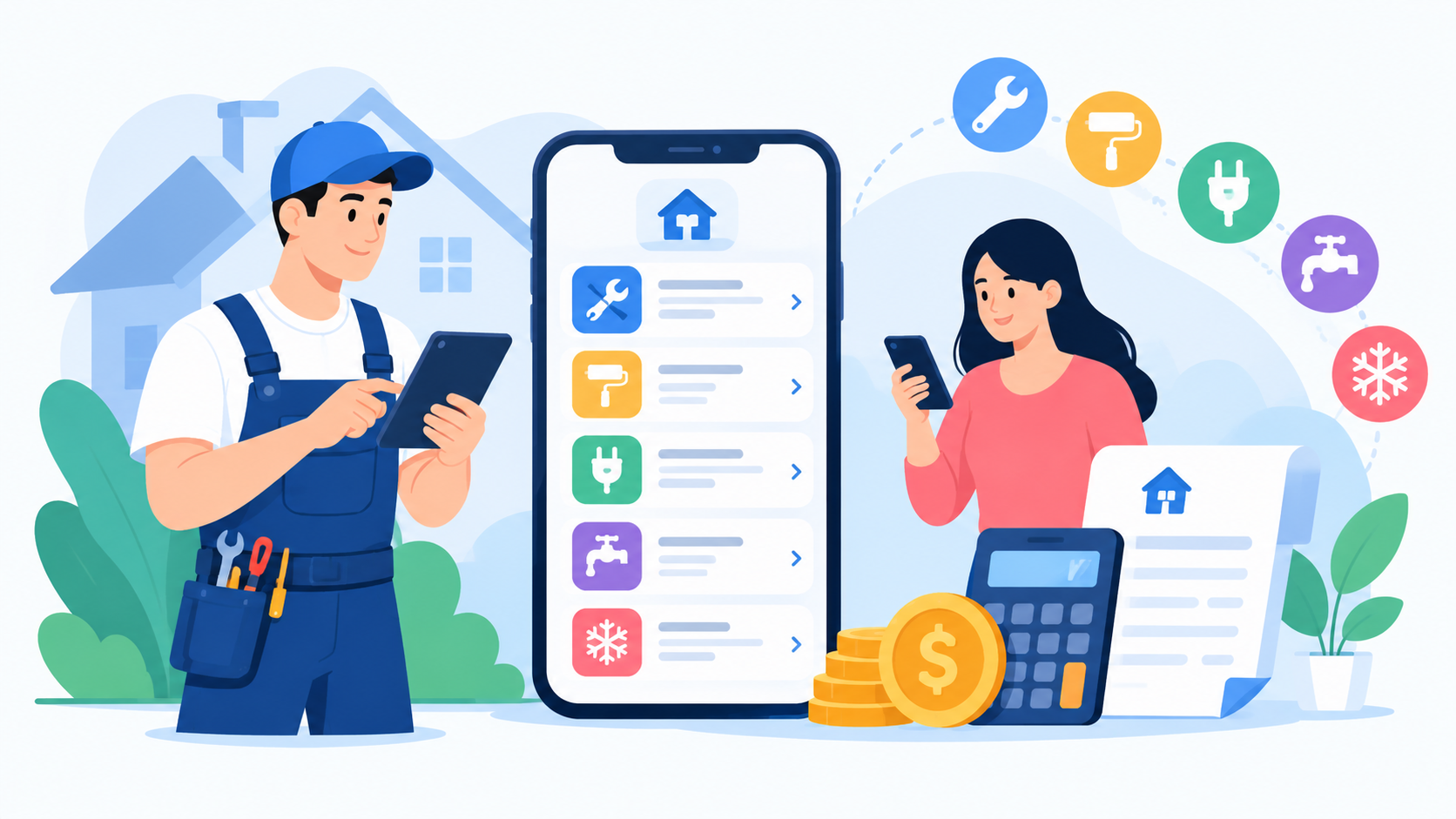
Key Takeaways:
- Home service app development cost in 2027 range from $8,000 to $90,000+, depending on scope and complexity.
- MVP development costs $8,000– $ 20,000 when focused on booking, payments, search, and basic admin features.
- Customer, provider, and admin modules are the core marketplace components that significantly affect total development cost.
- AI, GPS, payments, APIs, security, maintenance, and platform choices can increase development and operating costs.
- Starting with an MVP, using proven APIs, and cross-platform development can reduce costs without cutting core features.
Home Service App Development Cost in 2027: Features, Marketplace Modules and Pricing Breakdown
Wondering what a home service app will really cost? Many founders guess low, then watch the budget double.
Hidden fees, extra features, and weak planning make it worse. You lose time and money.
Here is the direct answer. Home service app development cost in 2027 run from $8,000 to $90,000+, based on features, platforms, and team. An MVP starts near $8,000.
This guide covers cost tables, marketplace modules, provider and admin features, tech stack, hidden costs, and AI. You will also learn smart ways to save.
What Is a Home Service App, and How Big Is the Market?
A home service app connects customers with local professionals like plumbers, cleaners, and electricians. Users search, book, pay, and review from their phone. Providers manage jobs and earnings.
The online on-demand home services market was valued at USD 3.71B in 2021 and is projected to reach USD 14.7B by 2030, growing at a 16.7% CAGR.
The global on-demand home services market is valued at USD 26.68B in 2026 and is projected to reach USD 49.73B by 2035, growing at a 6.7% CAGR, with Asia-Pacific leading at 40%.
What Are the Benefits of Home Service App Development?
A good app helps you earn more, serve faster, and build trust with customers and local professionals.
1. Faster Bookings and Higher Revenue
Customers browse services, pick a time slot, and pay in minutes. Instant booking cuts phone calls. More completed jobs mean more commission for your marketplace.
2. Better Trust with Ratings and Verification
Provider verification, KYC, and reviews make people feel safe. I have seen users skip a provider just because the profile had no photo. Trust drives bookings.
3. Less Admin Work Through Automation
Smart dispatch, auto reminders, and refund rules reduce manual work. AI automation software development can also help match jobs, route requests, and answer common customer questions automatically.
4. Real-Time Data and Analytics
An analytics dashboard shows top services, busy hours, and provider performance. You stop guessing. You plan marketing and pricing with real numbers.
5. Stronger Customer Retention
Recurring bookings, coupons, and push notifications bring users back. A cleaner who gets booked every two weeks is worth more than one big job.
How Much Does It Cost to Build a Home Service App in 2027?
Most projects land between $8,000 and $90,000 or more. The range depends on features, platforms, and team skill.
Here is a simple view from MVP to enterprise.
|
Level |
Estimated Cost (USD) |
Timeline |
Key Features |
|
MVP |
$8,000 to $20,000 |
2 to 3 months |
Login, search, booking, online payment, basic admin panel |
|
Standard |
$20,000 to $40,000 |
3 to 5 months |
Provider app, GPS, chat, reviews, coupons, push notifications |
|
Advanced |
$40,000 to $65,000 |
5 to 7 months |
AI matching, dynamic pricing, KYC, analytics, multi-city support |
|
Enterprise |
$65,000 to $90,000+ |
7 to 10 months |
Microservices, full automation, partner APIs, strong compliance |
What Factors Affect Home Service App Development Cost in 2027?
Many things move the price. Knowing them early keeps your budget safe.
Your Home Service App Development Cost in 2027 will rise or fall based on the factors below. Teams that study on-demand app development costs early plan better.
On-demand app development cost is easier to control when you know where the money goes.
Number of Platforms
More platforms mean more code and more testing. Cross-platform tools like Flutter and React Native can cut the bill.
|
Platform Choice |
Estimated Cost(USD) |
|
Android only |
$10,000 to $30,000 |
|
iOS only |
$12,000 to $32,000 |
|
Cross-platform (Flutter or React Native) |
$18,000 to $45,000 |
|
Android, iOS, and web dashboards |
$35,000 to $90,000+ |
UI/UX Complexity
Good design makes booking feel easy. Simple screens cost less. Custom motion, branded icons, and deep user research cost more.
|
Design Level |
What You Get |
Estimated Cost (USD) |
|
Basic |
Ready-made screens, simple flow |
$1,000 to $3,000 |
|
Standard |
Custom screens, clean user journey |
$3,000 to $7,000 |
|
Advanced |
Custom icons, prototypes, user testing |
$7,000 to $15,000 |
|
Premium |
Full brand system, motion, and accessibility checks |
$15,000 to $25,000 |
1. Booking and Scheduling Logic
Booking is the heart of the app. It handles time slots, real-time availability, rescheduling, and cancellation rules. Recurring bookings add more work.
Costs: $2,000 to $8,000
2. Location and GPS
GPS integration helps customers find nearby providers. It uses geolocation, service radius, and route optimization. Live tracking adds map API calls and extra testing.
Cost: $1,500 to $7,000
3. Payment Integration
Most apps use Stripe, PayPal, Braintree, Apple Pay, and Google Pay. They support cards, digital wallets, refunds, and provider payouts. Split payments take more effort.
Cost: $2,000 to $9,000
4. Third-Party APIs
Common tools include Google Maps, Twilio for SMS, SendGrid for email, Firebase, and Checkr for background checks. Each API adds setup, testing, and monthly fees.
Cost: $1,000 to $6,000
5. Real-Time Communication
In-app chat and calls keep talks inside your platform. WebSockets and Firebase Cloud Messaging power fast updates. Good chat also lowers fraud and no-shows.
Cost: $2,000 to $8,000
6. AI and Automation
AI can match providers, suggest services, and answer simple questions. Start small. Smart scheduling and chatbots cost less than custom machine learning models.
Cost: $3,000 to $20,000
5. Security and Compliance
Apps need encryption, two-factor login, and safe data storage. Payments follow PCI DSS. U.S. users expect CCPA compliance. SOC 2 and OWASP checks add trust.
Cost: $2,000 to $10,000
6. Testing
Good testing includes unit testing, integration testing, user acceptance testing, and penetration testing. Teams use Appium, Selenium, and Postman to catch bugs before launch.
Cost: $2,000 to $8,000
7. Post-Launch Maintenance
Apps need updates, bug fixes, and server care. Plan 15% to 20% of the build cost each year. Skip this, and your app slowly breaks.
Cost: $1,500 to $15,000 per year
Essential Features of a Home Service App
A home service marketplace has three sides. Each side needs its own tools and its own budget.
Customer App Features
- Sign up and log in: Email, phone, and social login speed up onboarding and cut drop-offs.
- Location detection: GPS finds the user and shows nearby providers fast.
- Service categories: Clear groups like cleaning, plumbing, and repair help users search.
- Provider search: Customers compare service providers in one place.
- Filters: Price, rating, and distance filters save time.
- Provider profiles: Photos, skills, and reviews build trust before booking.
- Pricing: Upfront prices stop surprise bills and boost conversions.
- Booking: One-tap booking lowers friction and raises completed jobs.
- Scheduling: Users pick a time slot or set a recurring visit.
- Online payment: Cards and digital wallets make checkout safe and quick.
- Order and service history: Users track past jobs and rebook favorites.
- Push notifications: Alerts keep users updated on status and arrival time.
- Ratings and reviews: Honest feedback helps new customers choose well.
- Chat: In-app messages keep every talk on record.
- Offers and coupons: Discounts bring new users and repeat bookings.
- Support: Help tickets and chat solve problems before they turn into bad reviews.
Service Provider App Features
- Provider registration: Simple signup helps professionals join your marketplace fast.
- KYC and profile verification: ID checks and background checks protect customers.
- Service management: Providers set services, prices, and work areas.
- Availability calendar: Technicians manage working hours and block busy days.
- Booking requests: New jobs show up in real time with clear details.
- Accept or reject jobs: Providers control their schedule and avoid burnout.
- Earnings dashboard: Daily and weekly income stays clear and trusted.
- Navigation: Built-in maps guide providers to the job site.
- Customer communication: Chats and calls help confirm job details. Strong mobile app development services make this smooth.
- Reviews: Providers see feedback and improve their service.
- Payout management: Fast, clear payouts keep top professionals loyal.
Admin Panel Features
- User management: Admins view, edit, or block customer accounts.
- Provider management: Approve providers, check documents, and manage status.
- Service categories: Add or edit services and set base prices.
- Booking management: Track every job from request to completion.
- Commission management: Set fixed or tiered commission by service type.
- Payments: Monitor transactions, refunds, and payout schedules.
- Disputes: Handle complaints with notes, proof, and clear status.
- Reviews: Moderate fake or harmful reviews.
- Promotions: Create coupons and seasonal offers.
- Analytics: See revenue, top services, and busy areas.
- Reports: Export business reports for finance and growth plans.
Home Service Marketplace Modules and Their Development Cost
Each module adds work. Some are simple. Others hide deep logic.
|
Module |
Key Functions |
Cost Impact |
Estimated Cost (USD) |
|
Customer module |
Search, booking, payment |
Medium |
$2,500 to $8,000 |
|
Provider module |
Availability, requests, earnings |
High |
$3,000 to $12,000 |
|
Admin module |
Users, providers, bookings, analytics |
High |
$3,000 to $12,000 |
|
Booking module |
Scheduling, cancellation, rescheduling |
Medium to High |
$2,000 to $8,000 |
|
Payment module |
Cards, wallets, refunds, payouts |
Medium to High |
$2,000 to $9,000 |
|
Location module |
GPS, maps, service radius |
Medium |
$1,500 to $7,000 |
|
Communication |
Chat, calls, notifications |
Medium |
$2,000 to $8,000 |
|
Review system |
Ratings, reviews, moderation |
Low to Medium |
$800 to $3,000 |
|
Analytics |
Revenue, bookings, provider metrics |
Medium |
$2,000 to $8,000 |
|
AI and automation |
Matching, support, predictions |
High |
$3,000 to $20,000 |
How to Calculate Home Service App Development Cost
Do not trust a random number. Use a simple formula. It shows you how the price is built.
Development Cost = Development Hours × Hourly Rate + Third-Party and Infrastructure Costs + Post-Launch Costs
Development hours cover discovery, UI/UX, frontend, backend, admin panel, APIs, QA, and deployment.
|
Development Stage |
Approx. Share |
|
Discovery |
5% to 10% |
|
UI/UX |
10% to 15% |
|
Development |
40% to 50% |
|
Testing |
10% to 15% |
|
Deployment |
5% |
|
Project management |
5% to 10% |
Let us try a real example. Say your team works 1,200 hours at $40 per hour. That is $48,000.
Add $4,000 for APIs and cloud setup. Add $6,000 for the first year of support. Your total is $58,000.
In my experience, the biggest surprise is not the hourly rate. It is the number of hours. Vague scope adds hours fast.
Home Service App Development Cost by Development Team Location
Where your team sits changes your hourly rate. It can change your total by half.
|
Region |
Hourly Cost |
Typical Project Cost |
|
USA |
$15–$50/hour |
$8,000 – $90,000+ |
|
Canada |
CAD 20–70/hour |
CAD 11,000–CAD 125,000+ |
|
Western Europe |
EUR 15–45/hour |
EUR 28,000–EUR 70,000+ |
|
Eastern Europe |
EUR 15–45/hour |
EUR 18,000–EUR 50,000+ |
|
Australia |
AUD 25–75/hour |
AUD 15,000–AUD 130,000+ |
|
Latin America |
USD 15–45/hour |
USD 15,000–USD 50,000+ |
|
Southeast Asia |
USD 15–45/hour |
USD 10,000–USD 35,000+ |
|
India |
INR 1,250–INR 4,200/hour |
INR 500,000–INR 70,00,000+ |
Technology Stack for a Home Service Marketplace App
Your tech stack shapes speed, safety, and budget. Pick tools that fit your size today and your plan for tomorrow.
|
Layer |
Technology |
Cost Level |
|
Mobile |
Flutter or React Native |
Low to Medium |
|
Mobile (native) |
Swift and Kotlin |
High |
|
Backend |
Node.js |
Medium |
|
Backend |
Python |
Medium |
|
API style |
REST API |
Low |
|
API style |
GraphQL |
Medium |
|
Database |
PostgreSQL or MySQL |
Low |
|
Database |
MongoDB |
Low |
|
Cache |
Redis |
Low |
|
Cloud |
AWS, Google Cloud, or Azure |
Medium |
|
Notifications |
Firebase Cloud Messaging |
Low |
|
Payments |
Stripe or Braintree |
Medium |
|
Maps |
Google Maps API |
Medium |
|
Architecture |
Microservices and API gateway |
High |
Hidden Costs of Building a Home Service App
The build is only the start. Monthly bills, small fees, and upkeep can quietly eat your budget long after launch day.
1. Cloud Hosting
Your app runs on cloud servers like AWS, Google Cloud, or Microsoft Azure. Hosting bills grow with traffic, cloud storage, CDN use, and database load. Busy weekends can raise costs fast, so plan for scalability and set usage alerts early.
Cost: $50 to $500 per month
2. Maps API
Maps power GPS integration, geocoding, distance calculation, and route optimization. Google Maps charges by request, so every search and live tracking update adds up. A wide service radius can push this bill higher than founders expect.
Cost: $100 to $1,000 per month
3. SMS
Text messages send login codes, booking confirmations, and arrival alerts. Providers like Twilio charge per message, and rates change by country. Heavy use for reminders and rescheduling grows the bill, so mix SMS with push notifications.
Cost: $50 to $400 per month
4. Email
Email handles receipts, invoices, password resets, and booking updates. Tools like SendGrid or Amazon SES charge by volume. Good delivery keeps messages out of spam folders, which protects trust with customers and service providers.
Cost: $20 to $200 per month
5. Payment Gateway Fees
Stripe, PayPal, and Braintree take a cut of every transaction. In the U.S., card payments often cost about 2.9% plus 30 cents. Refunds, chargebacks, and provider payout fees add more, so build them into your commission model.
Cost: about 2.9% plus $0.30 per card payment
6. Push Notification Services
Firebase Cloud Messaging is cheap for small apps. Costs rise with rich campaigns, user segments, and tools like OneSignal. Smart alerts about booking status and offers lift retention, but too many can push users to uninstall.
Cost: $0 to $200 per month
7. Apple and Google Developer Accounts
You need an Apple Developer account and a Google Play Console account to publish. Apple charges $99 each year. Google charges $25 once. Store review rules and policy changes also take your team's time, so budget for that too.
Cost: $99 per year for Apple and $25 one-time for Google
8. Customer Support
Users will reach out about late arrivals, refunds, and disputes. A help desk tool like Zendesk, plus trained support agents, keeps reviews healthy. Many marketplaces add live chat and ticket tracking as bookings grow.
Cost: $1,000 to $4,000 per month
9. Monitoring
Monitoring tools like Sentry, Datadog, and Firebase Crashlytics track crashes, slow screens, and server errors. They alert your team before users complain. This protects uptime, app performance, and your store rating.
Cost: $30 to $300 per month
10. Security
Security covers encryption, two-factor login, secure authentication, and penetration testing. Payments need PCI DSS care. Regular audits and OWASP checks protect user data. One breach can destroy marketplace trust overnight.
Cost: $2,000 to $10,000 per year
11. Maintenance
Maintenance is a big slice of your overall software development cost. Developers fix bugs, update libraries, and tune servers and databases. Plan 15% to 20% of the build price every year. Skip it, and small bugs turn into big outages.
Cost: 15% to 20% of build cost per year
12. App Updates
New iOS and Android versions can break old features. Updates keep your app compatible, fast, and store-ready. They also add new service categories, payment options, and fixes based on user feedback and reviews.
Cost: $2,000 to $8,000 per year
13. Provider Verification
Identity verification, KYC, and background checks protect customers and your brand. Services like Checkr charge per cheque. In my view, this is money well spent, since one bad provider can wreck a hundred good reviews.
Cost: $15 to $50 per provider
14. Legal and Compliance
Terms of service, a privacy policy, and provider agreements are a must. U.S. apps also need to think about CCPA, data privacy, and contractor rules. A marketplace lawyer costs money but saves bigger trouble later.
Cost: $1,500 to $10,000
15. Analytics Tools
Tools like Google Analytics, Mixpanel, and Amplitude show user paths, drop-offs, and booking trends. Free plans work early on. Paid plans add dashboards, funnels, and provider metrics as your marketplace grows.
Cost: $0 to $500 per month
How AI Affects Home Service App Development Cost in 2027
AI is no longer a bonus. It also adds model inference costs, data work, and AI maintenance. Use it where it saves real time.
Home service app development costs in 2027 can jump by $3,000 to $20,000 when AI enters the plan. Start with one or two features, then grow.
1. AI-Powered Provider Matching
The system picks the best provider based on skill, distance, rating, and availability. This speeds up jobs and lifts customer happiness.
Cost: $3,000 to $12,000
2. AI Customer Support
A chatbot answers common questions about prices, timing, and refunds. Human agents handle hard cases.
Cost: $2,000 to $10,000
3. Demand Forecasting
Predictive analytics shows when demand will spike, like AC repair in July. It helps you plan provider supply. Your business mobile app development cost plan should include this early.
Cost: $4,000 to $15,000
4. Dynamic Pricing
Prices adjust by time, location, and demand. It can lift revenue but needs clean data and clear rules.
Cost: $4,000 to $14,000
5. Fraud Detection
Models spot fake accounts, odd payments, and repeat refund abuse. Strong fraud checks protect your marketplace.
Cost: $3,000 to $12,000
6. Automated Booking Assistance
A smart helper suggests time slots, reminders, and rebooking. It cuts missed visits and manual work.
Cost: $2,500 to $9,000
7. Review Sentiment Analysis
AI reads reviews and flags angry or fake ones. You see problems in a provider before they grow.
Cost: $1,500 to $6,000
8. Personalized Recommendations
The app suggests services based on past jobs. A user who booked cleaning may need pest control next.
Cost: $2,500 to $10,000
9. Predictive Maintenance for Certain Service Categories
For HVAC or appliance repair, data can hint when a unit may fail. This builds repeat business.
Cost: $5,000 to $18,000
How Do Home Service Apps Make Money?
Your revenue model also shapes your build. A subscription system needs different tools than a commission system.
- Commission: You take a percentage of each job. It is the most common marketplace commission model.
- Provider subscription: Providers pay monthly for tools and better visibility.
- Lead fees: Providers pay for each customer request they receive.
- Booking fees: Customers pay a small service fee at checkout.
- Featured listings: Providers pay to appear at the top of the search.
- Advertising: Local brands pay to reach homeowners inside your app.
- Membership: Customers pay monthly for perks like priority booking.
- Convenience fees: Charges for rush jobs or same-day service add extra revenue.
How to Optimize Home Service App Development Costs Without Cutting Must-Have Features
Saving money does not mean building a weak app. It means building in the right order.
1. Launch an MVP
Start with search, booking, payment, and a simple admin panel. Learn from real users first. Add the rest later.
2. Start with One Service Category and One Market
Pick one service, like cleaning, in one city. Your provider onboarding and marketplace liquidity stay easier to manage.
3. Use Cross-Platform Development
Flutter and React Native share one codebase for iOS and Android. Use it when speed and budget matter most.
4. Use Proven APIs
Stripe, Google Maps, and Twilio are tested and safe. Do not build payments or maps from scratch.
5. Avoid Custom AI at First
Collect data before building models. Use ready-made AI tools for support or search. Add custom AI after real usage grows.
6. Build Reusable Components
Reusable buttons, forms, and modules cut design and coding time. They also keep your app clean and easy to update.
7. Prioritize Core Workflows and Plan for Growth
Put booking, payment, and provider workflows first. Add advanced analytics later. Plan your architecture so expansion does not force a rebuild.
Common Mistakes That Increase Home Service App Development Cost
Small planning errors can add thousands to your budget. Here are the mistakes I see most, and how to fix each one.
1. Building Everything in Version One and Skipping a Defined Scope
Mistake: Teams pack in every feature and ask for a fixed quote without a clear scope. Change requests then pile up.
Solution: Launch an MVP and write a clear scope first. A good home service app development company will help you define it.
2. Ignoring Provider-Side UX and Admin Functionality
Mistake: Many teams build a slick customer app but rush the provider app and admin panel. Providers quit, and disputes pile up.
Solution: Test provider onboarding, availability, and earnings screens early. Plan admin tools for bookings, users, and commission.
3. Choosing Cheap Technology and Ignoring Third-Party API Costs
Mistake: Founders pick the cheapest tech stack and forget fees for maps, SMS, and payment APIs. Monthly bills then surprise them.
Solution: Choose a stack that scales, like Flutter with Node.js. List every API and estimate monthly usage before you set a budget.
4. Adding AI Before Collecting Useful Data
Mistake: Teams add AI matching or dynamic pricing before they have booking and review data. The results are weak and costly.
Solution: Collect data first. Start with simple automation and ready made AI tools. Add custom models once real usage grows.
5. Not Planning Cancellations, Refunds, Disputes, Payouts, and Commissions
Mistake: Apps launch without clear rules for cancellations, refunds, disputes, provider payouts, and commission splits.
Solution: Set cancellation windows and refund steps early. Automate payouts and commissions in the payment module to avoid manual work.
6. Treating Security as a Post-Launch Task
Mistake: Security gets pushed after launch. Fixing weak login or payment flows later costs more and risks user data.
Solution: Build encryption, two-factor login, and PCI DSS rules into version one. Run penetration testing before you go live.
Conclusion
Home service app development cost in 2027 usually falls between $8,000 and $90,000+. Features, platforms, third-party APIs, AI, and team location drive the biggest changes.
Start with an MVP. Focus on booking, online payment, and provider onboarding first.
A home service marketplace has three sides. The customer app, provider app, and admin panel all need budget, plus hidden costs like hosting and maintenance.
In my experience, a clear scope keeps your price fair and your launch on time.
FAQ's
A home service app can cost $8,000 to $90,000+. The final price depends on features, platforms, integrations, and app complexity.
A basic MVP usually costs $8,000 to $20,000. It can include login, service search, booking, payments, and a basic admin panel.
A basic MVP may take 2 to 3 months. A larger marketplace with advanced features can take 7 to 10 months or more.
Provider apps, GPS tracking, live chat, advanced payments, AI, analytics, KYC, and multi-city support can raise development costs.
Common hidden costs include hosting, maps, SMS, payment fees, app updates, maintenance, provider checks, analytics, and customer support.
Yes. Start with an MVP, focus on core booking features, use proven APIs, choose cross-platform development, and add advanced features later.
AI can add around $3,000 to $20,000, depending on the feature. Provider matching, chatbots, pricing, and forecasting need different levels of effort.
The biggest factors are app complexity, platforms, user panels, integrations, development team rates, security, AI features, and post-launch maintenance.

CrinPro
CrinPro Solutions is a leading IT company that helps startups and enterprises build innovative digital products. From intuitive mobile applications and high-performance websites to AI-powered solutions and enterprise software, our team delivers scalable, secure, and user-focused products tailored to unique business needs. With expertise across multiple industries, we transform ideas into digital experiences that drive growth, improve efficiency, and create long-term business value.


