
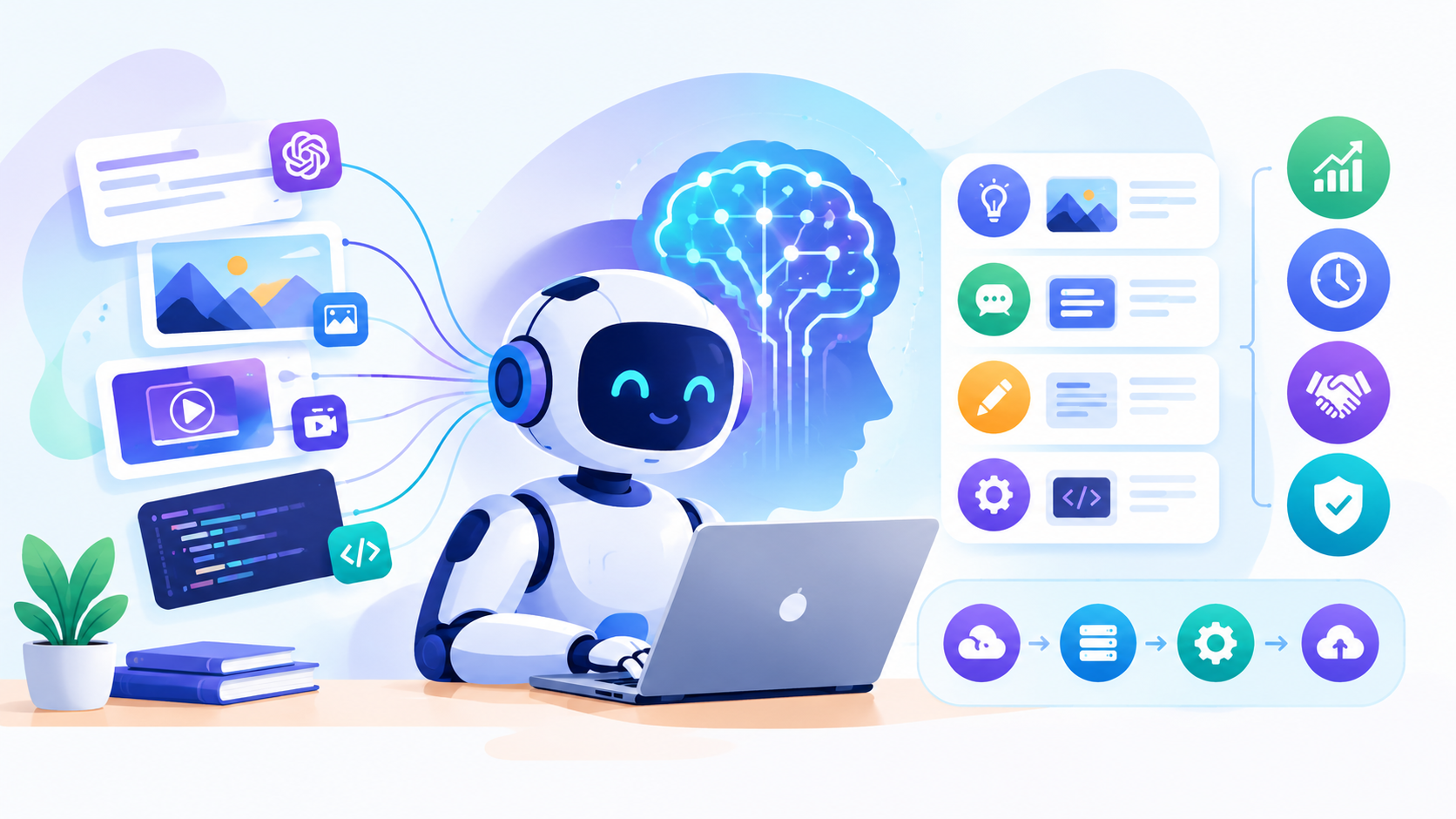
Key Takeaways:
- Clear goals come first: define exactly what problem you're solving before choosing any technology or platform.
- Data quality determines output quality: clean, well-organized data is non-negotiable for reliable AI performance.
- Human oversight remains essential; even advanced AI needs review checkpoints for high-stakes decisions and outputs.
- Start small, then scale: a focused pilot project reduces risk and builds internal confidence before wider rollout.
- Long-term success requires iteration; regular monitoring, retraining, and feedback loops keep AI features valuable over time.
A few years ago, AI meant chatbots that answered simple questions. Now it writes code, generates images, drafts entire marketing campaigns, and analyzes data faster than any human team could.
That shift comes down to one thing: generative AI features have moved from experimental novelty to genuine business necessity.
Companies across every industry are racing to add these capabilities, not because it's trendy, but because it saves time, cuts costs, and unlocks work that used to take weeks.
But not all generative AI features are created equal, and adding them to your product or workflow isn't as simple as flipping a switch.
You need to understand the core capabilities, know where they actually create value, and follow a smart implementation process. This guide covers exactly that.
What Are Generative AI Features and How Do They Work?
Generative AI features are capabilities that let software create original content, text, images, code, or audio, based on patterns learned from massive datasets.
Understanding how generative AI development actually works helps businesses know what's possible before deciding what to build.
1. Large Language Models Power Text Generation
Most generative AI features rely on large language models trained on billions of text examples.
These models predict the most likely next word in a sequence, which allows them to write emails, summarize documents, or answer questions in natural, conversational language. The more data and parameters, the more capable the output becomes.
2. Diffusion Models Generate Images and Visuals
Image generation works differently. Diffusion models start with random noise and gradually refine it into a coherent image based on a text prompt.
This process happens in steps, with the model removing noise incrementally until a recognizable picture emerges, matching whatever style or subject the user described in their original request.
3. Training on Massive Datasets Builds Core Knowledge
Before any model generates useful output, it goes through extensive training on huge datasets, books, articles, code repositories, and images.
This training phase teaches the model patterns, grammar, logic, and relationships between concepts. The quality and diversity of training data directly determines how accurate and useful the output will be.
4. Fine-Tuning Adapts Models for Specific Tasks
Fine-tuning customizes general-purpose models through additional training on narrower, task-specific data.
A model fine-tuned on legal documents writes better contracts, while one trained on customer service transcripts handles support queries more naturally.
This step turns a broad AI model into a specialized tool built for a particular business need.
Key Capabilities of Generative AI Features
Not all generative AI capabilities serve the same purpose. Some focus on content creation, others on automation or decision-making.
Understanding these six core capabilities helps businesses identify exactly which features will deliver real value for their specific use case.
1. Autonomous Task Execution
Beyond generating content, modern systems can plan and execute multi-step tasks independently.
This capability, often called agentic AI software development, lets AI research a topic, draft a document, and revise it based on feedback without constant human prompting at every step.
2. Natural Language Understanding and Generation
AI systems now understand context, tone, and intent behind written requests, not just keywords. This capability powers chatbots, content drafting tools, and summarization features.
Successful generative AI implementation depends heavily on this strength, since misunderstanding user intent leads to irrelevant or unhelpful output that frustrates users quickly and damages trust.
3. Multimodal Content Creation
Modern models handle more than just text. They generate images, write code, produce audio, and even create video from a single prompt.
This flexibility makes generative AI solutions valuable across marketing, design, and product development teams, since one platform can support multiple content types instead of requiring separate specialized tools.
4. Code Generation and Debugging
Developers now use AI to write boilerplate code, suggest fixes, and even explain complex functions in plain language.
This capability speeds up development cycles significantly, letting engineers focus on architecture and problem-solving rather than repetitive coding tasks that used to consume hours of otherwise productive development time each week.
5. Data Analysis and Pattern Recognition
Generative AI can process large datasets, spot trends, and summarize findings in plain language instead of raw numbers.
This capability turns complex spreadsheets into digestible insights for non-technical stakeholders, helping teams make faster, more informed decisions without needing a dedicated data analyst for every single report requested.
6. Personalization at Scale
AI can tailor content, recommendations, and responses to individual users based on their behavior and preferences.
This capability powers personalized marketing emails, product recommendations, and customer support responses that feel individually crafted, even when generated automatically for thousands of users simultaneously across an entire customer base.
Top Use Cases of Generative AI Across Industries
Generative AI use cases now stretch far beyond chatbots and image generators. Nearly every industry has found practical ways to apply this technology.
Here are six standout examples showing how businesses actually put generative AI to work today.
1. Healthcare: Faster Diagnosis and Documentation
Hospitals use generative AI technology to summarize patient records, draft clinical notes, and even assist with preliminary diagnosis suggestions based on symptoms and imaging data.
This reduces administrative burden on doctors, letting them spend more time with patients instead of paperwork, while still keeping final medical decisions firmly in human hands.
2. Retail and E-Commerce: Personalized Shopping Experiences
Online retailers generate personalized product descriptions, recommendation emails, and chatbot responses tailored to individual shopping behavior.
These generative AI business use cases increase conversion rates by making customers feel understood rather than marketed to generically, turning browsing sessions into purchases through relevant, well-timed suggestions delivered at exactly the right moment.
3. Finance: Fraud Detection and Report Generation
Banks and fintech companies use AI to detect unusual transaction patterns in real time while also generating readable financial summaries for clients.
A solid generative AI implementation strategy here focuses on accuracy and compliance, since errors in financial reporting or missed fraud carry serious consequences for both institutions and customers.
4. Customer Service: Intelligent Support Automation
Companies now deploy AI agents that handle common customer questions, process returns, and escalate complex issues to human representatives when needed.
Modern AI agent development lets these systems handle multi-step conversations naturally, resolving issues without forcing customers to repeat information across multiple support channels or wait long hold times.
5. Marketing: Content Creation at Scale
Marketing teams use generative AI to draft blog posts, social media captions, ad copy, and email campaigns in a fraction of the time manual writing would take.
This lets small teams produce consistent, high-volume content across multiple channels simultaneously, freeing up strategists to focus on campaign planning rather than execution details.
6. Software Development: Code Generation and Testing
Development teams use AI to write code snippets, generate unit tests, and identify bugs before deployment. This speeds up release cycles significantly and reduces manual testing workload.
Junior developers especially benefit, since AI-assisted coding tools help them learn best practices while writing production-ready code faster than traditional methods allowed.
Business Benefits of Adding Generative AI Features
The generative AI benefits go well beyond flashy demos and impressive tech. Real businesses see measurable improvements in speed, cost, and customer experience.
Here are eight concrete benefits companies gain when they add these capabilities to their products or workflows.
1. Faster Time-to-Market
Teams using generative AI features can draft content, code, and designs significantly faster than manual processes allow. This speed advantage lets businesses launch products, campaigns, and updates sooner, capturing market opportunities before competitors catch up.
Faster iteration cycles also mean teams can test more ideas within the same budget and timeline.
2. Reduced Operational Costs
Automating repetitive tasks like drafting emails, summarizing reports, or generating basic code frees up employee time for higher-value work.
Businesses running generative AI applications at scale often see significant reductions in labor hours spent on routine tasks, translating directly into lower operational costs without sacrificing output quality or consistency.
3. Streamlined Internal Workflows
Beyond customer-facing features, AI improves internal operations too. AI workflow automation software handles tasks like meeting summaries, document routing, and data entry, reducing manual busywork across departments.
Employees spend less time on administrative tasks and more time on strategic work that actually requires human judgment and creative thinking.
4. Improved Customer Experience
Personalized recommendations, faster support responses, and tailored content make customers feel valued rather than processed through a generic system.
Enterprise generative AI features that adapt to individual behavior and preferences build stronger customer relationships, increasing satisfaction scores and reducing churn rates across products that previously felt impersonal or slow to respond.
5. Better Decision-Making Through Data Insights
AI can process massive datasets and surface patterns humans might miss, turning raw numbers into actionable insights.
Solid generative AI implementation gives leadership teams clearer visibility into trends, customer behavior, and operational bottlenecks, supporting faster, more confident business decisions instead of relying purely on gut instinct or delayed manual reports.
6. Scalability Without Proportional Headcount Growth
Businesses can handle more customers, content, and transactions without hiring at the same rate.
Generative AI solutions let existing teams manage growing workloads by automating routine tasks, which keeps operational costs manageable even as the business scales into new markets or handles seasonal demand spikes without additional strain.
7. Competitive Differentiation
Companies that integrate AI thoughtfully stand out from competitors still relying on manual processes and generic customer experiences.
This differentiation matters especially in crowded markets, where speed, personalization, and responsiveness become the deciding factors customers use when choosing between otherwise similar products or services in the same industry.
8. Continuous Improvement Through Learning Systems
Many generative AI systems improve over time as they process more data and user interactions.
This means the tools businesses deploy today often become more accurate and useful months later without requiring a complete rebuild, giving companies a growing return on their initial investment rather than a static, aging tool.
Step-by-Step Guide to Implementing Generative AI Features
Rolling out AI capabilities takes more than picking a model and hoping for the best. Whether you're adding a chatbot or full AI business intelligence software development, a structured process keeps the project on track and avoids costly missteps.
1. Define Clear Business Goals
Before writing a single line of code, identify exactly what problem you're solving. Are you cutting support costs, speeding up content creation, or improving personalization?
Clear goals shape which generative AI features actually matter, preventing teams from building impressive but ultimately unused capabilities that don't move real business metrics forward.
2. Assess Data Readiness and Quality
AI output is only as good as the data behind it. Audit existing data for completeness, accuracy, and relevance before development starts.
Strong generative AI capabilities depend on clean, well-organized data, since messy or incomplete datasets produce unreliable outputs that erode user trust and require expensive rework down the road.
3. Choose the Right Model or Platform
Not every use case needs a custom-built model. Sometimes existing APIs from established providers work perfectly well, while other times a fine-tuned or proprietary model makes more sense.
Evaluating cost, performance, and control tradeoffs helps teams pick generative AI applications that fit both budget and technical requirements realistically.
4. Select a Development Partner or Build In-House
Depending on internal expertise, businesses either build features with existing engineering teams or bring in outside help.
Experienced AI app development companies bring faster timelines and fewer mistakes for complex projects, while in-house teams offer more control and deeper product knowledge for simpler, more contained implementations.
5. Design the User Experience Around AI
AI features need thoughtful interface design, not just backend power. Users should understand what the AI can and can't do, with clear prompts and expectations set upfront.
Good generative AI technology feels intuitive rather than confusing, guiding users toward useful interactions instead of leaving them unsure how to proceed.
6. Build and Integrate the Core Features
This is where actual development happens, connecting models to your app, building APIs, and creating the interfaces users will interact with.
Solid generative AI development requires careful testing at each integration point, ensuring the AI component works smoothly alongside existing systems without introducing bugs or performance slowdowns elsewhere.
7. Train Your Team on New Workflows
Employees need to understand how new AI tools change their daily work, not just customers.
Teaching the fundamentals of AI development, even at a basic level, helps staff use these tools effectively and spot errors the AI might miss, rather than blindly trusting output without any human oversight involved.
8. Test Thoroughly Before Full Rollout
Beta testing with real users surfaces issues that internal testing often misses. A careful generative AI implementation strategy includes testing for accuracy, bias, and edge cases where the AI might produce unexpected or inappropriate results.
Fixing these issues before full launch protects both user trust and brand reputation significantly.
9. Launch in Phases, Not All at Once
Rolling out AI features gradually, starting with a small user group, lets teams catch problems before they affect everyone.
This phased approach reduces risk and gives teams room to adjust based on real feedback, rather than discovering major issues only after the feature reaches your entire user base at once.
10. Monitor Performance and Iterate Continuously
Launch isn't the end of the process. Teams need to track accuracy, user satisfaction, and error rates consistently after rollout.
Regular updates based on real usage data keep the AI feature relevant and useful, since user needs and expectations naturally shift as the technology and market continue evolving.
Challenges to Consider Before Implementation
Adding generative AI features sounds straightforward until real implementation begins. From data privacy to unpredictable outputs, businesses run into specific hurdles that can derail projects if left unaddressed. Here are six common challenges and practical ways to solve them.
1. Data Privacy and Security Concerns
AI models often need access to sensitive business or customer data to function well, raising serious privacy and compliance questions.
Mishandling this data can violate regulations like GDPR or CCPA, damage customer trust, and expose businesses to legal liability, especially when AI systems process personal information across multiple departments or platforms.
Solution: Implement strict data governance policies before development starts. Anonymize sensitive data where possible and work with legal teams to ensure compliance with relevant regulations from day one.
2. Unpredictable or Inaccurate Outputs
Generative AI can produce incorrect information, irrelevant responses, or outputs that don't match brand voice, especially with complex or ambiguous requests.
This unpredictability erodes user trust quickly, particularly in customer-facing applications where errors become visible immediately and can spread quickly through screenshots or negative reviews shared online by frustrated users.
Solution: Build human review checkpoints for high-stakes outputs. Fine-tune models on brand-specific data and set clear guardrails that limit AI responses to verified, appropriate information only.
3. High Implementation and Maintenance Costs
Building custom AI features, especially fine-tuned models, requires significant upfront investment in development, infrastructure, and ongoing maintenance.
Smaller businesses often underestimate these costs, leading to budget overruns or half-finished projects that never deliver the value originally promised during initial planning stages of the implementation process.
Solution: Start with existing APIs and pre-trained models instead of building from scratch. Scale to custom solutions only after proving value with a smaller, lower-cost pilot project first.
4. Employee Resistance and Skill Gaps
Staff sometimes view AI as a threat to job security or simply lack the skills to use new tools effectively.
This resistance slows adoption and reduces the return on investment, since even well-built AI features fail if employees avoid using them or don't understand how they fit into daily workflows.
Solution: Involve employees early in the planning process and communicate clearly how AI supports rather than replaces their roles. Provide hands-on training before and after launch.
5. Bias in AI-Generated Content
Models trained on biased or unrepresentative data can produce outputs that unintentionally reinforce stereotypes or exclude certain groups.
This creates reputational risk and potential legal exposure, especially in sensitive areas like hiring, lending, or healthcare, where biased AI recommendations can cause real harm to affected individuals or communities.
Solution: Audit training data for diversity and representation regularly. Test outputs across different demographics and use cases before launch, correcting patterns that show clear bias.
6. Integration with Legacy Systems
Many businesses run on older software that wasn't built to support modern AI capabilities, creating technical friction during integration.
Connecting new AI features to outdated infrastructure often requires extra development work, custom APIs, or partial system overhauls that add unexpected time and cost to otherwise straightforward implementation projects.
Solution: Conduct a technical audit early to identify compatibility issues. Consider phased infrastructure upgrades or middleware solutions that bridge old systems with new AI capabilities smoothly.
Best Practices for Long-Term Success with Generative AI
Getting generative AI features live is only half the battle; keeping them useful long-term takes ongoing effort.
From choosing reliable AI APIs for app developers to setting internal guardrails, these eight practices help businesses sustain real value over time.
1. Start Small and Scale Gradually
Resist the urge to overhaul every workflow at once. Launch one focused feature, measure its impact, and expand based on real results.
This approach limits risk, keeps teams focused, and builds internal confidence in AI tools before committing larger budgets to more ambitious, complex implementations across the organization.
2. Keep Humans in the Loop
Even the best AI models make mistakes. Building review checkpoints for high-stakes decisions, like financial approvals or medical suggestions, keeps errors from reaching customers unchecked.
Human oversight isn't a temporary crutch; it's a permanent safeguard that protects both users and brand reputation as AI systems continue to evolve.
3. Regularly Update and Retrain Models
AI models can drift over time as user behavior and business needs shift. Scheduling regular retraining sessions with fresh data keeps outputs accurate and relevant.
Businesses that treat AI as a one-time setup rather than an evolving system often see declining performance and user satisfaction within just months.
4. Monitor Performance Metrics Consistently
Track accuracy rates, user satisfaction scores, and error frequency after launch, not just during initial testing.
These metrics reveal whether the AI feature still delivers value as usage patterns change. Catching performance drops early prevents small issues from turning into larger trust problems with your user base later.
5. Maintain Strong Data Governance
As AI systems scale, so does the amount of data they process.
Clear policies around data collection, storage, and usage protect both the business and its users from compliance risks. Strong governance also makes it easier to audit AI decisions later if questions or disputes about outputs ever arise.
6. Invest in Ongoing Employee Training
AI tools and best practices evolve quickly, so one-time training sessions aren't enough. Regular workshops and updated documentation help employees stay current with new capabilities and limitations. Teams that understand AI tools deeply use them more effectively and catch errors that untrained staff might miss entirely.
7. Build Flexibility Into Your Architecture
AI technology changes fast, and today's best model may not be tomorrow's. Designing systems with modular architecture makes it easier to swap models or providers without rebuilding everything from scratch.
This flexibility protects your investment as better tools and more efficient options inevitably become available down the road.
8. Gather and Act on User Feedback
Real users often spot issues and opportunities that internal teams miss. Building simple feedback channels, ratings, comment boxes, or support tickets helps teams understand what's working and what isn't.
Acting on this feedback consistently keeps AI features improving rather than stagnating after the initial excitement of launch fades.
Conclusion
Generative AI features have moved past the hype phase into genuine business infrastructure. From automating repetitive tasks to personalizing customer experiences at scale, the capabilities covered here show real, measurable value across nearly every industry.
But success doesn't come from simply adopting the technology; it comes from clear goals, clean data, thoughtful implementation, and ongoing refinement after launch.
Businesses that treat AI as a one-time project often see diminishing returns, while those that build flexibility, human oversight, and continuous learning into their approach see lasting results.
Whether you're adding a single AI-powered feature or building a comprehensive AI strategy, the framework here gives you a realistic starting point for doing it right.
FAQ's
Simple integrations using existing APIs can launch in a few weeks. Custom-built or fine-tuned models typically take three to six months, depending on data readiness and complexity.
Most businesses don't need custom models initially. Existing APIs from established providers handle common use cases well and cost far less than building proprietary models from scratch.
Unpredictable or inaccurate outputs pose the biggest risk, especially in customer-facing applications. Human review checkpoints and clear guardrails help catch errors before they reach real users.
Costs vary widely based on complexity, ranging from a few thousand dollars for API-based features to well over six figures for custom, fine-tuned enterprise solutions built from scratch.
Small businesses benefit significantly, often more so, since AI automates tasks that would otherwise require hiring additional staff, letting lean teams handle larger workloads efficiently.
Regularly audit training data for diversity and test outputs across different demographics. Correcting biased patterns before launch prevents reputational damage and potential legal exposure later.
Healthcare, retail, finance, customer service, marketing, and software development all show strong, proven results, though nearly every industry can find relevant use cases with the right approach.
It depends on internal expertise and project complexity. Simple features often work in-house, while complex, custom implementations benefit from experienced AI development partners who reduce risk and speed up timelines.
Track accuracy rates, user satisfaction scores, adoption rates, and time or cost savings. These metrics show whether the feature delivers real value beyond just being technically functional.
Modular system architecture makes it easier to swap in newer models without rebuilding everything. This is why flexibility should be a core design principle from the very beginning.

CrinPro
CrinPro Solutions is a leading IT company that helps startups and enterprises build innovative digital products. From intuitive mobile applications and high-performance websites to AI-powered solutions and enterprise software, our team delivers scalable, secure, and user-focused products tailored to unique business needs. With expertise across multiple industries, we transform ideas into digital experiences that drive growth, improve efficiency, and create long-term business value.


