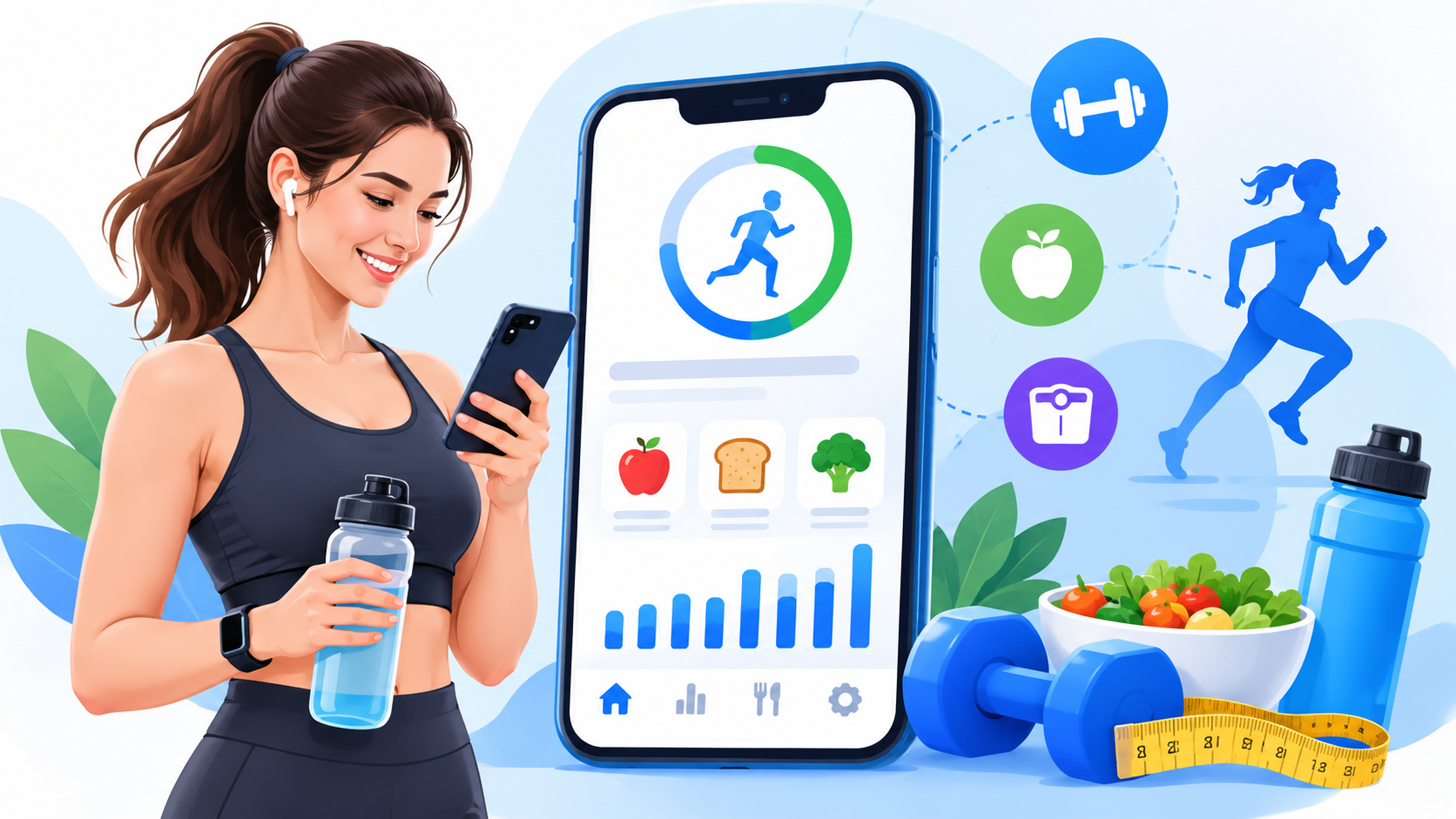
Key Takeaways:
- Build your fitness app around food logging, calorie tracking, nutrition insights, and personalized fitness goals.
- Use a reliable food database to provide accurate calorie and nutrient information.
- Add AI coaching, food recognition, and wearable integrations to improve the user experience.
- Start with a focused MVP before investing in advanced features and complex integrations.
- Budget around $8,000–$90,000+, depending on app complexity, features, and development time.
What if your fitness app could do more than count calories and track workouts? Building an app that keeps users motivated, understands their nutrition goals, and makes daily tracking easier takes more than a good design.
To build a fitness app like MyFitnessPal in 2027, you need reliable food databases, smart tracking features, AI-powered coaching, wearable integrations, and a clear subscription model.
This guide explains the key features, technology stack, development steps, challenges, business models, and estimated costs you need to plan your fitness app.
What Is MyFitnessPal, and How Does It Work?
MyFitnessPal is a nutrition and fitness tracking app that helps users log meals, monitor calories and nutrients, record exercise, set health goals, and review progress through a digital food diary.
Here is how MyFitnessPal works:
- User onboarding: Users enter their age, weight, height, activity level, and fitness goals.
- Food logging: They search food databases, scan barcodes, or use supported meal-scanning- tools to record meals.
- Nutrition tracking: The app calculates daily calories, protein, carbohydrates, fats, and other nutrients.
- Activity tracking: Users record workouts and connect supported fitness devices to monitor activity.
- Progress monitoring: The app displays food diaries, weight changes, nutrition reports, and goal progress.
Fitness App Market Overview and Emerging Trends
The U.S. fitness app market is growing as consumers adopt digital tools for nutrition, exercise, and daily health tracking.
- Market growth: Grand View Research estimates the U.S. fitness app market generated $4,097.9 billion in 2025 and could reach $10,301.5 billion by 2033.
- According to Business of Apps, fitness apps generated $3.4 billion in revenue in 2025, marking 24.5% annual growth, with 540 million users and 888 million downloads worldwide.
Why Build a Fitness App Like MyFitnessPal in 2027?
Changing fitness habits and smarter mobile technology create opportunities for apps that make healthy living easier.
1. Growing Demand for Personalized Nutrition
Users want more than basic calorie counters. Personalized meal suggestions, macro tracking, dietary preferences, and daily nutrition insights can make fitness apps more useful.
2. AI Is Making Fitness Tracking Smarter
AI-powered food recognition, voice logging, and nutrition coaching can reduce manual work. These tools help users understand their eating habits and make informed choices.
3. Wearable Devices Are Connecting Fitness Data
Smartwatches and fitness bands collect activity, workout, and other supported health data. Connecting these records through Apple HealthKit and Android Health Connect creates a more complete fitness experience.
4. Subscription Models Create Recurring Revenue
Freemium access lets users try basic tracking tools before upgrading. Premium nutrition insights, AI coaching, and personalized meal planning can give paying users more value.
Types of Digital Fitness and Nutrition Solutions
Different fitness apps solve different health and activity problems, from calorie tracking to personalized workout planning.
|
App type |
What it does |
|
Calorie tracking apps |
Record meals, calories, and daily food intake. |
|
Nutrition tracking apps |
Monitor macros, vitamins, minerals, and dietary habits. |
|
Workout tracking apps |
Record exercises, training sessions, and workout progress. |
|
Weight management apps |
Help users track weight and manage fitness goals. |
|
Meal planning apps |
Create meal schedules, recipes, and grocery lists. |
|
Wearable fitness apps |
Connect smartwatches and fitness devices to track activity. |
|
AI fitness apps |
Offer personalized coaching and intelligent fitness suggestions. |
|
All-in-one fitness apps |
Combine nutrition, workouts, activity, and progress tracking. |
What Makes MyFitnessPal Different From Other Fitness Apps?
MyFitnessPal connects food logging, calorie tracking, exercise records, and nutrition insights in one platform.
|
Fitness app |
Main focus |
Key functionality |
|
MyFitnessPal |
Nutrition and calorie tracking |
Food diary, macro tracking, barcode scanning, and exercise logging. |
|
Lose It! |
Weight management |
Calorie budgets, food logging, and weight goals. |
|
Cronometer |
Detailed nutrition tracking |
Macro and micronutrient analysis. |
|
YAZIO |
Diet and nutrition |
Calorie tracking, meal planning, and fasting tools. |
|
MacroFactor |
Nutrition coaching |
Adaptive calorie and macro recommendations. |
What Features Should a Fitness App Like MyFitnessPal Include in 2027?
A competitive fitness app needs simple tracking tools, accurate nutrition data, useful insights, and advanced features that improve the daily user experience.
1. User Registration and Personalized Fitness Profiles
Build a simple onboarding process with email or social login, age, height, weight, activity level, dietary preferences, and fitness goals. Use these details to create personalized calorie targets and user dashboards.
2. Food, Calorie, and Macro Tracking
Allow users to search food databases, record meals, scan supported barcodes, and track calories, protein, carbohydrates, and fats. Include portion sizes, serving units, and saved recipes.
3. Exercise, Weight, and Progress Tracking
Let users record workouts, steps, weight changes, and body measurements. Use progress charts, activity history, and weekly reports to help them understand their fitness habits.
4. AI-Powered Food Recognition and Voice Logging
Let users upload meal photos or describe food through voice commands. Computer vision and speech recognition can identify possible food entries, while nutrition databases provide the actual nutrient values for user verification.
5. Personalized AI Nutrition and Fitness Coach
Add a conversational AI coach that reviews user-approved nutrition and activity records. It can suggest meal ideas, explain nutrition trends, and offer goal-based recommendations with suitable safety limits.
6. Wearable Integration and Real-Time Activity Insights
Connect Apple HealthKit, Android Health Connect, Fitbit, and supported Garmin services. Sync available activity and workout records to provide better fitness insights. Plan device compatibility carefully and estimate the wearable app development cost before expanding integrations.
7. Smart Meal Planning and Subscription Features
Offer personalized meal calendars, recipe suggestions, grocery lists, and advanced nutrition reports. Add free and premium access levels, transparent billing, and subscription management to support long-term engagement.
Step-by-Step Process to Build a Fitness App Like MyFitnessPal
Building a fitness app requires a clear product plan, reliable nutrition data, mobile development, secure integrations, and continuous testing. Follow these nine steps to move from an idea to a launch-ready product.
Step 1. Conduct Market Research and Competitor Analysis
Start by understanding your target users and the problems they face when tracking food and fitness.
Research these areas:
- Target audience: Identify people interested in weight management, nutrition, strength training, or healthy eating.
- Competitor analysis: Study MyFitnessPal, Lose It!, Cronometer, and MacroFactor.
- User pain points: Look for problems such as slow food logging, inaccurate food entries, and confusing dashboards.
- Market demand: Review U.S. fitness app trends, customer reviews, and competitor subscription plans.
- Product opportunity: Decide what your app will do better, such as faster meal logging or more useful nutrition insights.
Practical recommendation: Do not start with a long feature list. Find one user problem worth solving and build your product around it.
Step 2. Define App Requirements and MVP Scope
Decide which features your first version needs and which can wait until later.
Define your MVP requirements:
- User registration and profile management.
- Food search and meal logging.
- Daily calorie and macro tracking.
- Basic exercise records.
- Weight and progress history.
- Personalized fitness goals.
- Secure user accounts.
Create user stories and functional requirements for each feature. For example, a user should be able to search for a food, select its serving size, and add it to a meal diary in a few simple steps.
Keep advanced AI coaching, image recognition, and complex wearable integrations in the next development phase if your budget is limited.
Step 3. Create Wireframes and UI/UX Design
Design the app around daily habits. Users should not have to tap through five screens just to log breakfast.
Important screens to design:
- Sign-up and onboarding.
- Home dashboard.
- Food search and meal diary.
- Nutrition and calorie reports.
- Workout tracking.
- Weight progress charts.
- AI coaching interface.
- Subscription and account settings.
Use clear navigation, readable charts, simple forms, and accessible colors. Create clickable prototypes and test them with potential users before starting full development.
Step 4. Develop the Food and Nutrition Database
A reliable food database is one of the most important parts of a MyFitnessPal-style app. Poor nutrition records can lead to incorrect calorie and macro reports.
Your database should include:
- Food names and unique identifiers.
- Calories per serving.
- Protein, carbohydrates, and fats.
- Vitamins and minerals.
- Portion sizes and measurement units.
- Ingredients and allergens.
- Branded and restaurant food entries.
- Recipes and saved meals.
For a U.S. audience, consider using the USDA FoodData Central database as a nutrition data source.
You can also explore licensed commercial food databases. Check usage rights, update frequency, data quality, and API limits before choosing a provider.
Normalize food records and validate user-submitted entries. Also allow users to correct serving sizes when the available data does not match their actual meal.
Step 5. Build the Frontend and Backend
Now turn your designs and requirements into a working mobile application.
Frontend development:
- Build the iOS and Android interfaces.
- Create food diaries and nutrition dashboards.
- Add search, filters, and progress charts.
- Connect mobile screens with backend APIs.
Backend development:
- Set up user authentication.
- Manage food and nutrition records.
- Calculate calories and macronutrients.
- Store workout and weight history.
- Handle notifications and user preferences.
- Connect external APIs and AI services.
Recommended fitness app technology stack:
|
Development layer |
Suggested technology |
Purpose |
|
iOS development |
Swift |
Native iPhone application |
|
Android development |
Kotlin |
Native Android application |
|
Cross-platform |
Flutter or React Native |
Shared mobile development |
|
Backend |
Node.js or Python |
APIs and business logic |
|
Database |
PostgreSQL |
User and nutrition records |
|
Caching |
Redis |
Faster data access |
|
Cloud hosting |
AWS or Google Cloud |
Application infrastructure |
|
AI integration |
OpenAI API or suitable ML models |
Coaching and food recognition |
|
Analytics |
Firebase or Amplitude |
User behavior and app performance |
Choose the stack based on your product requirements, team skills, and expected growth. You do not need every technology in this table.
Working with an experienced fitness app development company can help you plan mobile architecture, backend development, database design, and third-party integrations.
Step 6. Integrate AI and Wearable Services
AI and wearable integrations can make your fitness app more useful, but each feature needs proper data handling and testing.
AI integration:
- Use computer vision to identify possible foods in meal photos.
- Add speech recognition for voice-based food logging.
- Connect language models for conversational nutrition coaching.
- Use verified nutrition records for calorie and macro calculations.
- Ask users to confirm uncertain food and serving estimates.
For conversational coaching, define clear rules about health advice. AI should not diagnose medical conditions or replace a qualified healthcare professional.
Your AI feature budget will depend on model selection, API usage, image processing, and testing. Review the AI app development cost factors before choosing advanced functionality.
Wearable integration:
- Use Apple HealthKit for supported iPhone and Apple Watch health records.
- Use Android Health Connect for compatible Android health data.
- Explore Fitbit and Garmin developer services.
- Request clear user permissions before reading or sharing health information.
- Handle missing, delayed, and duplicate activity records.
Always verify API access, available data types, and platform requirements before promising a specific integration.
Step 7. Implement Subscription and Payment Systems
Create a payment structure that gives users a clear reason to upgrade.
Set up these components:
- Free and premium plans.
- Monthly and annual subscriptions.
- In-app purchases through Apple and Google where required.
- Subscription status verification.
- Renewal and cancellation management.
- Secure payment records and billing notifications.
Step 8. Test and Optimize the Application
Test the app before releasing it to real users. A food diary that loses entries or calculates incorrect serving sizes can quickly damage user trust.
Important testing activities:
- Functional testing: Check login, food logging, calorie calculations, and subscriptions.
- Usability testing: Make sure users can complete common tasks without confusion.
- API testing: Check food databases, wearable connections, and external services.
- AI testing: Review food recognition accuracy and unsafe recommendations.
- Security testing: Test authentication, encryption, permissions, and data access.
- Performance testing: Check loading speed, crashes, and database response times.
Also test the app on different iPhone and Android devices. Fix high-impact issues before launch.
Step 9. Launch and Monitor the Application
Prepare your app for release on the Apple App Store and Google Play.
Before launch:
- Create app screenshots and store descriptions.
- Prepare privacy policies and data disclosures.
- Configure subscriptions and app analytics.
- Complete app store review requirements.
- Test onboarding and account recovery.
After launch, monitor:
- Daily and monthly active users.
- Food logging frequency.
- User retention.
- Subscription conversions.
- App crashes and API errors.
- Customer feedback and support requests.
Use this data to improve onboarding, reduce logging steps, and decide which features deserve your next development investment.
How Much Does It Cost to Build a Fitness App Like MyFitnessPal in 2027?
Your fitness app development cost depends on features, platforms, AI complexity, integrations, team rates, and testing requirements.
|
App complexity |
Estimated cost |
Estimated timeline |
|
Basic fitness tracking MVP |
$8,000–$20,000 |
8–12 weeks |
|
Nutrition and calorie tracking app |
$20,000–$45,000 |
12–18 weeks |
|
AI-powered fitness app |
$45,000–$90,000 |
16–24 weeks |
|
Advanced MyFitnessPal-style platform |
$90,000+ |
24–36+ weeks |
Common Challenges When Building a Fitness App Like MyFitnessPal
Fitness app development involves data accuracy, user privacy, reliable integrations, and long-term engagement. Plan for these problems early.
1. Inaccurate Food and Nutrition Data
Challenge: Incorrect food entries, portion sizes, and nutrition values can produce misleading calorie and macro reports.
Solution: Use trusted sources such as USDA FoodData Central, validate records, and let users adjust serving sizes.
2. AI Food Recognition Errors
Challenge: Food photos may hide ingredients, cooking oils, sauces, and exact portion sizes.
Solution: Show suggested food matches, request user confirmation, and avoid presenting AI calorie estimates as exact values.
3. Wearable Data Synchronization Issues
Challenge: Different devices may use different data formats, permissions, and synchronization schedules.
Solution: Use supported APIs, handle duplicate records, and explain data permissions clearly to users.
4. Payment Failures and Subscription Management
Challenge: Failed renewals, billing errors, and confusing cancellation flows can reduce user trust. Plan your mobile payment app development cost when estimating payment infrastructure.
Solution: Use supported billing systems, verify subscription status, and provide clear renewal and cancellation options.
5. User Retention and Engagement
Challenge: Users may stop logging meals when food entry takes too long or progress feels difficult to understand.
Solution: Simplify food logging, add useful progress reports, and send reminders that users can control.
How Does a Fitness App Like MyFitnessPal Make Money?
A fitness app can generate recurring revenue through premium features, advertising, partnerships, and business subscriptions.
- Freemium model: Offer basic food and exercise tracking for free.
- Premium subscriptions: Charge monthly or yearly for advanced nutrition insights.
- AI coaching plans: Offer paid personalized coaching and meal recommendations.
- In-app advertising: Display relevant ads to free users without disrupting tracking.
- B2B partnerships: Sell wellness plans to gyms, employers, and fitness businesses.
- Affiliate and brand partnerships: Earn commissions through relevant fitness and nutrition products.
Conclusion
Building a fitness app like MyFitnessPal in 2027 takes more than calorie tracking. You need a reliable food database, easy meal logging, accurate nutrition reports, AI coaching, and wearable integrations.
Start with a focused MVP, test it with real users, and add advanced features as demand grows. Choose a suitable technology stack and a clear subscription model.
Most importantly, make daily tracking simple. When users find real value in your app, they have a better reason to keep coming back.
FAQ's
A fitness app can cost $8,000 to $90,000 or more, depending on features, AI tools, integrations, and platform requirements.
A basic fitness app may take 8–12 weeks. An advanced app with AI coaching and wearable integrations can take 24–36 weeks or longer.
Include food logging, calorie tracking, macro tracking, workout records, progress reports, personalized goals, and wearable integrations.
Yes. AI can support food recognition, voice logging, personalized meal suggestions, and nutrition coaching. Users should verify food and portion estimates.
Flutter or React Native can support cross-platform apps. Swift and Kotlin are suitable for native apps, while Node.js or Python can power the backend.
It uses food databases, serving sizes, and nutrition values to calculate calories, protein, carbohydrates, fats, and other nutrients.
It can use Apple HealthKit, Android Health Connect, and supported Fitbit or Garmin services to sync permitted fitness and activity data.
They earn through premium subscriptions, in-app ads, AI coaching plans, affiliate partnerships, and business wellness programs.

CrinPro
CrinPro Solutions is a leading IT company that helps startups and enterprises build innovative digital products. From intuitive mobile applications and high-performance websites to AI-powered solutions and enterprise software, our team delivers scalable, secure, and user-focused products tailored to unique business needs. With expertise across multiple industries, we transform ideas into digital experiences that drive growth, improve efficiency, and create long-term business value.