
Key Takeaways
- Retail software development can help businesses manage sales, inventory, billing, customers, employees, and daily operations from a centralized platform.
- Essential retail software features include POS, inventory management, billing, product management, customer management, payments, order processing, analytics, and reporting.
- The retail software technology stack may include Flutter, React Native, Swift, Kotlin, Node.js, PostgreSQL, AWS, payment APIs, analytics tools, and AI technologies.
- Retail software can generate revenue through subscriptions, transaction fees, licensing, premium features, enterprise contracts, customization, and maintenance services.
- The estimated Retail Software Development Cost can range from $10,000 to $100,000+, depending on the project's scope and complexity.
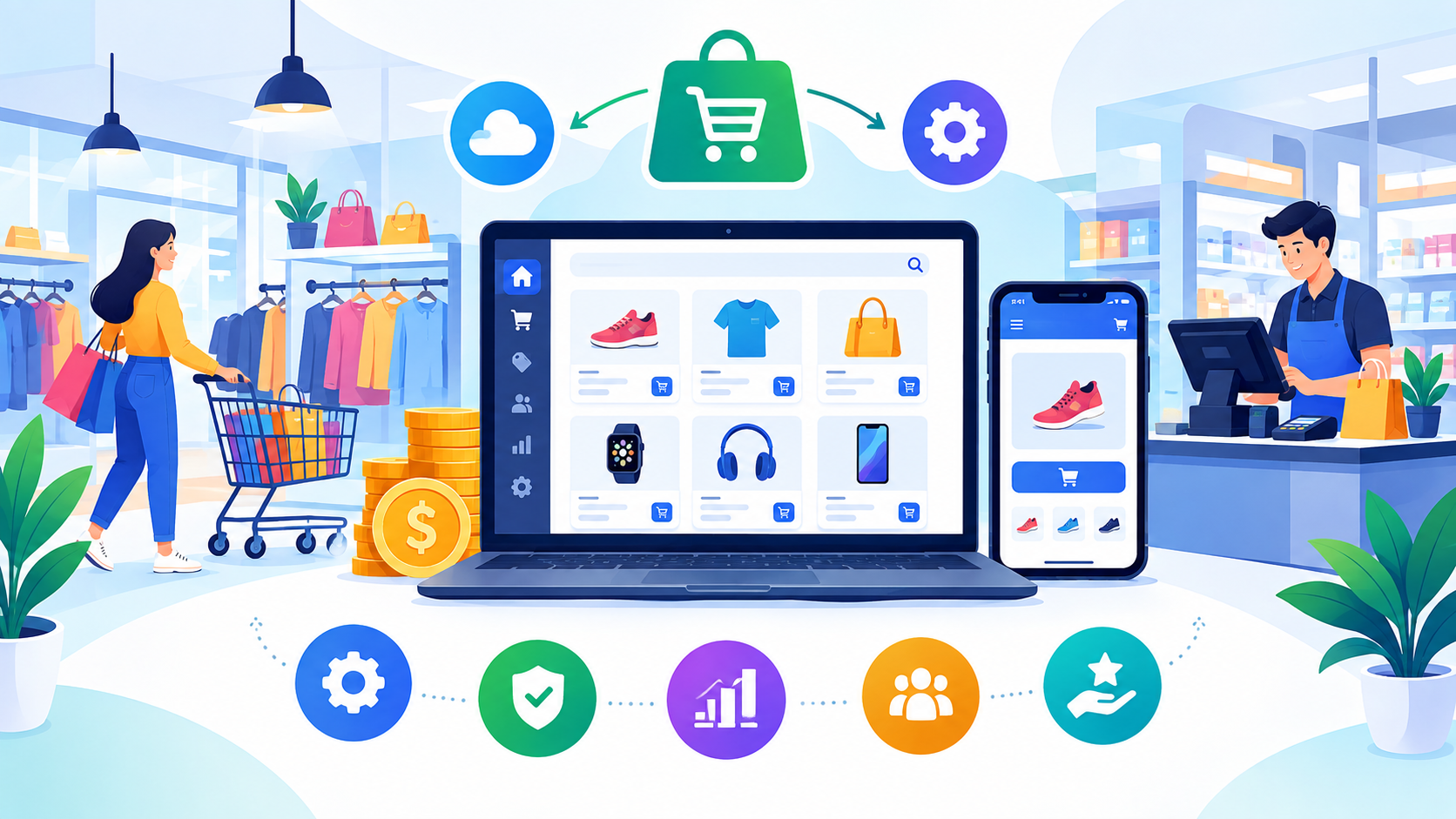
Retail businesses increasingly rely on digital software to manage products, inventory, sales, payments, customers, and day-to-day operations from a centralized system. A well-designed retail platform can connect different business functions while helping retailers improve efficiency and deliver a smoother customer experience.
The scope of retail software development can range from a basic point-of-sale system to a comprehensive platform combining inventory management, billing, customer management, analytics, reporting, and enterprise resource planning.
Businesses can choose custom retail software development when they need workflows and functionality tailored to their specific operations rather than relying entirely on off-the-shelf solutions. This guide explores retail software features, benefits, business models, monetization opportunities, technology requirements, development costs, and the key factors that influence the overall investment.
Retail Software Development Market Statistics
- The global retail management software market stands at $28.33 billion in 2026 and is projected to reach $46.5 billion by 2030
- The retail analytics market is projected to grow from USD 11.31 billion in 2026 to USD 20.65 billion by 2031, reflecting a CAGR of 12.8%.
- The global software market size was valued at USD 830.83 billion in 2025. The market is projected to grow from USD 926.34 billion in 2026 to USD 2212.21 billion by 2034, exhibiting a CAGR of 11.5% during the forecast period.
Why Businesses Invest in Retail Software for Better Operations and Growth
Retail software can help businesses centralize daily operations, reduce manual work, improve visibility into sales and inventory, and create more consistent customer experiences. Its value can extend from individual stores to large retail chains managing multiple locations.
1. Centralized Retail Operations
Retail software can bring sales, inventory, billing, customer information, products, and reporting into one system. This makes it easier for teams to manage routine operations and access important business information.
2. Better Inventory Control
Real-time inventory visibility helps businesses monitor stock levels, identify fast-moving products, reduce stockouts, and make more informed purchasing decisions.
3. Faster Sales and Billing
Digital billing and POS functionality can streamline checkout, generate invoices, process payments, and maintain transaction records. This can reduce manual effort and improve transaction accuracy.
4. Improved Customer Management
Retail platforms can store customer profiles, purchase history, preferences, and loyalty information. Businesses can use these insights to create more personalized promotions and engagement strategies.
5. Data-Driven Decision Making
Reporting and analytics can provide insights into sales performance, product demand, customer behaviour, and store performance. Retailers can use this information to make better operational and strategic decisions.
6. Multi-Store Management
Businesses operating multiple outlets can use centralized software to monitor inventory, sales, employees, and performance across different locations from a single system.
7. Automation and Efficiency
Automated stock updates, billing, notifications, purchase workflows, and reporting can reduce repetitive administrative tasks and allow employees to focus on higher-value activities.
8. Scalability
A scalable retail platform can support additional products, stores, users, integrations, and business processes as the company grows. Businesses can also integrate specialized systems when their operational requirements become more complex.
For retailers with specialized workflows, eCommerce app development can create digital solutions for product management, online ordering, customer engagement, payments, and other retail needs.
Essential Retail Software Features for Modern Retail Businesses
The right feature set allows retail businesses to manage sales, inventory, customers, employees, and operational workflows from a centralized platform. Required functionality varies depending on whether the software is designed for a single store, retail chain, or enterprise operation.
|
Feature |
Purpose |
|
Product Management |
Allows businesses to create, update, categorize, and manage product information. |
|
Point of Sale (POS) |
Supports sales transactions, checkout, payment processing, and receipt generation. |
|
Inventory Management |
Tracks stock levels, product movement, transfers, and replenishment requirements. |
|
Retail Billing |
Generates invoices and receipts while maintaining transaction records. |
|
Customer Management |
Stores customer profiles, purchase history, preferences, and loyalty information. |
|
Employee Management |
Helps manage employee accounts, roles, permissions, schedules, and performance. |
|
Order Management |
Tracks orders from creation through fulfilment, cancellation, and completion. |
|
Payment Integration |
Supports cards, digital wallets, cash, and other relevant payment methods. |
|
Barcode & QR Scanning |
Enables faster product identification, checkout, and inventory updates. |
|
Notifications |
Sends alerts related to orders, inventory, promotions, payments, and other activities. |
|
Analytics & Reporting |
Provides insights into sales, inventory, customers, products, and store performance. |
|
Admin Dashboard |
Provides centralized control over users, products, sales, inventory, settings, and reports. |
1. Advanced Retail Software Features
Businesses can introduce advanced capabilities such as AI-powered demand forecasting, automated replenishment, personalized recommendations, omnichannel inventory synchronization, loyalty programmes, employee analytics, supplier management, and predictive sales analytics.
2. Retail POS and Billing
Retail POS software development can include checkout management, barcode scanning, payment processing, discounts, refunds, receipts, and transaction reporting. More sophisticated POS systems can connect with inventory and customer management modules to provide real-time operational visibility.
3. Inventory and Enterprise Management
Retail inventory management software helps businesses monitor stock across stores, warehouses, and sales channels. Larger organizations may also integrate inventory, finance, procurement, human resources, and supply chain workflows through retail ERP software development.
Key Benefits of Retail Software Development for Modern Businesses
Retail software can help businesses improve operational efficiency, gain better control over sales and inventory, and make more informed decisions. The benefits can vary depending on the software's features and how well it integrates with existing retail workflows.
1. Improved Operational Efficiency
Automating repetitive tasks such as billing, inventory updates, order processing, and reporting can reduce manual work and help employees manage daily operations more efficiently.
2. Better Inventory Visibility
Real-time inventory information allows retailers to monitor stock across stores, warehouses, and sales channels. This can help reduce stockouts, overstocking, and inventory-related errors.
3. Faster Checkout and Billing
Integrated POS and billing functionality can speed up transactions while supporting discounts, refunds, receipts, and multiple payment methods. A streamlined checkout process can also improve the customer experience.
4. Enhanced Customer Engagement
Customer profiles, purchase history, loyalty programmes, and personalized promotions can help retailers understand their customers and develop more targeted engagement strategies.
5. Data-Driven Decisions
Retail analytics can provide insights into sales trends, product performance, customer behavior, and store operations. Managers can use these insights to improve pricing, inventory planning, and marketing decisions.
6. Centralized Multi-Store Management
Retail chains can monitor multiple locations through a centralized platform. This can simplify the management of products, inventory, employees, sales, and performance across different stores.
7. Reduced Operational Errors
Automated calculations, inventory updates, transaction records, and reporting can reduce errors associated with manual processes and improve data accuracy.
8. Scalability and Flexibility
A well-designed retail platform can expand as the business grows by supporting additional stores, products, users, integrations, and sales channels.
Businesses planning retail management Software development can therefore use custom solutions to connect critical retail operations while creating a technology foundation that can adapt to changing business requirements.
Retail Software Development Process: A Step-by-Step Guide
A structured development process helps businesses build retail software that matches operational requirements while maintaining usability, security, and scalability.
1. Business and Requirement Analysis
The process begins by identifying business workflows, target users, required features, existing systems, integration needs, and long-term objectives. This stage helps define the project's scope and development priorities.
2. UI/UX Design
Designers create user flows, wireframes, prototypes, and visual interfaces for dashboards, POS systems, inventory modules, and other user panels. The goal is to make complex retail operations simple to navigate.
3. Frontend Development
Developers convert approved designs into functional interfaces for web and mobile applications. The frontend connects users with features such as product management, sales, inventory, orders, and reporting.
4. Backend Development
The backend handles business logic, databases, authentication, APIs, transactions, inventory synchronization, and data processing. A scalable architecture is important when the platform needs to support multiple stores or high transaction volumes.
5. Integrations
Retail software may need integrations with payment gateways, accounting systems, ERP platforms, CRM tools, shipping providers, barcode scanners, POS hardware, analytics platforms, and other third-party services.
6. Testing and Quality Assurance
The application is tested for functionality, performance, security, compatibility, payment processing, data accuracy, and integration reliability. Testing across different devices and operational scenarios helps identify issues before launch.
7. Deployment
After successful testing, the software is configured for production, databases and cloud infrastructure are deployed, and the required applications or dashboards are prepared for release.
8. Maintenance and Optimization
Post-launch support includes bug fixes, security updates, performance improvements, API updates, monitoring, and future feature enhancements.
Businesses working with mobile app development companies should evaluate their experience with retail systems, technical expertise, integration capabilities, development methodology, and post-launch support before selecting a development partner.
Retail Software Technology Stack for Scalable Business Solutions
The technology stack determines how efficiently retail software can manage transactions, inventory, customer data, integrations, and real-time operations. The right technologies should balance performance, security, scalability, development effort, and long-term maintenance.
|
Technology Layer |
Common Technologies |
Estimated Cost Impact |
|
Mobile App |
Flutter, React Native, Swift, Kotlin |
Medium–High |
|
Frontend |
React.js, Next.js, Angular |
Medium |
|
Backend |
Node.js, Django, Laravel, .NET |
Medium–High |
|
Database |
PostgreSQL, MySQL, MongoDB |
Low–Medium |
|
Cloud Infrastructure |
AWS, Microsoft Azure, Google Cloud |
Medium |
|
API Development |
REST, GraphQL |
Medium |
|
Payment Integration |
Stripe, PayPal, Regional Payment Gateways |
Medium |
|
POS & Hardware Integration |
Barcode scanners, receipt printers, POS terminals |
Medium–High |
|
Analytics |
Firebase Analytics, Google Analytics, Power BI |
Low–Medium |
|
AI & Machine Learning |
AI APIs, ML frameworks, recommendation engines |
High |
1. Mobile and Frontend Technologies
Retail applications can use native technologies such as Swift and Kotlin or cross-platform frameworks such as Flutter and React Native. The choice depends on the required platforms, performance expectations, device compatibility, and project budget.
Businesses considering the B2B eCommerce software development cost should evaluate the technology approach according to their target users, application complexity, integration requirements, and long-term expansion plans.
2. Backend and Database
The backend manages product information, inventory, customers, orders, payments, authentication, business logic, and integrations. Technologies such as Node.js, Django, Laravel, and .NET can support different retail architectures.
Databases such as PostgreSQL, MySQL, and MongoDB can store transaction records, product catalogs, customer information, inventory data, and other operational records.
3. Cloud and API Integrations
Cloud platforms provide hosting, storage, backups, monitoring, and scalable infrastructure. APIs can connect retail software with payment gateways, accounting systems, CRM platforms, ERP solutions, shipping services, analytics tools, and other business systems.
4. POS and Hardware Integration
Retail platforms may need to communicate with barcode scanners, receipt printers, card terminals, cash drawers, and other POS hardware. These integrations can require additional development and testing to ensure reliable transaction processing.
5. AI and Analytics
AI can support demand forecasting, product recommendations, personalized promotions, fraud detection, customer segmentation, and automated support. Analytics tools can help retailers monitor sales, inventory, customer behavior, and operational performance.
How Does Retail Software Make Money Through Different Revenue Models?
Retail software can generate revenue through recurring subscriptions, transaction fees, premium features, licensing, and customized services. The most suitable monetization strategy depends on the target customers, software capabilities, pricing structure, and business model.
1. Subscription Plans
Businesses can offer monthly or annual plans based on the number of stores, users, products, transactions, or features included. Premium plans can provide advanced analytics, automation, integrations, and additional management capabilities.
2. Transaction Fees
Retail platforms that process payments or sales can charge a small fee for transactions completed through the software. This model allows revenue to grow as customer usage increases.
3. Premium Features
Basic functionality can be included in an entry-level plan, while advanced features such as AI analytics, demand forecasting, loyalty management, and automated reporting can be offered as paid upgrades.
4. Enterprise Licensing
Large retailers can purchase enterprise licences based on their number of locations, users, transaction volumes, integrations, and support requirements. Customized enterprise packages can provide higher-value recurring revenue.
5. Customization and Integration Services
Retail software providers can charge separately for custom modules, third-party integrations, POS hardware connections, ERP integration, and specialized workflows.
6. Support and Maintenance
Ongoing technical support, software maintenance, security updates, performance optimization, and dedicated support packages can create additional recurring revenue after the initial implementation.
7. White-Label Solutions
A software provider can license its platform to other businesses under their own branding. This approach can help providers expand into new markets without developing a completely separate platform for every client.
Businesses exploring eCommerce app development costs should consider recurring revenue and customization models when building retail platforms that serve multiple businesses, stores, or locations.
Retail Software Development Cost
The estimated retail software development cost can range from $10,000 to $100,000+, depending on the software's features, platforms, integrations, customization, security requirements, and development team.
|
Software Complexity |
Estimated Cost |
Development Timeline |
|
Basic Retail Software |
$8,000–$20,000 |
2–3 months |
|
Standard Retail Software |
$20,000–$40,000 |
3–5 months |
|
Advanced Retail Software |
$40,000–$70,000 |
5–7 months |
|
Enterprise Retail Platform |
$70,000–$80,000+ |
7–10+ months |
These figures are approximate rather than fixed prices. Businesses should define their required features, platforms, integrations, and user roles before requesting a detailed estimate. Comparing the project with enterprise app development cost can also help businesses understand how platform complexity, scalability, integrations, and enterprise-level requirements may influence the overall budget.
Key Factors to Consider When Estimating Retail Software Development Cost
Several factors can influence the final retail software development cost. Understanding these elements before development begins can help businesses set a realistic budget and prioritize the functionality that delivers the most value.
|
Cost Factor |
How It Affects Development Cost |
|
Feature Complexity |
Advanced POS, inventory, analytics, automation, and AI features require additional development effort. |
|
Number of Platforms |
Supporting mobile apps, web dashboards, POS terminals, and other interfaces increases development and testing requirements. |
|
UI/UX Customization |
Custom interfaces, workflows, dashboards, and branded experiences require additional design resources. |
|
POS & Hardware Integration |
Connecting barcode scanners, receipt printers, payment terminals, and other hardware can increase technical complexity. |
|
Third-Party Integrations |
ERP, CRM, accounting, payment, shipping, and analytics integrations require additional development and testing. |
|
Inventory Complexity |
Multi-store inventory, warehouse management, real-time synchronization, and automated replenishment increase backend requirements. |
|
Security Requirements |
Authentication, access controls, encryption, secure payments, and data protection add implementation and testing effort. |
|
AI & Automation |
Demand forecasting, recommendations, fraud detection, and automated workflows can require specialized expertise. |
|
Scalability |
Supporting large product catalogs, multiple locations, users, and high transaction volumes requires stronger infrastructure. |
|
Development Team |
Developer experience, location, team size, and engagement model can significantly affect the overall budget. |
Businesses planning customized retail applications should also consider custom shopping app development cost, particularly when the platform includes personalized shopping experiences, product discovery, payments, customer accounts, loyalty features, and third-party integrations.
How to Reduce Retail Software Development Cost Without Compromising Quality
Businesses can manage retail software expenses by defining the project scope carefully, prioritizing essential functionality, and introducing advanced capabilities in phases.
1. Start With an MVP
Begin with core features such as product management, POS, billing, inventory tracking, customer management, payments, and basic reporting. Advanced functionality can be added after the initial platform is validated.
2. Prioritize High-Value Features
Focus the initial development budget on features that directly improve retail operations, customer experience, sales, or inventory management. Avoid adding functionality that does not provide clear business value.
3. Choose the Right Technology Approach
Using cross-platform frameworks such as Flutter or React Native can reduce duplicate development effort when both iOS and Android applications are required. The technology should still be selected according to performance and scalability requirements.
4. Use Reliable Third-Party Services
Payment gateways, analytics tools, cloud services, authentication providers, and communication APIs can provide established functionality without requiring every component to be developed from scratch.
5. Plan Integrations Early
Identify ERP, CRM, accounting, payment, inventory, shipping, and POS hardware integrations during the planning stage. Early integration planning can reduce expensive architectural changes later.
6. Build for Scalability
A scalable architecture allows businesses to add stores, products, users, transactions, and integrations without rebuilding the entire platform. Cloud infrastructure can also help align operational expenses with actual usage.
7. Introduce AI in Phases
Retailers do not necessarily need every AI capability in the first release. Features such as demand forecasting, personalized recommendations, and predictive analytics can be introduced gradually as sufficient data and business requirements develop.
8. Choose an Experienced Development Partner
Working with an experienced retail software development company can help businesses define the right scope, select suitable technologies, manage integrations, and build the platform according to their operational requirements.
Comparing technical expertise, retail experience, project scope, pricing, communication, and post-launch support can help businesses select a development partner that offers long-term value rather than focusing only on the lowest initial quote.
Conclusion
Retail software can help businesses streamline sales, billing, inventory, customer management, and other essential operations through a centralized digital platform. The right solution depends on the retailer's size, business model, number of locations, operational workflows, and long-term growth plans.
The estimated Retail Software Development Cost can range from $80,000 to $80,000+, with the final investment influenced by features, platforms, integrations, customization, security, scalability, and technology requirements.
Businesses can control initial expenses by starting with an MVP, prioritizing high-value features, planning integrations early, and introducing advanced capabilities such as AI and predictive analytics in phases. A well-planned development strategy can help create a secure, scalable retail platform that supports both current operations and future business growth.
FAQ's
The estimated Retail Software Development Cost ranges from $8,000 to $80,000+, depending on features, platforms, integrations, customization, security, and scalability requirements.
Common features include product management, POS, inventory management, retail billing, customer management, order processing, payment integration, barcode scanning, analytics, reporting, and an admin dashboard.
A basic retail software solution may take around 2–3 months, while advanced and enterprise-level platforms can require 5–10+ months, depending on project complexity.
Yes. Retail software can integrate with barcode scanners, receipt printers, payment terminals, cash drawers, and other compatible POS hardware.
Yes. AI can support demand forecasting, product recommendations, customer segmentation, fraud detection, personalized promotions, and automated workflows.
Retail software businesses can generate revenue through subscriptions, transaction fees, licensing, premium features, enterprise plans, customization, integrations, and maintenance services.

CrinPro
CrinPro Solutions is a leading IT company that helps startups and enterprises build innovative digital products. From intuitive mobile applications and high-performance websites to AI-powered solutions and enterprise software, our team delivers scalable, secure, and user-focused products tailored to unique business needs. With expertise across multiple industries, we transform ideas into digital experiences that drive growth, improve efficiency, and create long-term business value.


