
Key Takeaways:
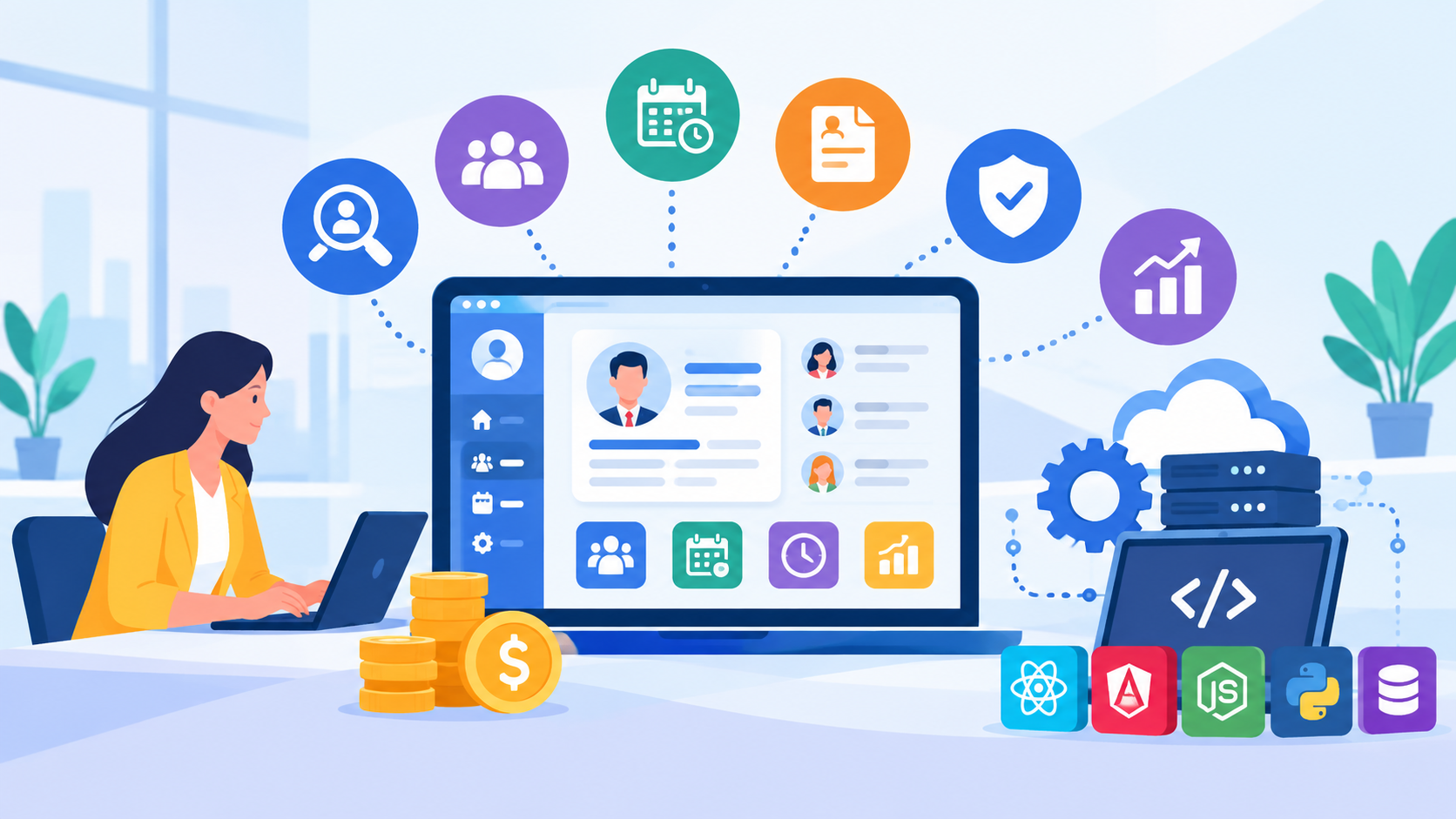
- HR software centralizes workforce management: employee records, attendance, payroll, recruitment, performance, and other HR activities can be managed through one platform.
- Modules depend on business needs: Organizations can choose essential HR modules first and expand the platform with additional functionality as requirements grow.
- Security is essential: HR systems handle sensitive employee and financial information, making access controls, encryption, authentication, and monitoring important.
- Development costs vary: HR software development can range from approximately $8,000 to $90,000+, depending on modules, customization, integrations, security, and scalability.
- Ongoing improvement is required: maintenance, security updates, integrations, performance optimization, and future feature development continue after launch.
Managing employee information, attendance, payroll, recruitment, performance, and workplace processes can become increasingly complex as a business grows. Manual HR processes and disconnected systems can make it difficult to maintain accurate records, streamline workflows, and provide employees with timely access to HR services.
Modern Human Resource Management Software brings these functions together within a centralized digital platform. Businesses can use HR software to automate routine tasks, manage employee information, simplify workforce administration, and improve access to HR data.
Developing an HR platform requires careful planning around features, modules, user roles, integrations, security, scalability, and compliance requirements. Businesses may choose a ready-made solution or invest in custom HR software development when they need workflows and functionality tailored to their specific operations.
This guide covers the major HR software modules and features, the development process, cost considerations, and key factors businesses should evaluate before building an HR management solution.
HR software development market statistics
- The HR software market size was valued at USD 21.07 billion in 2025. The market is projected to grow from USD 23.68 billion in 2026 to USD 60.26 billion by 2034, exhibiting a CAGR of 12.38% during the forecast period.
- North America dominated the HR software market with a 38% share in 2025.
- The human resource (hr) software market size has grown strongly in recent years. It will grow from $54.19 billion in 2025 to $58.93 billion in 2026 at a compound annual growth rate (CAGR) of 8.8%.
What Is Human Resource Management Software, and How Does It Support Modern Businesses?
Human Resource Management Software is a digital platform designed to manage and automate core HR activities within an organization. Instead of maintaining employee records, attendance data, payroll information, recruitment details, and performance records across separate spreadsheets or applications, businesses can manage these functions through a centralized system.
A modern HR management system development project can be designed around the specific processes, workforce size, industry requirements, and internal policies of an organization.
1. Centralized Employee Information
HR software can store employee profiles, contact details, job information, department data, documents, employment history, and other relevant records in a structured environment.
2. Workforce Administration
The platform can automate routine HR activities such as attendance tracking, leave requests, employee onboarding, shift management, and internal approvals.
3. Payroll and Compensation
HR systems can connect salary structures, attendance information, deductions, benefits, bonuses, and payroll records. Businesses can integrate dedicated payroll management software development capabilities when payroll processing is an important part of the platform.
4. Recruitment and Hiring
HR software can also support job postings, candidate records, interview scheduling, application tracking, and recruitment workflows. Organizations with extensive hiring requirements may integrate recruitment management software functionality into the broader HR platform.
5. Employee Performance and Development
Performance management capabilities can help organizations define goals, conduct reviews, track employee progress, and manage training or professional-development activities.
6. Reporting and HR Analytics
HR platforms can generate reports related to workforce size, attendance, turnover, recruitment, payroll, performance, and other HR metrics. These insights can help HR teams and management make more informed workforce decisions.
7. AI-Powered HR Capabilities
Modern HR platforms can also include AI-powered features such as candidate screening, employee analytics, intelligent chatbots, workforce predictions, and automated recommendations.
Businesses planning these capabilities should consider AI app development cost along with the core HR software development budget, as AI integration may require additional data processing, model development, testing, and maintenance
8. Employee Self-Service
Employee portals can allow staff members to view personal information, request leave, download documents, review payroll details, submit requests, and complete other HR tasks without depending entirely on HR administrators.
Why Businesses Are Moving to Custom HR Software for Better Workforce Management
As organizations grow, standard HR tools may not always match their internal workflows, approval structures, reporting needs, or workforce policies. Customized HR software can be designed around the way a business actually manages its employees and HR operations.
1. Business-Specific Workflows
Every organization may follow different processes for recruitment, onboarding, leave approvals, attendance, payroll, performance reviews, and employee requests. Custom HR systems can reflect these workflows instead of requiring teams to adapt their processes to predefined software.
2. Better Control Over Employee Data
HR systems handle sensitive information, including employee records, compensation details, identification documents, and performance information. Custom solutions can provide role-based access, approval workflows, audit trails, and other controls based on the organization's security requirements.
3. Scalable Workforce Management
A growing company may need to add departments, locations, employees, roles, and HR processes over time. A properly designed system can be structured to support this growth without requiring a complete replacement of the platform.
4. Employee Experience
Organizations can design employee portals around their specific requirements, allowing staff to access leave requests, documents, attendance, payroll information, training, and internal services through a unified interface.
5. Long-Term Product Control
With custom software development, businesses have greater control over how the HR platform evolves. New modules, integrations, workflows, and reporting capabilities can be introduced as organizational requirements change.
The Core HR Software Modules Every Business Needs for Efficient Workforce Management
A complete HR platform can bring multiple workforce functions together in one system. The exact HR software modules required will depend on the organization's size, industry, workforce structure, and internal processes.
|
HR Module |
What It Manages |
|
Employee Information Management |
Employee profiles, documents, job history, departments, roles, and employment records |
|
Attendance & Leave Management |
Attendance, working hours, shifts, leave requests, holidays, and approvals |
|
Payroll & Compensation |
Salaries, deductions, bonuses, benefits, payslips, and payroll records |
|
Recruitment & Applicant Tracking |
Job postings, applications, candidate profiles, interviews, and hiring workflows |
|
Performance Management |
Goals, appraisals, reviews, feedback, and performance tracking |
|
Employee Self-Service |
Employee requests, personal information, leave, documents, and payroll access |
|
Learning & Training |
Training programmes, courses, certifications, schedules, and employee development |
|
HR Reports & Analytics |
Workforce metrics, attendance reports, recruitment insights, payroll data, and performance analytics |
1. Employee Information Management
This module acts as the central employee database. HR teams can manage personal details, job roles, departments, employment history, documents, and other workforce records from one location.
2. Attendance and Leave Management
Businesses can use this module to track working hours, attendance, shifts, holidays, leave balances, requests, and approval workflows. It can also integrate with biometric systems or other attendance platforms where required.
3. Payroll and Compensation
Payroll functionality can manage salary structures, deductions, bonuses, benefits, tax-related information, payslips, and payroll records. The complexity depends on the organization's payroll policies and regional requirements.
4. Recruitment and Applicant Tracking
Recruitment functionality can help HR teams manage job openings, candidate applications, interview schedules, hiring stages, and candidate communication.
Businesses with more advanced hiring requirements can extend the recruitment module into a dedicated candidate-management platform. Companies planning such functionality may evaluate a job portal development company to build features such as job listings, candidate profiles, application tracking, recruiter dashboards, and communication workflows.
5. Performance Management
HR teams can define employee goals, conduct periodic reviews, collect feedback, track performance, and maintain appraisal records through a centralized system.
6. Employee Self-Service
Employees can access common HR functions without relying on HR administrators for every request. Self-service features can include leave applications, document downloads, profile updates, attendance information, and payslip access.
7. Learning and Training
Organizations can manage training programs, courses, employee participation, certifications, and development plans. This can help HR teams track workforce learning activities over time.
8. HR Reports and Analytics
Reporting tools can provide insights into employee turnover, attendance, recruitment, payroll, performance, and workforce composition. Businesses can customize reports based on their management and operational requirements.
HR Software Features That Improve Workforce Management and Employee Productivity
The effectiveness of an HR platform depends on how easily employees, managers, and HR teams can complete everyday tasks. A well-designed system should combine automation, secure data management, self-service tools, and reporting capabilities.
1. Automated Workflows
HR teams can automate recurring processes such as leave approvals, onboarding tasks, document requests, employee confirmations, and internal notifications. Workflow automation can reduce manual follow-ups and improve process consistency.
2. Role-Based Access
Different users require different levels of access. HR administrators, managers, employees, payroll teams, and executives can be given permissions based on their responsibilities.
3. Digital Employee Records
The platform can maintain employee profiles, contracts, documents, certifications, job history, and other records in a centralized digital environment.
4. Employee Self-Service Portal
Employees can update personal information, submit leave requests, access payslips, download documents, review attendance, and complete HR requests without depending on HR staff for every task.
5. Notifications and Reminders
Automated alerts can notify users about pending approvals, interviews, attendance issues, document expirations, payroll events, training schedules, and other important HR activities.
6. Attendance and Time Tracking
The system can record working hours, attendance, shifts, overtime, leave balances, and other workforce information. Integrations with attendance devices or external systems can further automate data collection.
7. Payroll Management
HR platforms can support salary calculations, deductions, bonuses, benefits, payslips, payroll approvals, and payroll reports. Integration with accounting systems can help synchronize financial and employee information.
8. Recruitment Automation
Recruiters can manage job openings, candidate profiles, interview schedules, application stages, and hiring communications from a centralized platform.
9. Performance Tracking
Managers can create goals, conduct reviews, provide feedback, track employee progress, and maintain appraisal records through the system.
10. HR Analytics and Dashboards
Custom dashboards can display workforce metrics such as headcount, turnover, attendance, recruitment performance, payroll trends, and employee performance.
Organizations integrating HR platforms with broader enterprise software development initiatives can also connect workforce data with finance, operations, accounting, and other enterprise systems.
How HR Software Connects With Other Business Systems for Seamless Data Management
Modern HR platforms rarely operate as completely separate systems. Connecting HR software with other business applications can help organizations synchronize employee information, reduce duplicate data entry, and create smoother workflows across departments.
1. Payroll and Accounting Systems
HR software can exchange employee, salary, deduction, attendance, and payroll information with accounting or finance systems. This can reduce manual transfers and help maintain more consistent records.
2. ERP Platforms
Integration with ERP systems can connect workforce information with finance, procurement, operations, and other enterprise processes. This can be particularly useful for organizations where employee data influences multiple business functions.
3. Attendance and Biometric Systems
HR platforms can connect with biometric devices, attendance terminals, access-control systems, or time-tracking applications to automatically collect working-hour and attendance information.
4. Recruitment Platforms
Businesses can integrate job portals, applicant tracking tools, assessment platforms, and communication services to streamline the recruitment workflow from candidate sourcing to onboarding.
5. Communication and Collaboration Tools
Integrating email, messaging, video-conferencing, and collaboration platforms can help automate interview scheduling, employee notifications, training communication, and internal HR updates.
6. Identity and Access Management
HR systems can connect with centralized identity providers to simplify employee account creation, authentication, role assignment, and access management when employees join, change roles, or leave the organization.
7. Benefits and Insurance Platforms
Where required, HR software can exchange relevant employee information with benefits, insurance, pension, or other workforce-service providers.
8. APIs and Integration Architecture
APIs provide a standard way for HR software to exchange information with external systems. A well-designed integration layer should include authentication, data validation, error handling, logging, and appropriate security controls.
Organizations developing large and complex HR ecosystems may use software development services to build custom integrations and connect HR workflows with their existing technology environment.
9. Data Security Across Integrations
Integrations should follow appropriate access controls and data-protection practices. Only necessary information should be shared between systems, and data transfers should be monitored and secured.
How to Approach HR Management System Development for a Scalable and Efficient Solution
HR management system development should begin with a clear understanding of the organization's workforce structure, HR workflows, administrative requirements, and technology environment. A well-planned approach helps ensure that the final platform supports both HR teams and employees effectively.
1. Identify HR Processes
Start by documenting how the organization currently handles employee records, attendance, leave, payroll, recruitment, onboarding, performance reviews, and other HR activities.
This helps identify manual tasks, repetitive processes, approval delays, and areas that can benefit from automation.
2. Define User Roles
HR administrators, employees, managers, recruiters, payroll teams, and executives may require different features and permissions. Defining these roles early helps establish appropriate access controls and user experiences.
3. Decide the Core Modules
Not every organization needs every HR module from the beginning. Businesses can prioritize essential functions such as employee records, attendance, leave, payroll, and recruitment before adding advanced analytics, training, or performance-management capabilities.
4. Plan Integrations
Identify the external systems the HR platform needs to connect with, such as accounting software, ERP systems, attendance devices, payment services, communication tools, or identity providers.
5. Establish Security Requirements
HR software handles sensitive employee and financial information, so security should be considered during architecture planning. Requirements may include authentication, role-based permissions, encryption, audit logs, backups, and secure APIs.
6. Design for Scalability
The platform should be capable of supporting additional employees, departments, locations, workflows, and integrations as the organization grows. Scalable architecture can reduce the need for major redevelopment later.
7. Choose Between Standard and Custom Development
Businesses can use existing HR platforms or build a customized solution. Custom development may be more suitable when the organization has specialized workflows, unique approval structures, complex integrations, or specific reporting requirements.
8. Plan the Employee Experience
The system should be easy for both HR administrators and employees to use. Self-service features, intuitive navigation, mobile accessibility, and clear workflows can improve adoption and reduce support requirements.
A structured HR management system development approach therefore starts with business processes and user requirements before moving into design, technology selection, development, and deployment.
HR Software Development Process: From Planning to Deployment
Developing HR software requires coordination between HR teams, business stakeholders, designers, developers, security specialists, and QA teams. A structured HR software development process helps ensure the platform meets business requirements while remaining secure, scalable, and easy to use.
1. Requirement Analysis
Define the organization's HR workflows, users, required modules, integrations, security requirements, and business objectives.
2. Market and Process Research
Review existing HR solutions and analyze current internal processes to identify gaps, repetitive tasks, and opportunities for automation.
3. UI/UX Design
Design dashboards, employee portals, HR administration screens, workflows, and mobile interfaces. Usability should be considered for both HR professionals and employees.
4. Architecture and Technology Planning
Select the application architecture, database, APIs, cloud infrastructure, security approach, and development technologies based on expected users and business requirements.
5. Backend and Database Development
Develop authentication, user management, employee records, business logic, databases, APIs, workflow engines, and other backend components.
6. Frontend Development
Build interfaces for employees, managers, HR administrators, recruiters, payroll teams, and other user groups based on their specific permissions and workflows.
7. Module and Integration Development
Implement modules such as attendance, payroll, recruitment, performance management, and employee self-service, along with required third-party integrations.
8. Testing and Security Validation
Test functionality, performance, integrations, permissions, data protection, usability, and security vulnerabilities before production deployment.
9. Deployment
Deploy the platform to the selected production environment and configure databases, domains, monitoring, backups, access controls, and release processes.
10. Maintenance and Optimization
After launch, teams should monitor performance, fix issues, update security controls, improve workflows, and introduce additional HR capabilities as business requirements evolve.
HR Software Development Cost: What Businesses Should Budget For
The cost of developing HR software depends on the number of modules, level of customization, integrations, security requirements, platforms, and development complexity. A basic employee management system requires significantly less investment than a complete enterprise HR platform covering payroll, recruitment, performance, analytics, and multiple business integrations.
Estimated HR Software Development Cost
|
HR Software Type |
Typical Scope |
Estimated Cost |
Approx. Timeline |
|
Basic HR System |
Employee records, attendance, leave management, basic dashboard |
$8,000–20,000 |
2–3 months |
|
Mid-Level HR Platform |
Employee management, payroll, recruitment, reports, roles, and integrations |
$20,000–45,000 |
3–5 months |
|
Advanced HR Solution |
Multiple HR modules, automation, analytics, integrations, mobile access, enhanced security |
$45,000–70,000 |
5–7 months |
|
Enterprise HR Platform |
Complex workflows, advanced payroll, enterprise integrations, analytics, scalability, and custom features |
$70,000–90,000+ |
7–12+ months |
What Does the Budget Cover?
Depending on the project, the HR software development cost may include business analysis, UI/UX design, frontend and backend development, database development, integrations, testing, deployment, security implementation, and initial maintenance.
Additional expenses may arise from third-party APIs, cloud infrastructure, payment services, biometric integrations, advanced analytics, mobile applications, and ongoing support.
Custom vs. Ready-Made HR Software
A ready-made HR solution may have lower initial costs but can require businesses to adapt their processes to the available features. Custom development generally requires greater upfront investment but allows organizations to design workflows, modules, integrations, permissions, and reporting around their specific requirements.
Organizations evaluating software development cost should therefore consider the complete lifecycle of the HR platform rather than focusing only on the initial development quotation.
Key Factors That Influence HR Software Development Cost and Pricing
The final development budget for an HR platform depends on more than the number of screens or modules. Architecture, integrations, security, customization, and workforce size can all affect the effort required to build and maintain the system.
1. Number of HR Modules
A platform with employee records and attendance requires less development than one covering payroll, recruitment, performance, training, benefits, analytics, and employee self-service.
2. Level of Customization
Businesses with unique approval workflows, employee policies, payroll rules, dashboards, or organizational structures may require more customized development than companies using standard HR workflows.
3. Integration Requirements
Connecting HR software with payroll providers, accounting systems, ERP platforms, biometric devices, recruitment portals, communication tools, or identity systems adds development and testing requirements.
4. Security and Data Protection
HR systems process sensitive employee and financial information. Strong authentication, role-based access, encryption, audit logs, backups, and security testing can increase development effort but are important for protecting the platform.
5. User Roles and Permissions
Large organizations may need separate permissions for HR administrators, employees, managers, recruiters, payroll teams, finance departments, and executives. More complex permission structures require additional development and testing.
6. Platform Requirements
Developing a responsive web application generally requires a different scope from building web, iOS, and Android applications together. Mobile access can add UI development, backend work, testing, and ongoing maintenance.
7. Automation and Advanced Analytics
Automated onboarding, intelligent workflows, employee analytics, predictive insights, chatbot functionality, and advanced reporting can increase development complexity compared with basic HR administration tools.
8. Scalability Requirements
A system designed for a small organization has different infrastructure needs from one expected to serve thousands of employees across multiple locations.
Database optimization, cloud infrastructure, caching, load balancing, and monitoring may be required to support larger workloads.
9. Development Team and Technology Choices
The experience of the development team, technology stack, project location, and implementation approach can influence overall costs.
Organizations planning large HR platforms should also evaluate enterprise app development cost when estimating the broader investment required for enterprise-grade architecture, integrations, security, and scalability.
10. Maintenance and Future Enhancements
HR software requires ongoing updates for security, integrations, performance, bug fixes, regulatory changes, and new HR requirements. These recurring expenses should be included in the long-term budget.
Common Challenges in Building and Scaling HR Software Solutions
Building HR software involves handling sensitive employee information, complex workflows, multiple integrations, and different user requirements. Businesses should address these challenges during planning and development.
|
Challenge |
Potential Impact |
Practical Solution |
|
Data Security |
Exposure of sensitive employee, payroll, or personal information |
Use encryption, strong authentication, role-based access, and regular security testing |
|
Complex HR Workflows |
Difficulties supporting different approval, attendance, payroll, and recruitment processes |
Map workflows clearly and design configurable processes |
|
Third-Party Integrations |
Data synchronization errors or integration failures |
Use secure APIs, validation, error handling, and integration testing |
|
Payroll Complexity |
Incorrect salary calculations, deductions, or payroll records |
Define payroll rules carefully and perform extensive testing |
|
Data Migration |
Loss, duplication, or incorrect formatting of existing employee records |
Clean and validate data before migration and use phased migration where appropriate |
|
Scalability |
Slow performance as employees, records, and transactions increase |
Use scalable architecture, optimized databases, caching, and monitoring |
|
User Adoption |
Employees may avoid using the platform if workflows are difficult |
Prioritize simple navigation, self-service features, training, and clear onboarding |
|
Role and Permission Management |
Unauthorized users may gain access to sensitive HR information |
Implement granular permissions and regularly review access |
|
Compliance Requirements |
Failure to meet applicable employment, privacy, or data-handling requirements |
Identify relevant requirements early and incorporate compliance controls into the system |
|
Ongoing Maintenance |
Outdated integrations, security gaps, or system issues after launch |
Establish regular updates, monitoring, security reviews, and technical support |
Conclusion
HR software can help businesses centralize employee information, automate administrative processes, improve workforce management, and provide employees with easier access to HR services. A well-designed platform can bring functions such as attendance, payroll, recruitment, performance management, and reporting into a connected environment.
The right development approach depends on the organization's workforce size, HR processes, integrations, security requirements, and future growth plans. Businesses can begin with essential modules and gradually expand the platform as their operational needs evolve.
With appropriate planning, secure architecture, scalable technology, and a clear development strategy, HR software can become a reliable foundation for managing workforce operations and supporting long-term business growth.
FAQ's
HR software is a digital system used to manage employee records, attendance, payroll, recruitment, performance, and other HR processes.
Custom HR software can cost approximately $8,000 to $90,000+, depending on features, integrations, customization, and complexity.
Common modules include employee management, attendance, payroll, recruitment, performance management, training, self-service, and HR analytics.
A basic HR platform may take around 2–3 months, while an enterprise-level solution can require 7–12+ months.
Custom software can provide workflows, integrations, permissions, and features tailored to a business's specific requirements.
Important controls include authentication, role-based access, encryption, secure APIs, backups, activity logs, and regular security testing.
Yes. HR platforms can integrate with payroll, accounting, ERP, recruitment, attendance, communication, and identity-management systems.

CrinPro
CrinPro Solutions is a leading IT company that helps startups and enterprises build innovative digital products. From intuitive mobile applications and high-performance websites to AI-powered solutions and enterprise software, our team delivers scalable, secure, and user-focused products tailored to unique business needs. With expertise across multiple industries, we transform ideas into digital experiences that drive growth, improve efficiency, and create long-term business value.


