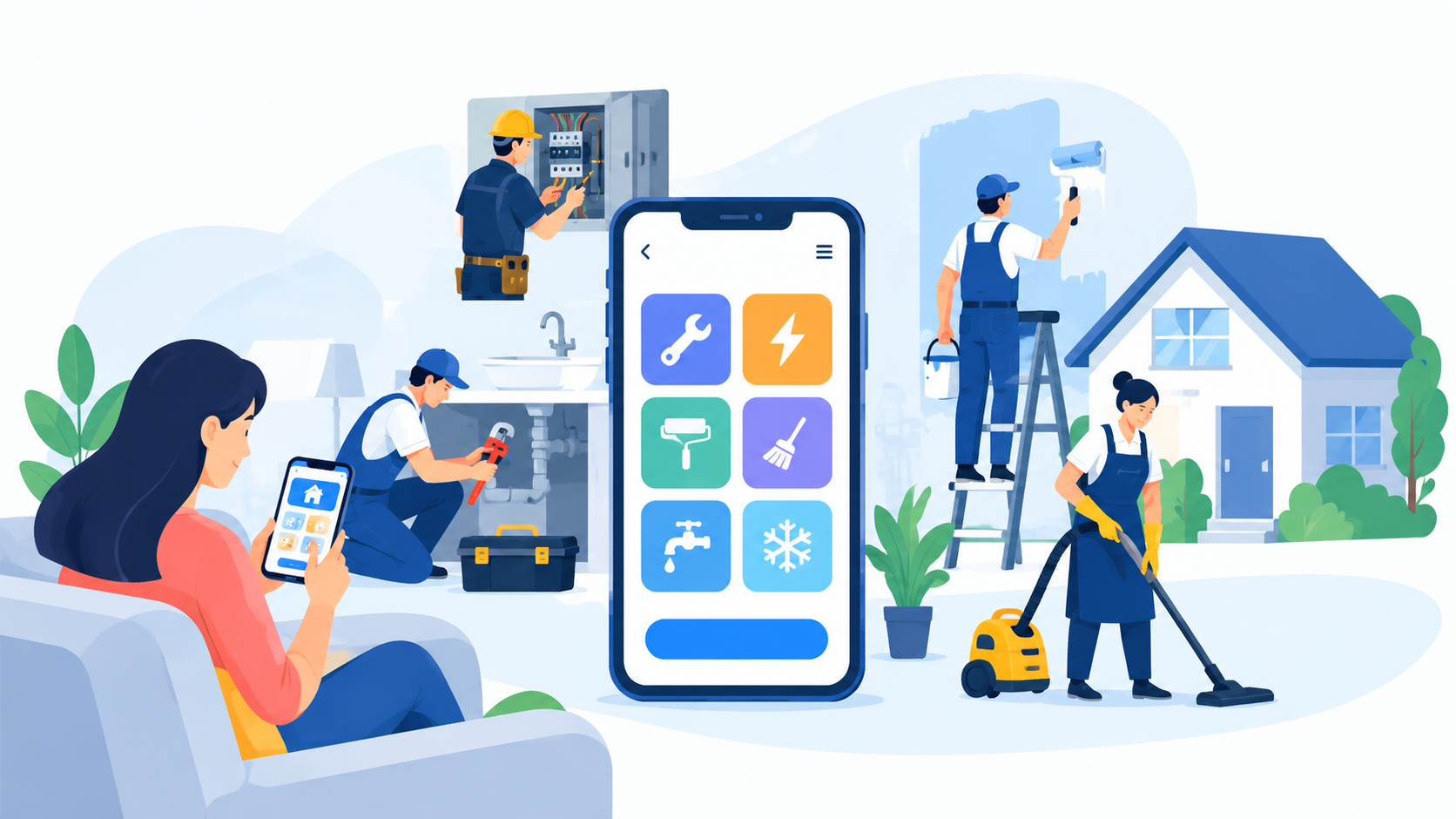
Key Takeaways:
- Home service app development connects customers with trusted professionals for cleaning, plumbing, repairs, and other household services.
- Essential features include service booking, provider management, GPS tracking, secure payments, notifications, and an admin dashboard.
- AI features like smart provider matching, cost estimates, and automated support can improve efficiency and customer experience.
- Development costs range from $8,000 to $90,000+, depending on app complexity, features, integrations, and timeline.
- Start with an MVP, test core features, collect user feedback, and scale your home service app as demand grows.
Ever had a home repair emergency but struggled to find a reliable professional? Your customers face the same problem, and a poor booking experience can send them straight to a competitor.
Home service app development helps businesses connect customers with trusted professionals through one platform.
From booking plumbers and electricians to GPS tracking, secure payments, provider management, and AI-powered recommendations, the right features make everyday services easier to access.
In 2027, a well-planned app can help businesses improve customer satisfaction, manage operations, and grow revenue.
This guide covers essential features, payment integration, AI capabilities, development steps, estimated costs, and future trends.
What Is a Home Service App and How Does It Work?
A home service app is a digital platform that connects homeowners with professionals for services like plumbing, electrical repairs, house cleaning, pest control, and appliance maintenance. It lets users book services, compare providers, track appointments, and make payments online.
How Does a Home Service App Work?
- Choose a Service: Customers browse service categories, compare prices, and select the help they need.
- Book an Appointment: They choose a date, time slot, and service address to confirm their booking.
- Get Matched with a Provider: The app assigns an available professional based on location, skills, and schedule.
- Track and Complete the Service: Customers receive updates while the provider travels to their home and completes the job.
- Pay and Leave a Review: Customers pay through the app, rate the professional, and share feedback. This simple flow is central to on-demand app development.
Why Build a Home Service App in 2027?
A home service app helps businesses reach more customers, manage bookings, and offer faster, easier service in a growing digital market.
1. Growing Demand for Home Services
Busy homeowners want quick access to trusted plumbers, cleaners, electricians, and repair experts without making endless calls.
According to Grand View Research, the global online on-demand home services market was valued at $3.71 billion in 2021 and is projected to reach $14.7 billion by 2030, growing at a 16.7% CAGR from 2022 to 2030.
2. More Ways to Earn Revenue
Earn through service commissions, booking fees, subscriptions, and premium listings. Multiple income streams can support long-term business growth.
3. Easier Booking for Customers
Customers can compare providers, check prices, book time slots, and pay online. A simple booking process can encourage repeat orders.
4. Better Control Over Daily Operations
Manage providers, schedules, payments, and customer requests from one dashboard. This reduces manual work and helps teams avoid booking errors.
5. Room to Grow with AI and Automation
AI can match customers with suitable professionals, answer common questions, and predict service demand. These tools can help businesses work smarter as they grow.
Types of Home Service Apps
Home service apps help customers find trusted professionals for everyday repairs, cleaning, and home maintenance. Each app type solves a different household need.
|
Home Service App Type |
Description |
|
Home Cleaning App |
Let's users book regular cleaning, deep cleaning, and move-in or move-out services. |
|
Plumbing Service App |
Connects homeowners with plumbers for leaks, clogged drains, and pipe repairs. |
|
Electrical Service App |
Helps customers book electricians for wiring, lighting, and electrical repairs. |
|
HVAC and Appliance Repair App |
Supports AC servicing, heating repairs, and appliance maintenance. |
|
Handyman Service App |
Offers help with furniture assembly, door repairs, and small household jobs. |
|
Pest Control App |
Lets users schedule inspections and treatments for termites, insects, and rodents. |
|
Lawn Care and Landscaping App |
Helps customers book lawn mowing, gardening, and yard maintenance. |
|
Painting and Renovation App |
Connects property owners with painters and contractors for home improvement projects. |
|
Moving and Junk Removal App |
Helps users arrange moving assistance, furniture hauling, and junk removal. |
|
Multi-Service Home Service App |
Combines cleaning, plumbing, repairs, and other household services in one platform. |
Must-Have Features in a Home Service App
A great home service app makes it easy to book trusted professionals, track jobs, and pay securely. These core features help customers, service providers, and admins manage every step without hassle.
Customer App Must-Have Features
1. User Registration & Login
Let customers sign up with a mobile number, email, or OTP, or use Google and Apple sign-in. Profile management keeps contact details and saved addresses ready for faster bookings.
2. Service Categories & Search
Organize plumbing, electrical work, cleaning, AC repair, painting, pest control, and appliance repair into clear categories. Add search filters and service-wise pricing so customers can find the right help fast.
3. Service Booking & Scheduling
Allow customers to select dates and time slots for instant, scheduled, or recurring services. Booking confirmations and easy rescheduling make booking app development more useful for busy households.
4. Service Provider Profiles
Show each professional’s photo, experience, skills, verification status, prices, ratings, reviews, and available time slots. Clear profiles help customers compare providers and make informed booking decisions.
5. Live Tracking & Notifications
Show a provider’s live location, estimated arrival time, and booking status where available. Push, SMS, and email alerts keep customers updated from booking confirmation to job completion.
6. Online Payments
Support credit and debit cards, digital wallets, and other payment methods based on your target market. Add cash payments if supported, plus coupons, invoices, refunds, and payment history. Plan the mobile payment app development cost early.
Service Provider App's Features
1. Provider Registration & Verification
Let professionals create profiles, upload ID documents, add skill certificates, and complete suitable background checks. A clear verification process helps build trust and supports safer service bookings.
2. Job & Schedule Management
Give providers a place to accept or reject job requests, set working hours, manage availability, and define service areas. This helps them plan their day and avoid overlapping appointments.
3. Navigation & Job Status
Provide customer addresses, map directions, and route navigation so professionals can reach jobs on time. Simple status updates such as arrived, started, and completed keep customers and admins informed.
4. Earnings & Payouts
Show daily and weekly earnings, platform commission deductions, transaction history, and payout status. Clear financial records help providers track income and understand when they will receive their money.
5. Ratings & Performance
Let providers review customer feedback, job completion rates, cancellations, and performance reports. These insights help professionals improve service quality and build a stronger reputation on the platform.
Admin Panel Features
The admin panel gives your team control over bookings, customers, providers, payments, and service quality from one place. These tools support smooth operations as your business grows.
|
Feature |
Will this work? |
|
Dashboard & Analytics |
Track bookings, revenue, commissions, and business growth in real time. |
|
Customer Management |
Manage user profiles, account status, support requests, and complaints. |
|
Provider Management |
Review verification documents, approve providers, and manage suspensions. |
|
Service Management |
Update service categories, descriptions, pricing, and service areas. |
|
Booking Management |
Handle job assignments, cancellations, rescheduling, and booking disputes. |
|
Payment Management |
Track transactions, refunds, platform commissions, and provider payouts. |
|
Offers & Promotions |
Create coupons, referral rewards, discounts, and marketing campaigns. |
|
Reviews Management |
Monitor ratings, moderate inappropriate reviews, and manage customer feedback. |
|
Support Management |
Assign support tickets, handle complaints, and track issue resolution. |
|
Reports & Analytics |
Review revenue trends, service demand, and provider performance reports. |
|
Role-Based Access |
Set separate permissions for admins, managers, and customer support staff. |
Advanced AI Features That Can Make The App Competitive
AI can help a home service app match customers with the right professionals, set fair prices, and spot suspicious activity. These features can improve service quality and reduce manual work.
1. Smart Provider Matching
Use AI to match customers with professionals based on skills, location, availability, ratings, and job history. GPS data can improve nearby matches, with costs considered in the GPS tracking app development cost.
2. Dynamic Pricing and Demand Forecasting
Use AI to adjust prices based on demand, peak hours, provider availability, and job complexity. Demand forecasting also helps businesses plan staffing and service coverage during busy seasons.
3. AI Chatbots and Support Automation
Add AI chatbots to answer booking questions, share service updates, handle cancellations, and create support tickets. Automated customer support can reduce response times and help teams manage more requests.
4. Image-Based Issue Diagnosis and Instant Quotes
Let customers upload photos of leaks, damaged appliances, or wall cracks. AI can suggest possible issues and estimated costs, while a qualified professional confirms the diagnosis and final quote.
5. Fraud Detection
Use AI to flag suspicious payments, fake accounts, unusual booking patterns, and repeated refund requests. Risk alerts help admins review potential fraud and protect customers, providers, and platform revenue.
6. Priority & Emergency Booking
Give customers a way to request urgent plumbing, electrical, or appliance repairs. Show available professionals, estimated arrival times, and any extra emergency fees before they confirm the booking. This feature can be valuable in on-demand app development services.
How to Develop a Home Service App: Step-by-Step
Building a home service app takes more than writing code. You need the right market, useful features, secure payments, and a simple booking flow that customers and service providers can trust.
Step 1: Market Research and Niche Selection
Start by learning what customers need and where existing home service apps fall short. Research local competitors, customer reviews, service demand, and pricing across your target U.S. cities.
Focus on a clear niche, such as house cleaning, plumbing, lawn care, or appliance repair. You can expand later, once your business model works.
- Study competitors: Review platforms like Thumbtack, Angi, and Taskrabbit to understand their services and booking flows.
- Define your audience: Identify homeowners, renters, property managers, or busy families.
- Choose a revenue model: Decide between service commissions, booking fees, subscriptions, or paid leads.
Step 2: Define the MVP and Feature List
Build a minimum viable product (MVP) with the features needed to launch and test your idea. Avoid adding every advanced tool at once. Start with customer registration, service search, booking, provider profiles, payments, and an admin dashboard.
Your MVP should cover the full booking journey, from finding a professional to paying for completed work.
Prioritize features such as:
- Customer app: Sign-up, service categories, scheduling, reviews, and payments.
- Provider app: Job requests, availability, navigation, and earnings.
- Admin panel: User management, provider verification, bookings, commissions, and reports.
- Core integrations: Maps, push notifications, and a payment gateway.
A clear feature list also helps your development team estimate the project scope, timeline, and budget before coding begins.
Step 3: UI/UX Design
Design an app that feels simple from the first tap. Customers should be able to find a plumber, compare prices, choose a time slot, and confirm a booking without getting lost in menus.
Use wireframes to map the main screens before creating detailed UI designs and interactive prototypes.
Focus on these design elements:
- Easy navigation: Keep service categories, search, and booking options easy to find.
- Clear pricing: Show service charges, extra fees, and cancellation terms before checkout.
- Simple booking forms: Ask only for details needed to arrange the service.
- Trust signals: Display provider ratings, verified badges, and customer reviews.
- Accessibility: Use readable text, clear buttons, and suitable color contrast.
Test the prototype with a few potential customers. Their feedback can reveal confusing steps before they become expensive development changes.
Step 4: Choose the Right Tech Stack
Your technology choices affect app performance, security, maintenance, and future growth. A reliable home service app development company can help select tools that fit your budget, features, and expected user base.
Here is a practical tech stack to consider:
|
Technology Layer |
Suggested Technologies |
Purpose |
|
iOS and Android App |
Flutter or React Native |
Build mobile apps for both platforms |
|
Web Frontend |
React.js or Next.js |
Create the admin panel and web booking experience |
|
Backend Development |
Node.js with NestJS or Python with Django |
Handle bookings, users, providers, and business rules |
|
Database |
PostgreSQL |
Store user profiles, bookings, payments, and service records |
|
Cloud Hosting |
AWS, Google Cloud, or Microsoft Azure |
Host app services and support scaling |
|
Maps and GPS |
Google Maps Platform or Mapbox |
Support location search, routes, and provider tracking |
|
Payments |
Stripe or PayPal |
Process customer payments and provider payouts |
|
Notifications |
Firebase Cloud Messaging and email/SMS services |
Send booking alerts and service updates |
|
Analytics and Monitoring |
Firebase Analytics and Sentry |
Track app usage, errors, and performance |
Step 5: Development and Integrations
Now, turn the approved designs and feature list into a working product. Developers build the customer app, provider app, backend APIs, and admin dashboard, then connect them into one system.
Payment handling deserves special attention. A smooth checkout is helpful, but the money must also reach the right place.
Plan these key integrations:
- Payment gateways: Use Stripe, PayPal, or another supported provider to accept cards and eligible digital payment methods. Razorpay may suit businesses operating in supported markets.
- Split payments and commissions: Define how the platform fee is calculated and how provider payouts are handled. Use marketplace payment tools where available.
- Escrow or delayed payouts: If your business model needs funds held until a job is complete, check the payment provider's supported services and legal requirements.
- Invoicing, tips, and refunds: Generate digital receipts, allow tips where appropriate, and set clear refund and cancellation rules.
- Payment security: Use tokenization and a suitable PCI DSS-compliant payment setup. Never store raw card details unless your systems and compliance controls specifically support it.
The development team should also integrate maps, GPS tracking, push notifications, provider verification, and booking status updates. Build the core booking and payment flow first, then add more advanced features.
Step 6: Testing and Quality Assurance
A booking app can look perfect in a demo and still fail when real customers use it. Testing helps catch problems before launch, especially with scheduling, payments, location services, and provider availability.
Your QA team should check:
- Functional testing: Confirm that registration, search, bookings, cancellations, and refunds work correctly.
- Payment testing: Test successful payments, failed transactions, duplicate requests, and payout records.
- GPS testing: Check location accuracy, route updates, and tracking permissions on different devices.
- Performance testing: See how the app handles busy periods and many simultaneous users.
- Security testing: Review access controls, data protection, authentication, and common vulnerabilities.
- Usability testing: Ask real users to complete a booking and note where they get stuck.
Test on different iOS and Android devices, screen sizes, and network conditions. Fix critical issues before releasing the app to the public.
Step 7: Launch and Iterate
Launch your home service app in a small service area first. This gives you a chance to test real bookings, provider response times, customer feedback, and payment flows before expanding to more cities.
After launch, track metrics such as:
- Booking conversion rate: How many users complete a booking after viewing services?
- Provider acceptance rate: How often do professionals accept new jobs?
- Cancellation rate: How many bookings get cancelled by customers or providers?
- Repeat booking rate: How often do customers return for another service?
- Customer acquisition cost (CAC): How much does it cost to gain a new customer?
- Customer satisfaction: What do ratings, reviews, and support tickets reveal?
Use these insights to improve the app. If customers abandon checkout, simplify the payment flow. If providers reject too many jobs, review pricing, service areas, and availability settings.
Start small, learn from real users, and improve the product based on evidence. That is a more practical path to long-term growth than launching with dozens of features nobody has tested.
Home Service App Development Cost in 2027
The cost to build a home service app in 2027 can range from $8,000 to $90,000+, depending on features, app complexity, integrations, and development time.
|
App Type |
Estimated Development Cost (USD) |
Estimated Timeline |
|
Basic App |
$8,000–$ 15,000 |
2–3 months |
|
Mid-Level App |
$15,000– $30,000 |
3–5 months |
|
Advanced App |
$30,000– $60,000 |
5–7 months |
|
Enterprise App |
$60,000– $90,000+ |
7–12+ months |
Common Mistakes to Avoid When Building a Home Service App
Even a great app idea can fail if bookings are confusing, providers are unreliable, or payments keep failing. Avoid these common mistakes before launch.
1. Adding Too Many Features at Once
Building too many features at launch increases development costs, delays release, and makes the app harder to use.
Start with an MVP that covers booking, payments, provider profiles, and admin tools. Add advanced features as demand grows.
2. Ignoring Provider Verification and Customer Trust
Skipping provider checks, background screening, and skill verification can put customers at risk and damage your brand.
Verify provider IDs, check relevant licences, review qualifications, and display ratings to help customers choose with confidence.
3. Making Booking and Payments Complicated
Long booking forms, hidden fees, and failed payments can frustrate users and cause them to abandon their service requests.
Keep booking simple, show prices upfront, use secure payment gateways, and provide clear receipts, refunds, and cancellation rules.
4. Overlooking GPS Accuracy and Provider Scheduling
Poor GPS tracking, outdated availability, and overlapping appointments can cause late arrivals, missed jobs, and customer complaints.
Use reliable maps, live location updates, real-time schedules, and booking alerts to help providers arrive on time and avoid conflicts.
5. Skipping Testing and Ongoing Maintenance
Launching without proper testing can leave bugs, security gaps, and app crashes that hurt bookings and customer satisfaction.
Test booking flows, payments, GPS, and data security before launch. Monitor crashes, fix bugs, and release regular updates.
How to Monetize Your Home Service App?
A home service app can earn revenue through service commissions, booking fees, subscriptions, and paid listings while keeping prices fair for customers.
- Service Commissions: Earn a percentage from each completed plumbing, cleaning, or repair booking.
- Booking Fees: Charge a small fee for confirmed appointments or urgent, same-day home services.
- Subscription Plans: Offer monthly home maintenance packages, regular cleaning, or member discounts.
- Featured Listings: Let verified providers pay for better visibility in local service search results.
- Lead Generation Fees: Charge professionals for qualified customer leads and new service requests.
Future Trends in Home Service Apps (2027 and Beyond)
Home service apps are moving beyond simple bookings. In 2027 and beyond, AI, smart home technology, and augmented reality (AR) may help customers solve problems faster and give service providers better tools. Businesses that adopt useful technology early can improve customer experience and stand out in a crowded market.
- Voice and AR-Based Booking: Customers may book services using voice assistants or use AR to show professionals a problem, such as a leaking pipe, before they arrive.
- IoT and Smart Home Integration: Connected devices, smart thermostats, and leak detectors can alert homeowners to problems and help schedule preventive maintenance before small issues grow.
- Home Service Super Apps: A single app may bring together cleaning, plumbing, lawn care, appliance repair, and home maintenance, giving customers one place to manage household needs.
- Sustainable Home Services: Apps can promote energy-efficient repairs, eco-friendly cleaning products, and electric-vehicle service fleets. These options can appeal to customers who want to reduce waste and energy use.
- Predictive Maintenance with AI: AI can analyze device alerts, service records, and usage patterns to flag possible problems early. Providers can plan visits before equipment breaks down.
Conclusion
Building a successful home service app starts with solving real customer problems.
From easy booking and provider management to GPS tracking, secure payments, and AI-powered features, every part should make home services more reliable and convenient.
A clear development plan, the right tech stack, strong provider verification, and proper testing can help control costs and build customer trust. Start with an MVP, learn from real users, and improve as demand grows.
Home service app development is not just about launching an app; it’s about creating a service people feel comfortable booking again.
FAQ's
Home service app development can cost $8,000 to $90,000+, depending on features, app complexity, integrations, and development time.
A basic app may take 2–3 months, while an advanced platform can take 5–12 months or longer.
Core features include service search, online booking, provider profiles, GPS tracking, secure payments, notifications, reviews, and an admin dashboard.
It can earn through service commissions, booking fees, provider subscriptions, featured listings, and lead generation fees.
Common choices include Flutter or React Native, Node.js or Django, PostgreSQL, cloud hosting, mapping APIs, and payment gateways.
GPS shares a service provider’s location and estimated arrival time with customers, helping them track appointments and plan their day.
AI can match customers with providers, estimate service costs, forecast demand, automate support, and flag suspicious activity.
Yes. An MVP lets you test core features, collect customer feedback, control initial costs, and improve the app before expanding.

CrinPro
CrinPro Solutions is a leading IT company that helps startups and enterprises build innovative digital products. From intuitive mobile applications and high-performance websites to AI-powered solutions and enterprise software, our team delivers scalable, secure, and user-focused products tailored to unique business needs. With expertise across multiple industries, we transform ideas into digital experiences that drive growth, improve efficiency, and create long-term business value.


