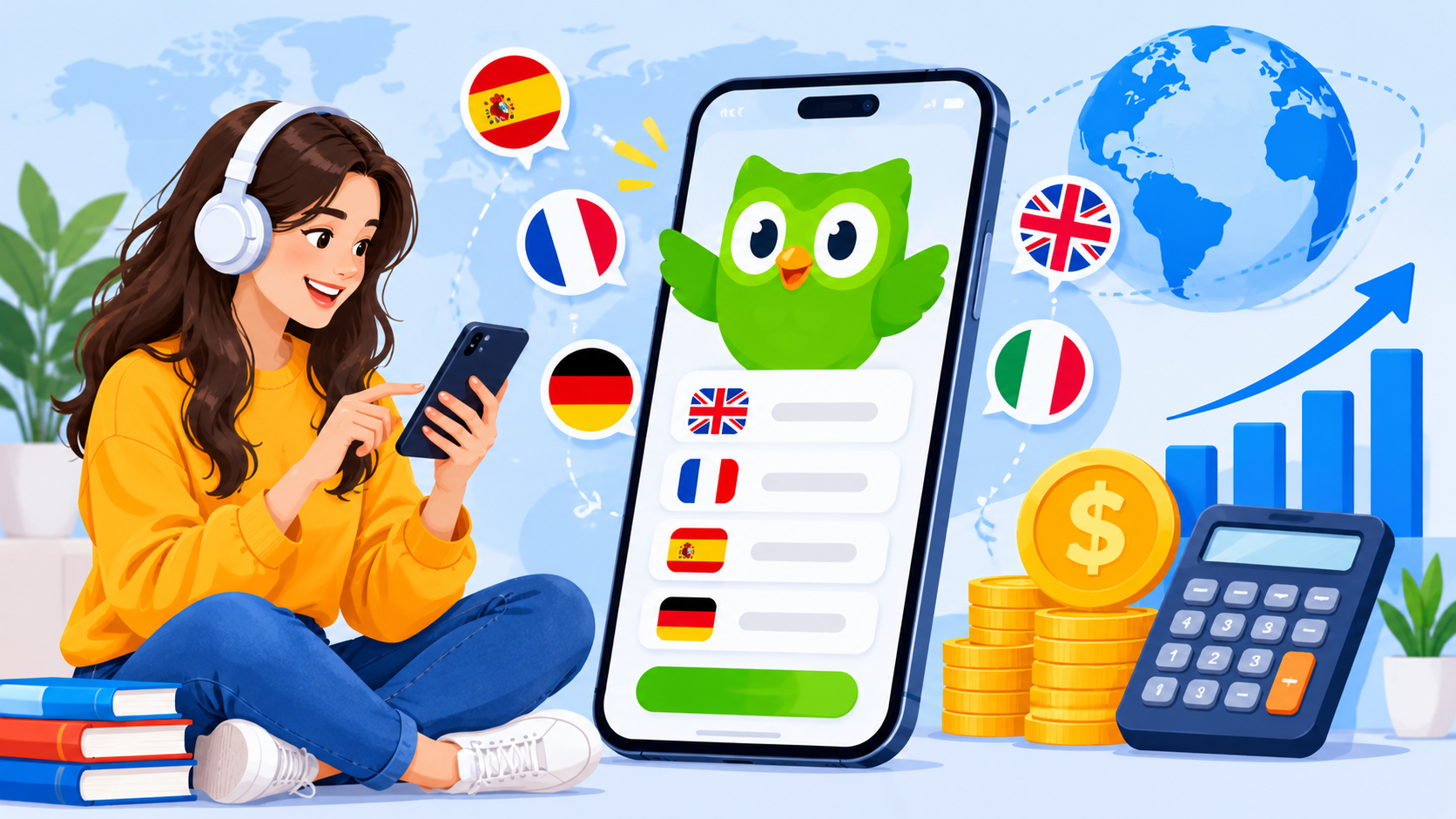
Key Takeaways:
- Define the learning experience first: Plan courses, lesson structures, exercises, and learning paths around the needs of your target audience.
- Prioritise essential features: Start with user profiles, interactive lessons, progress tracking, assessments, and notifications before adding advanced capabilities.
- Use AI where it adds value: Personalised recommendations, pronunciation feedback, and AI tutors can make learning more adaptive and interactive.
- Choose a suitable technology stack: Compare native and cross-platform approaches based on performance, device requirements, and budget.
- Plan for long-term costs: Include content creation, integrations, hosting, security, maintenance, and ongoing improvements in the overall budget.
Language learning applications have changed how people study new languages, practise vocabulary, and improve communication skills. Instead of relying entirely on traditional classroom lessons, learners can now access interactive exercises, short lessons, pronunciation practice, and progress tracking through their smartphones.
In 2027, building an application similar to Duolingo offers businesses an opportunity to enter the growing digital education market. Modern language learning platforms combine gamification, personalised learning paths, artificial intelligence, and interactive assessments to make language practice more engaging and accessible.
However, creating a successful platform involves more than developing lessons and quizzes. Businesses must consider user experience, content management, speech recognition, AI-powered recommendations, subscription features, and scalable backend infrastructure.
Understanding the cost to build a language learning app like Duolingo helps businesses plan their investment, prioritise essential features, and choose suitable technologies. Whether developing an MVP or a feature-rich educational platform, a clear development strategy can help turn a language learning idea into a practical digital product.
Understanding the Duolingo-Like Language Learning App Model
A Duolingo-like application uses short, interactive lessons to help users develop language skills through regular practice. Instead of presenting large amounts of information at once, it divides learning into manageable activities that encourage consistency and gradual improvement.
How the Learning Model Works
Most language learning apps organise content into courses, units, and lessons. Users complete activities such as vocabulary exercises, sentence translation, listening tests, and pronunciation practice. Their progress is recorded so they can continue learning from where they stopped.
|
Component |
How It Works |
|
Structured Courses |
Organise lessons by language, topic, and difficulty level. |
|
Interactive Exercises |
Help users practise reading, writing, listening, and speaking. |
|
Gamification |
Use points, streaks, badges, and leaderboards to encourage regular practice. |
|
Personalised Learning |
Adjust exercises according to user progress and learning needs. |
|
Progress Tracking |
Display completed lessons, achievements, and skill development. |
|
Subscription Access |
Offer premium lessons or additional learning tools through paid plans. |
What Makes Duolingo-Like Apps Different?
The main distinction is the combination of education and engagement. Features such as daily goals, rewards, reminders, and adaptive exercises encourage users to return regularly. A well-designed platform also balances entertainment with meaningful learning outcomes.
Businesses planning language learning app development should therefore consider both educational effectiveness and user retention. The platform needs organised learning content, reliable progress tracking, and an interface that makes regular practice convenient.
Essential Features Every Modern Language Learning App Should Include
A successful language learning application needs features that make lessons interactive, track learner progress, and encourage regular practice. The right feature set also influences the overall language learning app development cost.
1. Core Features for Learners
|
Feature |
Purpose |
|
User Registration and Profiles |
Allow learners to create accounts and manage preferences. |
|
Language Selection |
Let users choose their preferred language and learning level. |
|
Interactive Lessons |
Provide vocabulary, grammar, reading, and writing exercises. |
|
Pronunciation Practice |
Help learners improve speaking skills through audio exercises. |
|
Listening Exercises |
Develop listening comprehension through recordings and quizzes. |
|
Progress Tracking |
Display completed lessons, scores, and learning achievements. |
|
Daily Goals and Reminders |
Encourage consistent learning habits. |
|
Offline Learning |
Allow access to selected lessons without an internet connection. |
2. Gamification and Engagement Features
Gamification helps make language practice more engaging and encourages users to return regularly.
- Points and Rewards: Award points for completing lessons and activities.
- Learning Streaks: Track consecutive days of practice.
- Leaderboards: Allow users to compare progress with other learners.
- Achievements: Unlock badges for reaching learning milestones.
- Challenges: Introduce daily and weekly learning activities.
3. Admin and Content Management Features
An administrative dashboard helps businesses manage courses, lessons, users, subscriptions, and learning content. Administrators should also be able to monitor engagement, update exercises, and review platform performance.
4. Advanced Features for Premium Platforms
More sophisticated applications can include AI tutors, personalised learning paths, speech recognition, live tutoring, and detailed learning analytics. These capabilities increase development complexity and should be prioritised according to the target audience and business objectives.
How AI and Gamification Improve Language Learning Experiences
AI and gamification can make language learning applications more interactive, personalised, and engaging. These technologies help learners practise at their own pace while encouraging them to maintain consistent study habits.
1. AI-Powered Personalised Learning
AI can analyse lesson results, learning speed, and common mistakes to recommend suitable exercises. For example, if a learner struggles with verb tenses, the app can suggest additional grammar activities.
2. AI Chatbots and Virtual Tutors
Conversational AI can allow learners to practise real-life conversations, ask grammar questions, and receive explanations. Virtual tutors can also provide feedback based on a learner's responses and proficiency level.
3. Speech Recognition and Pronunciation Feedback
Speech recognition can analyse spoken responses and help learners identify pronunciation difficulties. Audio-based exercises can support speaking practice and improve confidence in everyday conversations.
4. Adaptive Learning Paths
AI-powered systems can adjust lesson difficulty according to learner performance. Users who understand a topic quickly can move forward, while those who need more practice can receive additional exercises.
5. Gamification for Better Engagement
Gamification introduces rewards and friendly competition into the learning experience.
- Daily Streaks: Encourage users to practise regularly.
- XP Points: Reward completed lessons and activities.
- Leaderboards: Motivate learners through friendly competition.
- Achievement Badges: Recognise learning milestones.
- Daily Challenges: Encourage users to complete specific tasks.
6. Combining AI With Gamification
Combining personalised learning with rewards can make an app more engaging. For example, learners could receive bonus points for completing recommended exercises or maintaining a daily practice streak.
However, AI recommendations should be evaluated for accuracy, and gamification should support genuine learning rather than simply encouraging longer screen time.
For businesses investing in these capabilities, the AI app development cost depends on model selection, speech-processing requirements, integration complexity, and ongoing usage.
Technology Stack for Language Learning App Development
Choosing the right technology stack is essential for building a language learning application that performs reliably, supports interactive lessons, and can accommodate future growth. The selection depends on the app's features, target platforms, expected user base, and integration requirements.
1. Common Technologies Used
|
Technology Layer |
Common Technologies |
Purpose |
|
Mobile App Development |
Flutter, React Native, Swift, Kotlin |
Build applications for Android and iOS devices. |
|
Web Development |
React.js, Next.js, Angular |
Create web-based learning platforms and administrative dashboards. |
|
Backend Development |
Node.js, Python, Java |
Manage user accounts, courses, subscriptions, and application logic. |
|
Database |
PostgreSQL, MySQL, MongoDB |
Store learner profiles, lesson content, scores, and progress records. |
|
Cloud Infrastructure |
AWS, Microsoft Azure, Google Cloud |
Provide hosting, storage, scalability, and backup services. |
|
AI and Machine Learning |
Python, PyTorch, TensorFlow, AI model APIs |
Support personalised recommendations and adaptive learning features. |
|
Speech Recognition |
Google Cloud Speech-to-Text, Azure AI Speech |
Process spoken responses and support pronunciation exercises. |
|
Text-to-Speech |
Amazon Polly, Google Cloud Text-to-Speech |
Convert written lessons into audio for listening practice. |
|
Analytics and Monitoring |
Firebase Analytics, Google Analytics, Grafana |
Track user engagement, application performance, and learning activity. |
|
Third-Party Integrations |
Payment APIs, notification services, REST APIs |
Support subscriptions, reminders, and external service connections. |
2. Selecting the Right Development Approach
For applications targeting both Android and iOS, cross-platform frameworks such as Flutter and React Native can reduce duplicated development work. Native technologies may be more suitable when the product requires specialised device capabilities or platform-specific optimisation.
The mobile app development cost will depend partly on this decision, along with the number of screens, integrations, testing requirements, and device compatibility needs. Working with an experienced mobile app development company can help businesses assess these requirements before finalising the architecture
Language Learning App Development Process: From Planning to Launch
Developing a Duolingo-like application requires a structured process that connects educational goals with technical implementation. Careful planning helps businesses define the right features, select suitable technologies, and avoid unnecessary development costs.
1. Research and Planning Before Development
Start by researching the target audience, competing language learning platforms, and the needs of different learner groups. Identify which languages the app will support, the proficiency levels it will cover, and how users will interact with lessons.
This research also helps establish a realistic budget. When estimating the education app development cost, businesses should consider learning content, assessment methods, platform requirements, integrations, and the complexity of personalised learning features.
Step 1: Define Requirements and Objectives
Establish the app's purpose, target audience, supported languages, business model, and essential functionality. Create a clear project scope before development begins.
Step 2: Design the Learning Structure
Organise courses into levels, units, and lessons. Define how vocabulary, grammar, listening, reading, and speaking exercises will be presented.
Step 3: Create UI/UX Designs
Develop wireframes and interactive prototypes for onboarding, lesson screens, progress dashboards, and subscription pages. Test the designs to ensure the learning experience is simple and intuitive.
Step 4: Select the Technology Stack
Choose suitable frontend, backend, database, cloud, and AI technologies. The architecture should support interactive lessons, user progress, content updates, and future expansion.
Step 5: Develop the Core Application
Build registration, language selection, course access, interactive exercises, progress tracking, and user profile functionality. These components form the foundation of the application.
Step 6: Integrate AI and Gamification
Introduce features such as personalised recommendations, AI tutoring, speech recognition, points, streaks, and achievements. Teams with experience in interactive products or game app development services can help implement engaging reward systems and game mechanics.
Step 7: Implement Payments and Integrations
Connect subscription services, payment gateways, push notifications, analytics tools, and other required third-party services. Test each integration to ensure reliable communication between systems.
Step 8: Conduct Testing and Quality Assurance
Test the application across supported devices and operating systems. Check lesson accuracy, audio playback, speech recognition, payment workflows, security, and overall performance.
Step 9: Launch and Monitor the Application
Prepare the app for release, monitor its performance, and collect user feedback. Use engagement data, learning progress, and error reports to identify areas for improvement.
Step 10: Maintain and Improve the Platform
Release updates, add new courses, fix bugs, improve AI recommendations, and optimise performance as user requirements evolve.
Following these stages helps businesses move from an initial concept to a functional learning platform while keeping educational quality, technical reliability, and future scalability in focus.
Cost to Build a Language Learning App Like Duolingo in 2027
The cost to build a language learning app like Duolingo depends on its feature set, supported platforms, learning content, AI capabilities, and backend complexity. A basic application with interactive lessons requires less investment than an advanced platform with AI tutors, speech recognition, live classes, and personalised learning paths.
1. Estimated Development Costs
|
App Complexity |
Estimated Cost (USD) |
Development Timeline |
|
Basic Language Learning App |
8,000–20,000 |
2–3 months |
|
Mid-Level Learning Platform |
20,000–40,000 |
3–5 months |
|
Advanced AI-Powered App |
40,000–70,000 |
5–7 months |
|
Enterprise-Level Platform |
70,000–100,000+ |
7–12+ months |
These are indicative planning estimates, not fixed market quotations. Actual costs depend on the development team's rates, platform requirements, content volume, integrations, and project scope.
What Influences the Development Budget?
The main cost components usually include:
- UI/UX design: User research, wireframes, interactive lesson screens, and interface design.
- Frontend development: Mobile and web interfaces for learners and administrators.
- Backend development: User accounts, course management, progress tracking, subscriptions, and application logic.
- Learning content: Vocabulary, grammar exercises, audio recordings, translations, and assessments.
- AI and speech technologies: Personalised recommendations, conversational tutors, speech recognition, and pronunciation feedback.
- Third-party integrations: Payment gateways, notifications, analytics, and cloud services.
- Testing and deployment: Functional testing, device compatibility, security checks, and app-store preparation.
Factors That Influence the Overall Development Budget
The final cost of developing a Duolingo-like application depends on several technical and business decisions. Understanding these factors helps businesses estimate their investment more accurately and prioritise features according to their goals.
1. Feature Complexity
A basic language learning app with user profiles, lessons, and progress tracking requires less development effort than an advanced platform with AI tutors, live classes, speech recognition, and personalised learning paths.
2. Number of Languages and Learning Content
Supporting multiple languages requires additional course structures, translations, vocabulary databases, audio recordings, and assessments. The volume and quality of educational content can therefore influence both development time and budget.
3. AI and Machine Learning Integration
AI-powered recommendations, conversational tutors, adaptive learning, and pronunciation analysis can increase development complexity. Costs also depend on model selection, integration requirements, and ongoing API or infrastructure usage.
4. UI/UX Design and Gamification
Interactive lesson screens, animations, progress dashboards, leaderboards, and reward systems require additional design and development work. More customised experiences may increase the overall budget.
5. Platform Selection
Developing for Android, iOS, and web requires different levels of implementation and testing. Cross-platform frameworks can reduce duplicated development work, although device-specific functionality may still require additional effort.
6. Third-Party Integrations
Payment gateways, speech recognition services, text-to-speech tools, analytics platforms, and notification services can add integration costs and recurring charges.
7. Security and Data Management
User authentication, subscription security, personal learning records, data backups, and privacy safeguards must be included in the budget. Applications serving children may also require additional privacy and parental-control considerations.
8. Maintenance and Scalability
Post-launch expenses include bug fixes, operating-system compatibility updates, cloud hosting, content improvements, security reviews, and performance monitoring. These costs should be considered alongside the initial development investment.
Native vs Cross-Platform Development: Which Is More Cost-Effective?
The choice between native and cross-platform development can influence the budget, performance, and maintenance requirements of a Duolingo-like language learning application. Businesses should consider their target audience, device requirements, and long-term product plans before selecting an approach.
1. Native App Development
Native development involves building separate applications for Android and iOS using platform-specific technologies such as Kotlin and Swift.
Advantages:
- Better access to platform-specific device capabilities.
- Greater flexibility for specialised audio and speech-processing features.
- More control over platform-specific performance and user experiences.
Limitations:
- Separate codebases can increase development costs.
- Testing and maintenance may require additional resources.
- New features may need to be implemented separately for each platform.
2. Cross-Platform App Development
Frameworks such as Flutter and React Native allow developers to build applications for multiple platforms using a largely shared codebase.
Advantages:
- Reduces duplicated development effort.
- Supports a more consistent experience across platforms.
- Can simplify updates and ongoing maintenance.
Limitations:
- Certain device-specific features may require native integrations.
- Complex audio or speech functionality may need additional optimisation.
- Performance and compatibility still require testing across devices.
Cost and Approach Comparison
|
Development Approach |
Indicative Cost (USD) |
Best Suited For |
|
Native Android App |
8,000–35,000 |
Android-focused applications |
|
Native iOS App |
8,000–35,000 |
Apple-focused applications |
|
Separate Native Apps |
16,000–70,000+ |
Products requiring extensive platform-specific functionality |
|
Cross-Platform App |
10,000–50,000 |
Businesses targeting Android and iOS with shared code |
These are illustrative planning ranges, not fixed quotations. Actual costs depend on features, integrations, design, testing, and development team rates.
Which Approach Should You Choose?
- Choose native development when the application requires specialised device capabilities or extensive platform-specific optimisation.
- Choose cross-platform development when you want to launch on multiple platforms while reducing duplicated development work.
- Start with one platform when your initial budget is limited, and your target audience is concentrated on a particular operating system.
For many startups, cross-platform development can provide a practical starting point. However, the best approach depends on the application's technical requirements and expected growth rather than initial development cost alone.
Monetisation Strategies for Language Learning Apps
A language learning app can generate revenue through several models, depending on its target audience, content offering, and business strategy. A well-planned monetisation approach should provide value to learners while keeping essential learning experiences accessible.
1. Freemium Model
The freemium model allows users to access basic lessons, vocabulary exercises, and progress tracking without paying. Premium features can be offered through a subscription.
This approach helps attract a wider audience while giving learners the opportunity to explore the platform before purchasing additional benefits.
2. Subscription Plans
Monthly and annual subscriptions can provide access to premium learning experiences, such as:
- Ad-free lessons and uninterrupted practice.
- Advanced learning paths and personalised exercises.
- Unlimited practice sessions or additional learning resources.
- Offline lesson downloads.
- Detailed progress reports and performance insights.
Annual plans can encourage longer-term subscriptions, while monthly plans provide greater flexibility.
3. In-App Purchases
Apps can offer optional purchases such as additional practice packs, themed vocabulary courses, bonus learning materials, or extra revision activities. These purchases should complement the learning experience rather than restrict access to essential educational content.
4. Advertising Revenue
Free users can be shown relevant advertisements between lessons or within appropriate sections of the application. However, excessive advertising can interrupt learning and reduce engagement. Offering an ad-free premium subscription gives users an alternative.
5. Live Tutoring and Premium Classes
Language learning platforms can generate additional revenue by offering live sessions with tutors, group conversation classes, pronunciation workshops, or specialised courses. These services can appeal to learners who want more personalised guidance.
6. Institutional and Business Licensing
Schools, universities, training centres, and employers may purchase access for groups of learners. These plans can include teacher dashboards, learner progress reports, classroom management tools, and customised learning programmes.
Challenges in Developing a Duolingo-Like App and Their Solutions
Developing a language learning application involves more than creating lessons and interactive exercises. Businesses must address content quality, technical performance, learner engagement, data security, and the accuracy of AI-powered features. Planning for these challenges early can help create a reliable and engaging learning platform.
|
Challenge |
Potential Impact |
Practical Solution |
|
High-Quality Learning Content |
Poorly structured lessons can affect learning outcomes and user satisfaction. |
Work with language experts and review lessons regularly. |
|
Speech Recognition Accuracy |
Different accents and pronunciation patterns may affect feedback quality. |
Test speech recognition across accents and use suitable language-specific models. |
|
AI Response Accuracy |
Incorrect grammar explanations or translations can confuse learners. |
Validate AI outputs and use trusted language resources with human oversight. |
|
User Engagement and Retention |
Learners may lose motivation if lessons become repetitive. |
Introduce varied exercises, achievable goals, reminders, and meaningful rewards. |
|
Multilingual Content Management |
Supporting multiple languages can increase content creation and maintenance effort. |
Use a structured content management system and localisation workflows. |
|
Data Privacy and Security |
Exposure of personal information or learning records can damage user trust. |
Apply encryption, secure authentication, access controls, and clear data policies. |
|
Performance and Scalability |
High user activity can affect lesson loading, audio playback, and progress synchronisation. |
Use scalable infrastructure, performance testing, and monitoring. |
|
Development and Maintenance Costs |
Advanced AI, speech features, and content updates can increase ongoing expenses. |
Prioritise essential features and introduce advanced capabilities in phases. |
Building a Reliable Learning Experience
Businesses should test the application with real learners before expanding to a larger audience. Feedback can reveal problems with lesson difficulty, navigation, pronunciation exercises, and learning recommendations.
It is also important to monitor measurable outcomes, including lesson completion rates, returning users, assessment performance, and technical errors. These insights help development teams improve the platform based on actual learner behaviour.
Working with an experienced education app development company can help businesses plan learning workflows, content management, integrations, and security requirements more effectively.
Conclusion
Building a language learning app like Duolingo requires careful planning, engaging educational content, and reliable technology. Development costs depend on the features, AI capabilities, platform choices, integrations, and overall complexity.
Starting with an MVP and expanding through user feedback can help businesses manage their budget while creating a scalable learning experience. The key is to balance innovation, educational value, and long-term user engagement.
FAQ's
Development can cost approximately 8,000–100,000+, depending on features and complexity.
A basic app may take 2–3 months, while advanced platforms can require 6–12 months or longer.
User profiles, interactive lessons, quizzes, progress tracking, reminders, and an admin dashboard are common essentials.
Yes. AI can power personalised lessons, pronunciation feedback, chatbots, and adaptive learning paths.
Yes. Selected lessons and learning materials can be downloaded for offline access.
Common models include subscriptions, in-app purchases, advertising, live tutoring, and institutional licensing.
Flutter, React Native, React, Node.js, Python, and PostgreSQL are common options, depending on project requirements.

CrinPro
CrinPro Solutions is a leading IT company that helps startups and enterprises build innovative digital products. From intuitive mobile applications and high-performance websites to AI-powered solutions and enterprise software, our team delivers scalable, secure, and user-focused products tailored to unique business needs. With expertise across multiple industries, we transform ideas into digital experiences that drive growth, improve efficiency, and create long-term business value.