
Key Takeaways:
- Connect orders, POS, inventory, KDS, and delivery in one system to reduce manual work and operational errors.
- Map your kitchen workflow first, then choose modules, user roles, technology, and integrations around real operational needs.
- Automate inventory, order routing, payments, and delivery to reduce waste, delays, stockouts, and missed orders.
- Test payment failures, API issues, duplicate orders, and peak loads before launching your cloud kitchen software.
- Use AI after collecting reliable data for demand forecasting, predictive ETAs, smarter dispatch, and better kitchen planning.
Ever sent out a burger with no bun because the stock count was wrong?
A wrong stock count can send a kitchen into chaos: orders arrive, ingredients are missing, riders wait, and customers leave unhappy.
Orders come from five apps. Staff copies them by hand. Riders wait. Customers leave bad reviews.
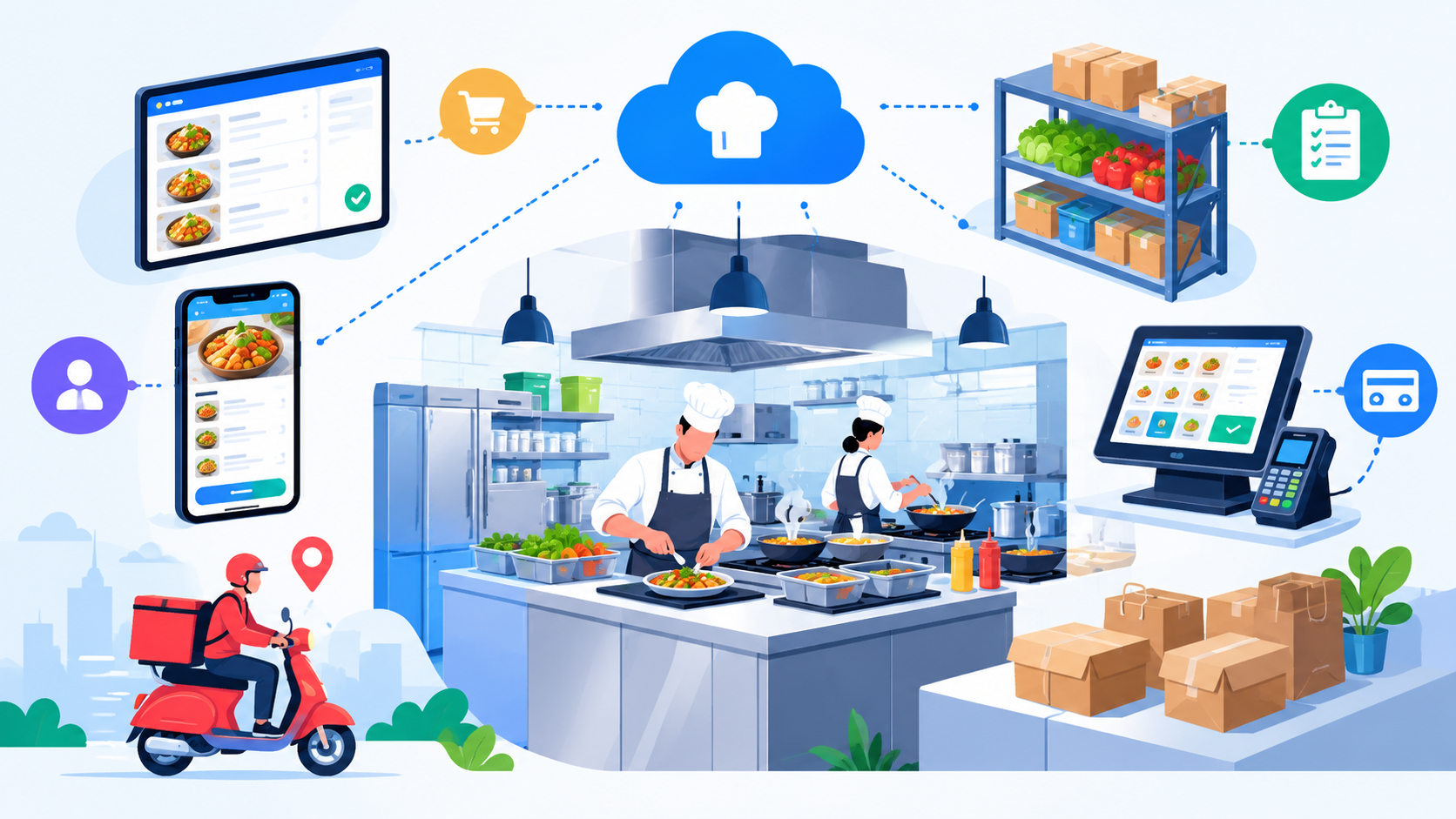
Strong cloud kitchen software development fixes this. One system connects orders, POS, inventory, the kitchen screen, and delivery.
In this guide, you will learn the core modules, 12 build steps, key features, integrations, AI ideas, common mistakes, and the KPIs to track.
What Is Cloud Kitchen Software? Market Overview
Cloud kitchen software is a digital system that runs a delivery-only kitchen. It manages orders, payments, recipes, stock, kitchen tasks, and rider dispatch in one place. It helps ghost kitchens and virtual restaurants cook faster and make fewer mistakes.
Here is the market size, as reported by Grand View Research.
- The global cloud kitchen market was valued at USD 80.3 billion in 2025.
- It is estimated at USD 88.7 billion for 2026.
- It is projected to reach USD 203.7 billion by 2033.
- The expected growth rate is a CAGR of 12.6% from 2026 to 2033.
More kitchens means more pressure on operations. That is why good restaurant technology matters now.
What Are the Benefits of Cloud Kitchen Software?
Good software cuts manual work, saves food cost, and speeds up every order from the first tap to the final drop at the door.
1. Smoother POS and Payment Handling
A cloud POS handles billing, taxes, refunds, and digital receipts in one flow. Payment reconciliation gets easier too. Many owners use POS software development services when ready-made tools fall short.
2. Faster Order Management and Fewer Errors
Order aggregation pulls Uber Eats, DoorDash, and direct orders into one screen. Real-time order updates stop missed tickets. In my experience, this one change cuts daily mix-ups.
3. Better Inventory Control and Less Food Waste
Recipe-level inventory tracks every ingredient. Automatic stock deduction and low stock alerts prevent stockouts. Wastage tracking shows where food cost leaks. I always start here, since margins are thin.
4. Faster Kitchen Work and Smarter Delivery
A Kitchen Display System replaces paper KOT slips. Dispatch automation assigns riders and shares the ETA with customers. Route optimization trims drive time too. Less waiting means hotter food.
5. Smart Reports and Room to Grow
Analytics dashboards show sales, food cost, and prep time by brand and location. Later, add AI automation software development for demand forecasting so busy days never catch you off guard.
Core Modules of a Cloud Kitchen Management System
These five modules form the engine of every cloud kitchen management system. Each one solves a daily kitchen pain.
1. Order Management
Order management collects orders from aggregators, your website, and phone calls. It checks each order, handles cancellations, and sends tickets to the kitchen. Real-time order status keeps staff and customers on the same page.
2. POS and Payment Management
The POS takes payments, adds tax, and prints digital receipts. It works with a payment gateway for cards and mobile wallets. Refund processing and daily payment reconciliation help your accountant sleep better at night.
3. Inventory and Recipe Management
Recipe management links each dish to its ingredients and units. When a burger sells, the system cuts the bun, patty, and sauce from stock. Supplier management, purchase orders, and low stock alerts keep shelves full without waste.
4. Kitchen Display System
A Kitchen Display System shows live tickets by station. Timers track preparation time, and priority tags push urgent orders up. Chefs tap once to mark food ready, and the rider gets an order-ready alert.
5. Delivery Management
Delivery management assigns riders and tracks them with GPS. It supports delivery partner integration, delivery zones, and proof of delivery. Customers see a live ETA, so fewer people call asking where the food is.
How to Build Cloud Kitchen Software Step by Step
The safest way is to map the business process first. Then pick modules and tools around it. Each step below shows what to decide, what to build, and one mistake to avoid.
Here is the full path. Business Model, Workflow, Roles, Modules, UX and UI, Backend, POS, Inventory, KDS, Delivery, Testing, Launch.
Step 1. Define the Business Model
First, decide who the software will serve. A single-brand kitchen needs different tools than a franchise. This choice shapes the whole design, so lock it early.
|
Business Model |
Software Priority |
|
Single brand |
Orders, POS, inventory |
|
Multi-brand |
Brand management, shared inventory |
|
Multi-location |
Central dashboard, location-level control |
|
Franchise |
Role management, central reporting |
Also ask if you will rely on aggregators or direct orders. Aggregator-heavy kitchens need strong order aggregation. Direct order kitchens need a good website, app, and loyalty program. A QSR-style chain may need both.
My recommendation. Do not start feature work until you know if the software will serve one kitchen, several virtual restaurants, or many locations. I have seen teams rebuild their database because they skipped this.
Step 2. Map the Kitchen Workflow
Before you design any screen, walk through your real kitchen. Watch how an order moves from the first tap to the rider's hands. Then copy that path into software.
The flow looks like this. Customer order, order check, payment, POS, inventory check, KDS, preparation, ready, delivery, completed.
Each step needs three things. A clear status. A clear owner. A clear trigger.
For example, when payment is confirmed, the status changes to paid. Then the system sends the order to the kitchen. No one has to push it by hand.
|
Stage |
System Action |
|
Order received |
Create order. |
|
Payment confirmed. |
Update payment status. |
|
Order accepted |
Send to the kitchen. |
|
Ingredients consumed |
Update inventory. |
|
Food ready |
Notify delivery. |
|
Delivered |
Close order |
Step 3. Define User Roles and Permissions
Next, list who will use the system. Each person needs different access. A rider should never see profit reports. A cashier should not edit recipes.
The main roles are owner, kitchen manager, cashier, kitchen staff, inventory manager, delivery manager, rider, accountant, and customer.
|
User |
Access |
|
Owner |
Full analytics and settings |
|
Kitchen manager |
Orders and KDS |
|
Inventory manager |
Stock and suppliers |
|
Rider |
Assigned deliveries |
|
Accountant |
Payments and reports |
Use role-based access control, also called RBAC. Give least-privilege access. That means each user gets only what the job needs. Keep audit logs to see who changed what.
Step 4. Select the Core Modules
Do not dump every feature into the plan. Pick modules that match your workflow. Each one should solve a real kitchen problem.
|
Module |
Why You Need It |
|
Order Management |
Centralize incoming orders. |
|
POS |
Handle payments and transactions. |
|
Inventory |
Track ingredients |
|
Recipe Engine |
Connect dishes with ingredients. |
|
KDS |
Manage kitchen preparation. |
|
Delivery |
Handle dispatch |
|
Analytics |
Measure performance. |
Step 5. Design the UX and UI.
Now think about screens. Create wireframes first. Then build the final UI. You need three separate interfaces, and each has a different goal.
Admin dashboard. Sales, orders, inventory, and reports.
Kitchen dashboard. New orders, the preparation queue, timers, and completed orders.
Rider app. Assigned orders, pickup, navigation, and delivery status.
Kitchen UX must differ from admin UX. Kitchen staff need less typing, fewer clicks, clear status, and large touch targets. Their hands are busy, and their time is short.
Customer-facing ordering and rider features can also affect the restaurant app development cost, especially when the app includes live tracking, saved addresses, loyalty, payments, and real-time order updates.
Step 6. Build the Backend
The backend is the brain. It handles order processing, user management, inventory math, recipe logic, payment status, delivery status, notifications, and reporting.
Here are some possible technologies. This is not the only right stack.
|
Component |
Options |
Why? |
|
Web dashboard |
React or Next.js |
Responsive admin UI |
|
Mobile apps |
Flutter or React Native |
Cross-platform apps |
|
Backend |
Node.js or Python |
API and business logic |
|
Database |
PostgreSQL |
Transactional data |
|
Cache |
Redis |
Fast temporary data |
|
Real time |
WebSockets |
Live order updates |
|
Cloud |
AWS, Azure, or Google Cloud |
Scalable infrastructure |
|
Maps |
Google Maps Platform |
Location and routing |
PostgreSQL keeps order and payment data safe and consistent. Redis speeds up repeated reads. WebSockets push live updates to the kitchen. The cloud lets you scale on busy nights.
Build with an API-first design. Secure every API with authentication. Use HTTPS and TLS, and encrypt data at rest and in transit.
If your team lacks mobile skills, a restaurant app development company can build the rider and customer apps.
Step 7. Integrate POS and Payments
Now connect the POS to your backend. Every paid order must reach the kitchen safely. The flow is simple. Customer order, order API, POS, payment, confirmation, kitchen.
You will connect these pieces.
- POS system
- Payment gateway
- Online ordering
- Digital receipts
- Refunds
- Taxes
- Payment status webhooks
Webhooks tell your system when a payment succeeds or fails. Verify each webhook, or fake messages could mark orders as paid.
Payment security matters most here. Use tokenization so you never store raw card data. Encrypt traffic and protect API keys.
Planning a custom build? Compare POS software development cost factors before you start.
What happens when payment fails?
- Do not send the order to the kitchen as confirmed.
- Mark payment as failed or pending.
- Retry if your gateway supports it.
- Show a clear status to the customer.
- Block duplicate charges.
My recommendation. Test this exact path first. It is where real money gets lost.
Step 8. Connect Inventory and Recipes
This step can set your software apart. Think in chains. Menu item, recipe, ingredients, stock.
Take a chicken burger. It uses a bun, a chicken patty, sauce, and lettuce. When one burger sells, the recipe engine cuts each ingredient from stock. The count updates right away.
Build these features.
- Recipe mapping and ingredient units
- Automatic stock deduction
- Low stock alerts
- Waste tracking
- Supplier management and purchase orders
- Food cost calculation
|
Feature |
Purpose |
|
Recipe mapping |
Connect menu items to ingredients. |
|
Auto deduction |
Update stock after sales. |
|
Low stock alert |
Prevent stockouts. |
|
Waste tracking |
Control food loss. |
|
Food costing |
Monitor margins. |
Step 9. Build the Kitchen Display System
The KDS replaces paper tickets. It shows the right order to the right cook at the right time.
The flow is easy. Order accepted, KDS, station, preparing, ready.
Build these parts.
- Order queue
- Kitchen stations
- Order priority
- Preparation timer
- Status changes
- Delayed order alerts
- Completed orders
|
KDS Feature |
Purpose |
|
Order queue |
Shows pending orders |
|
Station routing |
Sends items to the correct station |
|
Timer |
Tracks preparation time |
|
Priority |
Handles urgent orders |
|
Status |
Shows kitchen progress |
Station routing is a big win. A salad ticket goes to the cold station. A burger goes to the grill. No one shouts across the room.
Key UX insight. The KDS should need very little interaction. A cook should never open five screens just to mark an order ready. One tap should do it.
Step 10. Add Delivery Automation
Once food is ready, delivery takes over. A smooth handoff keeps food hot and riders happy.
Build these pieces.
- Rider assignment
- Delivery partner integration
- Dispatch
- GPS tracking
- ETA
- Customer notifications
- Failed delivery handling
- Proof of delivery
The flow looks like this. Order ready, rider selection, assignment, pickup, tracking, delivery.
Use maps and location tools like the Google Maps Platform for routes and ETA. Define delivery zones so you never accept orders you cannot reach.
These features can also influence the food delivery app development cost, particularly when the platform includes GPS tracking, automated dispatch, live ETAs, and delivery partner integrations.
Automation and AI are different. Automation follows a rule. For example, when the order is ready, the system alerts a rider. AI learns from data. For example, it predicts the ETA from past traffic and delivery times.
My view. Start with simple rules. Add AI after you collect clean delivery data.
Step 11. Test Integrations and Workflows
Do not just write "test the software" on your plan. In a cloud kitchen, integration testing is critical. Many systems must work together at once.
Test these scenarios.
- Successful order
- Failed payment
- Duplicate order
- Cancelled order
- Out-of-stock item
- POS failure
- Aggregator API failure
- Delivery assignment failure
- Network interruption
- Refund
- Many orders at the same time
Ask hard questions. What if payment succeeds but the POS never gets the order? What if two customers order the last item at once? What if the delivery API goes down?
My advice. Do not test only the perfect order. Your real system gets tested when a payment fails, an API drops, or an ingredient runs out during a rush.
Step 12. Launch and Monitor
Do not just deploy and walk away. Launch in stages. Start with one pilot kitchen. Watch the numbers. Fix operational problems. Then expand to more locations or brands.
Track these KPIs from day one.
|
KPI |
Why It Matters |
|
Order processing time |
Measures operational speed |
|
Kitchen prep time |
Finds kitchen bottlenecks |
|
Order error rate |
Measures accuracy |
|
Stockout rate |
Shows inventory health |
|
Delivery time |
Measures dispatch performance |
|
Cancellation rate |
Finds customer and order issues |
|
System uptime |
Measures reliability |
Monitor the tech side as well. Watch application health, error tracking, API latency, database performance, server health, logs, and alerts. Keep backups and a disaster recovery plan.
For security, use encrypted data, secure backups, access logs, and careful credential management. Set up security monitoring and an incident response plan. Use CI and CD for safe, steady updates.
Must-Have Features in Custom Cloud Kitchen Software
These features turn basic tools into a full kitchen operations platform that grows with your brands and locations.
1. Multi-Brand and Multi-Location Management
Run many virtual brands from one shared kitchen. Set brand-level menus, pricing, and reports. A central dashboard and location-based permissions keep every branch under control.
2. Real-Time Order Sync and Routing
Order synchronization keeps every channel in line. Omnichannel ordering brings third-party and direct orders together. Smart order routing sends each item to the right station without delay.
3. Recipe Costing and Food Waste Tracking
Recipe costing shows COGS for each dish. Wastage tracking reveals what gets thrown away. Together they show true margins, so you can fix prices before profit slips away.
4. Role-Based Access and Audit Logs
Give every user the right access level. Audit logs record each change. This protects customer data, payment data, and employee data, and it builds trust with partners.
5. Customer App with Loyalty and Order Tracking
A customer app supports mobile ordering, saved addresses, order history, and reorder. Loyalty points and push notifications bring guests back. Live order tracking cuts support calls.
6. Analytics and Reporting
Sales, order, and inventory analytics show what works. Compare brands and locations side by side. Automated reporting saves hours every week and supports better decisions.
Integrations Required for a Cloud Kitchen Platform
A cloud kitchen platform does not work alone. These integrations connect orders, money, maps, and messages so data moves without copy and paste.
|
Integration |
Examples |
Why It Matters |
|
Food delivery aggregators |
Uber Eats, DoorDash, Grubhub |
Pull third-party orders into one screen |
|
Payment gateway |
Stripe, Square, PayPal |
Process cards and digital payments safely. |
|
Maps and GPS |
Google Maps Platform |
Route optimization and live ETA |
|
Notifications |
SMS, email, push, WhatsApp Business |
Order confirmation and delivery updates |
|
Accounting software |
QuickBooks, Xero |
Sync sales, tax, and payment reports |
|
CRM and loyalty tools |
HubSpot, Salesforce, loyalty apps |
Track repeat customers and offers |
|
ERP |
Procurement and finance systems |
Central purchasing and cost control |
Use REST API or GraphQL where the partner supports them. Add retry rules for failed webhooks. Privacy rules like GDPR and CCPA depend on the markets where your software runs.
Cloud Kitchen Software Development Cost: Estimate and Timeline
The cloud kitchen software development cost can range from $8,000 to $90,000+, depending on features, integrations, platforms, and customization. Development time can range from a few weeks to several months.
|
Software Complexity |
Estimated Cost (USD) |
Development Timeline |
|
Basic |
$8,000–$20,000 |
2–3 months |
|
Mid-Level |
$20,000–$50,000 |
3–5 months |
|
Advanced |
$50,000–$90,000+ |
5–8+ months |
AI and Automation Opportunities in Cloud Kitchen Software
Automation follows rules. AI learns from data. A low stock alert is automation. Predicting tomorrow's ingredient demand is machine learning. Use both in the right place.
|
Area |
Automation Example |
AI Example |
|
Orders |
Automated order routing by station |
Anomaly detection for fake or odd orders |
|
Inventory |
Automatic stock deduction and reorder alerts |
Demand forecasting and predictive inventory |
|
Kitchen |
Priority tags for late tickets |
Prep time prediction by dish and hour |
|
Delivery |
Automated rider assignment |
Predictive ETA and intelligent dispatch |
|
Customers |
Order confirmation messages |
Recommendation engine and customer segmentation |
|
Reports |
Automated daily reports |
AI-powered sales forecasting |
Common Cloud Kitchen Software Development Mistakes
Avoid weak workflows, poor inventory tracking, failed integrations, security gaps, and rushed testing when building cloud kitchen software.
1. Building Every Module at Once
Mistake: Teams try to launch POS, KDS, delivery, and analytics together, so bugs pile up and launch drags on.
Solution: Start with orders and kitchen flow. Add other modules after the pilot kitchen proves the core.
2. Skipping Workflow Mapping
Mistake: Screens get designed before anyone watches the kitchen, so cooks face extra taps and slow tickets.
Solution: Map each status, owner, and trigger first. Then design screens around how cooks really work.
3. Treating Inventory as a Simple Stock List
Mistake: Tracking only items in stock hides ingredient use, so food cost and stockouts stay a surprise.
Solution: Use recipe-level tracking with automatic stock deduction and regular inventory reconciliation.
4. Testing Only the Happy Path
Mistake: Teams test perfect orders only, then payment failures and API errors break the system on a busy night.
Solution: Test failures on purpose. Include duplicate orders, POS errors, and network drops before launch.
5. Weak Access Control and Security
Mistake: Everyone gets admin access, so one wrong click or one stolen password can expose sensitive data.
Solution: Use RBAC, least privilege, audit logs, and regular security testing from the first release.
6. Ignoring Monitoring After Launch
Mistake: Teams launch and look away, so slow APIs and silent errors grow until customers complain.
Solution: Track KPIs, uptime, and error logs daily. Set alerts so your team hears about problems first.
How to Measure Cloud Kitchen Software Performance After Launch?
Measure order speed, kitchen prep time, stockouts, delivery success, uptime, API performance, and customer retention after launch.
1. Order Processing Time
Measure the time from order received to order accepted. Long gaps point to sync issues or slow staff screens. Compare peak hours with quiet hours to spot weak points.
2. Kitchen Prep Time
Track average preparation time by dish and station. If one station is always late, fix staffing or routing. KDS timers give you this data without extra effort.
3. Order Accuracy and Cancellation Rate
Count wrong, missing, and cancelled orders each week. A high rate hints at menu errors or stock problems. Fix the cause, then watch the number drop.
4. Stockout Rate and Food Waste
Check how often items run out and how much food gets tossed. Watch the food cost percentage too. Recipe-level data shows which ingredient needs better ordering.
5. Delivery Time and Success Rate
Compare the promised ETA with the real arrival time. Track failed deliveries and late pickups. Delivery analytics show weak zones and slow handoffs.
6. System Uptime and API Speed
Watch uptime, API response time, and error counts. Slow systems cost orders during rushes. Also track repeat order rate, customer retention, and average order value.
Final Thoughts
Cloud kitchen software development works best when it solves real kitchen problems, not just adds more features.
Connect order management, POS, recipe-level inventory, KDS, and delivery automation into one reliable workflow. Keep permissions tight, test payment and API failures, and watch KPIs after launch.
Start with the core operation, learn from real order data, then add AI for forecasting and smarter dispatch as the business grows. A good system should make a busy Friday night feel a little less chaotic.
FAQ's
Cloud kitchen software connects orders, POS, inventory, KDS, payments, and delivery in one system for smoother kitchen operations.
Cloud kitchen software development can cost $8,000 to $90,000+, depending on features, integrations, platforms, and customization.
A basic system may take 2–3 months, while advanced software with AI, integrations, and automation can take 5–8+ months.
Core modules include order management, POS, inventory, recipe management, KDS, delivery management, and analytics.
Common integrations include food delivery apps, payment gateways, maps, notifications, accounting tools, CRM, loyalty systems, and ERP software.
Yes. It can track ingredients, deduct stock from recipes, send low-stock alerts, manage suppliers, track waste, and calculate food costs.
Yes. AI can support demand forecasting, predictive ETAs, smart dispatch, sales forecasting, customer recommendations, and inventory planning.
Start by mapping the kitchen workflow, defining roles, choosing core modules, designing the UI, building the backend, adding integrations, testing, and launching.

CrinPro
CrinPro Solutions is a leading IT company that helps startups and enterprises build innovative digital products. From intuitive mobile applications and high-performance websites to AI-powered solutions and enterprise software, our team delivers scalable, secure, and user-focused products tailored to unique business needs. With expertise across multiple industries, we transform ideas into digital experiences that drive growth, improve efficiency, and create long-term business value.


