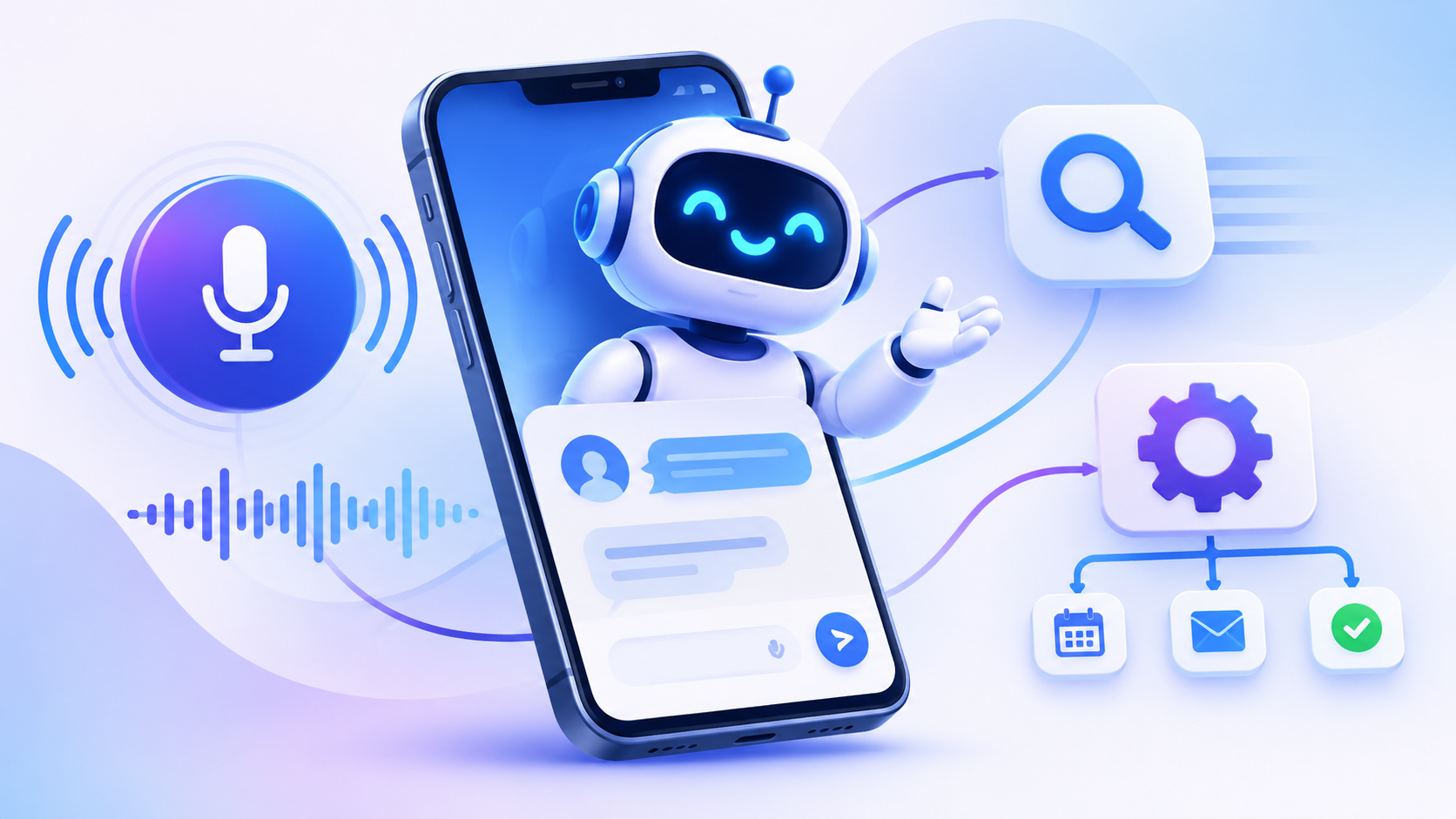
Key Takeaways:
- Define clear objectives: Identify the business problems your AI chat app should solve before development.
- Prioritise essential features: Include intelligent responses, real-time messaging, voice support, and user-friendly interfaces.
- Choose the right technology: Select suitable AI models, frameworks, databases, and cloud infrastructure.
- Plan your budget: AI chat app development may cost 8,000–90,000+, depending on project complexity.
- Focus on security: Implement encryption, access controls, and data privacy safeguards.
Artificial intelligence is changing how people communicate with digital applications. From conversational chatbots and voice assistants to intelligent search tools and automated business workflows, AI-powered chat applications are becoming more capable of understanding requests and delivering relevant responses.
In 2027, AI chat app development is moving beyond basic text-based conversations. Modern applications can combine natural language processing, generative AI, voice recognition, contextual memory, and real-time data retrieval to create more personalised user experiences. Businesses can use these capabilities to answer customer questions, retrieve information, automate repetitive tasks, and support employees across different departments.
The growing adoption of AI also creates opportunities for specialised solutions, including AI-powered search applications, multilingual voice assistants, and intelligent business support platforms. However, building a reliable application requires careful planning around model selection, data privacy, integration requirements, response accuracy, and infrastructure costs.
Whether developing a customer-facing chatbot or an enterprise AI assistant, businesses need an approach that balances useful functionality with security, performance, and scalability. This guide explores the key features, technologies, development process, and costs involved in building an AI chat application in 2027.
AI Chat App Development Market Statistics
- According to Market Research Future, the AI Chatbot Market Size was estimated at 6.85 USD billion in 2024. The AI Chatbot industry is projected to grow from 8,989 USD billion in 2025 to 136.29 USD billion by 2035, exhibiting a compound annual growth rate (CAGR) of 31.24% during the forecast period 2025-2035
- The global chatbot market size was estimated at USD 9.6 billion in 2025 and is projected to grow from USD 11.8 billion in 2026 to USD 41.2 billion by 2033, at a CAGR of 19.6% from 2026 to 2033.
Understanding AI Chat App Development: Key Concepts and Trends in 2027
AI chat app development involves creating applications that use artificial intelligence to understand user messages, interpret intent, generate responses, and complete selected tasks through conversational interfaces. Unlike traditional chat applications that mainly support message exchange, AI-powered platforms can process natural language, retrieve relevant information, and interact with external systems.
Modern AI chat applications typically combine large language models (LLMs), natural language processing, APIs, databases, and cloud infrastructure. Depending on their purpose, they may also use speech recognition, text-to-speech technology, retrieval-augmented generation (RAG), and AI agent frameworks.
How AI Chat Applications Work
A typical AI chat application follows a sequence of steps:
- User Input: A user submits a question through text or voice.
- Input Processing: The application processes the request and identifies its intent.
- Context Retrieval: The system retrieves relevant conversation history or information from approved data sources when needed.
- AI Processing: The selected model interprets the request and generates a response.
- Tool Integration: If required, the application connects with external APIs or business systems to retrieve information or perform an authorised action.
- Response Delivery: The result is displayed as text, converted into speech, or presented through another suitable interface.
|
Comparison Area |
Traditional Chat App |
AI-Powered Chat App |
|
Communication |
User-to-user messaging |
User-to-AI and optional human communication |
|
Responses |
Written by participants |
Generated using AI models |
|
Context Awareness |
Primarily conversation history |
Can use context, memory, and retrieved information |
|
Search |
Keyword-based search |
Natural-language and semantic search |
|
Automation |
Limited to predefined functions |
Can support tasks and connected workflows |
|
Personalisation |
Basic user preferences |
Context-aware recommendations and responses |
Why Businesses Are Investing in AI Chat Applications
Businesses are exploring AI chat solutions to improve customer support, simplify information access, and automate repetitive interactions. An AI chatbot can handle routine enquiries, while an AI assistant may connect with approved business tools to help users complete more complex tasks.
For example, an e-commerce application could use AI to answer product questions and check order status, while an internal enterprise assistant could retrieve information from company documents. Organisations can also explore Generative AI features such as summarisation, content generation, contextual responses, and personalised recommendations.
The right solution depends on the intended users, the complexity of the conversations, the information the application can access, and the level of automation required.
Types of AI Chat Applications and Their Business Use Cases
AI chat applications can serve different purposes depending on their users, capabilities, and business objectives. Some focus on answering routine questions, while others provide personalised assistance, retrieve information, or automate tasks across connected systems. Understanding these categories helps businesses select an application model that matches their requirements.
1. AI Customer Support Chatbots
AI customer support chatbots handle common enquiries, provide product information, check order statuses, and guide users through basic troubleshooting. They can operate around the clock and transfer complex or sensitive queries to human support teams.
Business use cases: E-commerce, banking, telecommunications, travel, and retail.
2. AI Personal Assistant Applications
An AI assistant app helps users organise information, manage tasks, draft content, set reminders, and access relevant services through natural-language instructions. Depending on its permissions and integrations, it may also complete selected actions on the user's behalf.
Business use cases: Personal productivity, employee assistance, scheduling, and workflow management.
3. AI Voice Assistant Applications
AI voice assistants allow users to interact with applications through spoken commands. They combine speech recognition, language processing, and text-to-speech technology to understand requests and deliver spoken responses.
Business use cases: Hands-free customer support, smart devices, automotive applications, healthcare assistance, and accessibility tools.
4. AI-Powered Search Applications
These applications allow users to search for information using natural-language questions rather than relying only on exact keywords. They can use semantic search and retrieval systems to identify relevant content from documents, product catalogues, knowledge bases, or other approved sources.
Business use cases: Enterprise knowledge management, e-commerce product discovery, research platforms, and document search.
5. AI Chat Applications for Business Automation
Business-focused chat applications connect AI models with internal tools and business systems. They can retrieve approved information, prepare reports, update records, and initiate predefined workflows when the appropriate permissions are available.
Business use cases: HR support, sales operations, IT helpdesks, customer relationship management, and internal administration.
6. Multilingual and Industry-Specific AI Chat Apps
Some applications are designed to support multiple languages or specialised industry requirements. They may use domain-specific knowledge sources and carefully configured models to provide more relevant responses for particular audiences.
Business use cases: International customer support, education, healthcare administration, financial services, and travel assistance.
Essential Features Every Modern AI Chat Application Should Include
A modern AI chat application needs more than a conversational interface. It should combine intelligent response generation, contextual understanding, secure data access, and a user-friendly experience. The feature set will depend on the target audience and business objectives, but several capabilities form a strong foundation.
1. User Registration and Profile Management
Secure registration allows users to create accounts, manage preferences, and access personalised services. Depending on the application, this may include email or phone verification, social login, profile settings, and account recovery.
2. Real-Time AI Conversations
The core feature is the ability to understand user requests and generate relevant responses with minimal delay. Applications should support conversation history, follow-up questions, and context retention so users do not need to repeat information unnecessarily.
3. Natural Language Processing
Natural language processing (NLP) helps the application interpret user intent, recognise entities, and understand different ways of expressing the same request. This is particularly useful when users submit informal messages, incomplete questions, or complex instructions.
4. Contextual Memory and Personalisation
Context-aware applications can use relevant conversation history and permitted user preferences to make responses more useful. Memory should be managed transparently, with controls that allow users to review or manage stored information where appropriate.
5. Voice Input and Output
Voice capabilities allow users to speak their requests and receive spoken responses. Speech-to-text and text-to-speech technologies can make applications more accessible and convenient, particularly for hands-free interactions.
6. AI-Powered Search and Information Retrieval
Search functionality can help users find relevant information across documents, knowledge bases, product catalogues, and other approved sources. Semantic search and retrieval-augmented generation (RAG) can improve relevance by supplying the AI model with useful context before it generates an answer.
7. Multilingual Support
Supporting multiple languages can make an application accessible to a wider audience. Businesses should evaluate language detection, translation quality, and model performance across their target markets rather than assuming that every language will receive equally accurate responses.
8. File and Media Processing
Depending on the use case, users may need to upload documents, images, or other supported files. AI capabilities can then help summarise documents, extract information, or answer questions about the uploaded content. File validation and access controls are important for protecting sensitive information.
9. Conversation History and Management
Users should be able to revisit previous conversations, search past interactions, and organise important discussions. Clear options for deleting conversations and managing retained information also support transparency and privacy.
10. Admin Dashboard and Usage Analytics
An administrative dashboard helps businesses manage users, monitor application performance, review usage patterns, and identify recurring issues. Useful metrics include response time, failed requests, user engagement, model usage, and operational costs.
Voice, AI Search, and Intelligent Assistant Features in Modern AI Chat Apps
Advanced voice, search, and assistant capabilities are expanding how users interact with AI chat applications. Instead of relying exclusively on typed questions, users can speak naturally, search across large information sources, and ask AI assistants to complete selected tasks. These capabilities can make applications more accessible and useful for both consumers and businesses.
AI Voice Assistant Development
Voice-enabled applications allow users to communicate through spoken instructions and receive audio responses. A typical voice interaction combines several technologies:
- Speech-to-text: Converts spoken input into written text.
- Natural language understanding: Interprets the user's intent and identifies relevant information.
- AI response generation: Produces an appropriate response using the selected model.
- Text-to-speech: Converts the generated response into spoken audio.
For example, a customer could ask a restaurant app about its menu, request available booking times, or check an order without typing. Businesses exploring AI voice assistant app development should consider speech accuracy, response latency, background noise, supported languages, and clear options for transferring conversations to human staff.
1. AI-Powered Search and Information Retrieval
Traditional search tools often depend on exact keywords, while AI-powered search can interpret the meaning behind a question. Semantic search uses embeddings and vector databases to identify information that is conceptually related to a user's request.
Retrieval-augmented generation (RAG) can take this further by retrieving relevant information from approved sources and supplying it to an AI model before it generates an answer. This is useful for applications that need to answer questions using product catalogues, company documents, support articles, or internal knowledge bases.
2. Intelligent AI Assistants and Task Automation
AI assistants can go beyond answering questions by connecting to authorised tools and services. Depending on the application, they may schedule appointments, retrieve customer records, prepare summaries, update selected information, or initiate predefined workflows.
For example, an enterprise assistant might retrieve a report from an internal system and prepare a summary for an employee. More advanced implementations may use AI agents to coordinate multiple steps, but sensitive actions should include permission checks and human approval where necessary.
3. Combining Voice, Search, and Assistant Features
These capabilities can work together within a single application. A user might ask a question through voice, receive an answer based on information retrieved from an approved knowledge base, and then request an authorised action.
The right combination depends on the application's purpose, user expectations, available data, and operational requirements. Businesses should introduce advanced capabilities gradually and evaluate their accuracy, accessibility, response speed, and practical value before expanding them.
Essential Tools and Technologies for Building AI Chat Applications
Choosing the right technology stack is essential for building an AI chat application that delivers reliable conversations, fast responses, secure data handling, and scalable performance. The architecture should support the application's intended features while allowing businesses to integrate additional AI capabilities as their requirements evolve.
Common Technologies and Their Roles
|
Technology Layer |
Common Technologies |
Primary Purpose |
|
Frontend Development |
React.js, Next.js, Flutter, React Native |
Build web and mobile chat interfaces |
|
Backend Development |
Python, Node.js, Java, FastAPI |
Manage application logic, APIs, and user requests |
|
AI and Language Models |
OpenAI models, Gemini, Claude, Llama |
Understand prompts and generate responses |
|
NLP Frameworks |
Hugging Face Transformers, spaCy |
Process and interpret natural language |
|
Vector Databases |
Pinecone, Weaviate, Chroma, FAISS |
Store and retrieve relevant information using embeddings |
|
Traditional Databases |
PostgreSQL, MongoDB, MySQL |
Manage user profiles, conversation history, and application data |
|
Cloud Infrastructure |
AWS, Microsoft Azure, Google Cloud |
Provide hosting, storage, computing, and deployment |
|
Voice Technologies |
Whisper, Google Speech-to-Text, and text-to-speech APIs |
Enable voice input and spoken responses |
|
AI Orchestration |
LangChain, LangGraph, LlamaIndex |
Coordinate models, retrieval systems, and tools |
|
Authentication and Security |
OAuth 2.0, OpenID Connect, MFA |
Manage user identity and access permissions |
|
Monitoring and Analytics |
Grafana, Prometheus, OpenTelemetry |
Track performance, errors, usage, and system health |
Build or Integrate AI Models?
Businesses do not always need to train their own AI models. Integrating an existing model through an API can reduce initial development effort and simplify implementation. However, organisations with specialised requirements may consider open-source models, fine-tuning, or private model deployment.
The decision should be based on accuracy, data privacy, response speed, infrastructure requirements, and expected usage costs.
Working with an experienced AI development services provider can help businesses evaluate these options and design an architecture that fits their operational needs. The aim is to select technologies that support the required experience without introducing unnecessary complexity or recurring expenses.
Research and Planning Before AI Chat App Development
Successful AI chat app development begins with a clear understanding of the target audience, business objectives, technical requirements, and expected user experience. Research and planning help businesses select suitable AI technologies, define the application scope, and avoid unnecessary development costs.
1. Identify the Target Audience and Use Case
Start by identifying who will use the application and what problems it should solve. A customer support chatbot, personal AI assistant, and enterprise knowledge platform have different functional and technical requirements.
Define the primary use cases, expected conversation types, user needs, and the tasks the application should support.
2. Analyse the Market and Competitors
Review existing AI chat applications to understand their features, user experiences, pricing models, and limitations. This research can reveal opportunities to offer better personalisation, voice interactions, intelligent search, or specialised business workflows.
Competitor analysis also helps businesses identify which features are essential for the first release and which can be introduced later.
3. Define Functional and Technical Requirements
Prepare a clear list of application requirements before development begins. Consider:
- User registration and account management
- Text-based and voice conversations
- AI response generation and contextual memory
- File uploads and information retrieval
- Third-party API integrations
- Admin controls and usage analytics
- Security, privacy, and data-retention policies
For AI chatbot app development, requirements should also specify how the chatbot handles uncertain answers, sensitive requests, and situations that require human assistance.
4. Select the Right AI Model and Architecture
Evaluate available AI models based on their response quality, reasoning capabilities, supported languages, latency, integration options, and operating costs.
Businesses should also decide whether the application needs RAG, fine-tuning, vector databases, or AI agents. For example, an internal knowledge assistant may benefit from RAG, while an application that performs multi-step tasks may require an agent-based architecture.
Teams exploring how to develop an AI agent should define its permitted tools, responsibilities, approval requirements, and boundaries before implementation.
5. Assess Data Availability and Quality
AI applications depend on relevant and reliable information. Identify the documents, databases, product information, or knowledge sources the application will use.
Check whether the data is accurate, current, properly structured, and authorised for the intended use. Establish access permissions and processes for updating information so the application does not retrieve outdated or restricted content.
6. Plan Integrations and Platform Requirements
Determine which external systems the application needs to connect with, such as CRM platforms, payment gateways, customer databases, analytics tools, or internal business applications.
Decide whether the product will support web, Android, iOS, or multiple platforms. Working with a suitable mobile app development company can help businesses assess device compatibility, platform requirements, and integration needs when planning mobile AI experiences.
7. Establish a Realistic Budget and Project Scope
Estimate the resources required for design, frontend and backend development, AI integration, data preparation, testing, and deployment. Also account for recurring expenses such as model usage, cloud hosting, third-party services, and ongoing maintenance.
8. Define Success Metrics
Decide how the application’s performance and business value will be evaluated. Useful measurements may include response accuracy, average response time, user engagement, task completion rate, escalation frequency, and cost per interaction.
AI Chat App Development Process: From Concept to Launch
Developing an AI chat application requires a structured process that connects product planning, interface design, AI integration, backend engineering, testing, and deployment. Each stage helps ensure the application meets user expectations while maintaining reliable performance, security, and scalability.
Step 1: Define the Product Requirements
Begin by documenting the application's purpose, target audience, core features, and expected outcomes. Decide whether the product will function as a customer support chatbot, personal assistant, voice-enabled platform, or enterprise AI solution.
Clear requirements help establish the project scope, technical priorities, and development roadmap.
Step 2: Design the User Experience and Interface
Create wireframes and interactive prototypes to plan how users will interact with the application. Focus on simple navigation, readable conversations, accessible controls, and a consistent interface across supported devices.
For voice-enabled applications, consider microphone permissions, audio controls, and clear feedback during conversations.
Step 3: Select and Configure the AI Model
Choose an AI model that matches the application's requirements for response quality, reasoning, language support, speed, and operating cost. Configure prompts, response formats, and model parameters to support the intended interactions.
If the application needs specialised knowledge, the team can introduce RAG or evaluate fine-tuning using suitable datasets.
Step 4: Develop the Backend and Database
Build the backend services responsible for user authentication, conversation management, API communication, and business logic. Configure databases to store relevant information, such as user profiles, conversation history, preferences, and application settings.
The architecture should also support appropriate access permissions and reliable communication between the frontend and AI services.
Step 5: Integrate AI Models, APIs, and External Services
Connect the selected AI model to the application through secure APIs. Depending on the use case, integrations may include payment gateways, CRM systems, document repositories, speech recognition services, and analytics platforms.
For applications that perform multi-step tasks, developers can introduce controlled agent workflows that interact with authorised tools.
Step 6: Implement Core Chat and AI Features
Develop the main conversational capabilities, including message handling, contextual responses, conversation history, and relevant personalisation features. Add voice interaction, multilingual support, file processing, or semantic search according to the approved scope.
For AI chatbot development for business, it is particularly important to establish reliable responses, appropriate escalation procedures, and clear boundaries around automated actions.
Step 7: Test Functionality, Accuracy, and Security
Conduct functional, integration, usability, and performance testing before release. Evaluate AI responses using representative prompts and check for inaccurate information, inconsistent answers, and failures in retrieving relevant context.
Security testing should also cover authentication, API permissions, data protection, and potential misuse of connected tools.
Step 8: Deploy the Application
Prepare the production environment, configure hosting, establish monitoring, and release the application on the selected platforms. Deployment planning should include backups, error logging, performance checks, and recovery procedures.
Step 9: Monitor, Maintain, and Improve
After launch, monitor response quality, latency, user engagement, error rates, and operating costs. Use feedback and performance data to improve prompts, retrieval quality, interface design, and model configuration.
AI Chat App Development: Cost Breakdown and Project Timeline for 2027
The AI chat app development cost depends on the application's features, AI model selection, backend architecture, integrations, and expected user traffic. A basic chatbot using an existing AI model generally requires less investment than an enterprise platform with voice interaction, intelligent search, custom workflows, and advanced security.
Estimated AI Chat App Development Costs in 2027
The following table provides indicative development budgets and timelines for different project complexities.
|
AI Chat App Type |
Estimated Cost (USD) |
Development Timeline |
|
Basic AI Chatbot App |
8,000–20,000 |
2–3 months |
|
Feature-Rich AI Chat App |
20,000–40,000 |
3–5 months |
|
Advanced AI Assistant App |
40,000–65,000 |
5–7 months |
|
Enterprise AI Chat Platform |
65,000–90,000+ |
7–10+ months |
These are indicative planning estimates, not fixed market quotations. Actual costs and timelines depend on the development team's rates, project scope, AI model choice, integrations, data requirements, and deployment environment.
What Influences the Development Budget?
Several components contribute to the overall development investment:
- UI/UX design: Wireframes, interface design, interactive prototypes, and accessibility improvements.
- Frontend development: Web or mobile interfaces, conversation screens, user profiles, and chat history.
- Backend development: APIs, authentication, databases, conversation management, and business logic.
- AI model integration: Model selection, API configuration, prompt engineering, and response handling.
- Advanced AI capabilities: RAG, voice interaction, multilingual support, file processing, and agent workflows.
- Third-party integrations: CRM platforms, payment gateways, analytics tools, and external services.
- Testing and deployment: Functional testing, AI evaluation, security checks, performance optimisation, and production setup.
Key Business Automation and Integration Opportunities for Modern Businesses
AI chat applications can do more than answer questions. By connecting conversational AI with business software and internal workflows, organisations can automate routine tasks, retrieve information, and help employees and customers complete activities through a single interface.
1. Customer Support Automation
AI chat applications can handle common customer enquiries, provide product information, check order statuses, and guide users through basic troubleshooting. When a request is too complex or requires human judgement, the application can transfer the conversation to a support representative with relevant context.
2. CRM and Sales Workflow Integration
Connecting an AI chat app with a customer relationship management (CRM) system allows it to retrieve approved customer information, record enquiries, and assist with lead qualification.
For example, a sales assistant could collect a prospect's requirements, summarise the conversation, and create a follow-up task in the CRM. Any updates to customer records should follow appropriate permissions and validation rules.
3. Internal Knowledge Management
Businesses can connect AI assistants to approved documents, policies, product information, and internal knowledge bases. Employees can then ask questions conversationally instead of searching through multiple folders or systems.
RAG can help retrieve relevant information and provide answers grounded in company sources. Access permissions should be enforced so employees only receive information they are authorised to view.
4. Workflow and Task Automation
AI chat applications can initiate selected business workflows through authorised APIs and connected tools. Depending on the implementation, they may help users:
- Create and assign support tickets.
- Schedule meetings and appointments.
- Generate summaries and reports.
- Retrieve order or inventory information.
- Submit requests for approval.
- Update records in connected business systems.
5. E-Commerce and Payment Integration
For online businesses, conversational AI can assist customers with product discovery, order enquiries, delivery information, and checkout guidance. Integration with e-commerce platforms can provide access to approved product and order data.
Payment processing should remain within secure, compliant payment systems. The AI assistant should not directly handle or expose sensitive payment credentials.
6. Analytics and Business Intelligence
AI chat applications can connect with analytics platforms and reporting systems to help users retrieve business insights. Managers might ask for sales summaries, customer engagement trends, or support performance reports.
The application can translate natural-language questions into approved data queries and present the results in an understandable format. Data accuracy, access permissions, and query validation remain important.
7. Connecting Multiple Business Systems
Larger organisations may need AI chat applications to communicate with several platforms, including ERP, CRM, HR, project management, and customer support software.
A suitable chat app development company can help design these integrations around the organisation's workflows, data requirements, and security policies. Using controlled APIs and well-defined service boundaries also makes it easier to maintain or replace individual integrations as business needs change.
Security, Data Privacy, and AI Governance in Modern AI Applications
Security and data privacy are essential when developing an AI chat application, particularly when it handles personal information, confidential business documents, or customer conversations. Businesses must establish safeguards that protect user data while ensuring AI-generated responses and automated actions remain within defined boundaries.
1. Protect User Data and Conversations
AI chat applications may process personal details, uploaded documents, and sensitive conversation histories. Developers should apply encryption in transit and at rest, minimise unnecessary data collection, and establish clear data-retention policies.
2. Implement Secure Authentication and Access Controls
Secure authentication helps prevent unauthorised access to user accounts and private conversations. Depending on the application, suitable controls may include:
- Multi-factor authentication (MFA).
- Role-based access control (RBAC).
- Secure session management.
- Strong password and account recovery policies.
- Permission checks for connected tools and services.
For enterprise applications, access permissions should also apply to retrieved documents and internal business data.
3. Prevent Prompt Injection and Unauthorised Actions
AI chat applications that retrieve external information or interact with business tools may be exposed to prompt injection and other manipulation attempts.
Developers should validate inputs, separate trusted instructions from untrusted content, restrict tool permissions, and require confirmation before sensitive actions. The AI model should not be allowed to independently override application-level security rules.
4. Maintain Responsible Data Usage
Businesses should use information only for clearly defined purposes and apply appropriate consent and retention controls. Training or fine-tuning models with customer conversations requires careful consideration of permissions, confidentiality, and applicable privacy obligations.
5. Evaluate AI Accuracy and Potential Bias
AI-generated responses can contain inaccurate information, reflect bias, or produce misleading recommendations. Regular evaluation helps identify these problems before they affect users.
Testing should cover different user groups, realistic conversations, sensitive requests, and situations where the application should acknowledge uncertainty or escalate to a human representative.
6. Establish AI Governance and Human Oversight
Businesses should define clear responsibilities for AI-supported decisions and establish rules for when human review is necessary. Important governance measures include:
- Documenting model capabilities and limitations.
- Monitoring response quality and system behaviour.
- Recording relevant tool actions and security events.
- Establishing escalation and incident-response procedures.
- Reviewing model updates before production deployment.
7. Build Security Into the Development Lifecycle
Security should be considered during planning, architecture, development, testing, and maintenance rather than added only before launch. Working with specialists in cybersecurity software development can help businesses assess vulnerabilities, implement appropriate controls, and establish monitoring processes.
Conclusion
AI chat applications are evolving beyond basic messaging tools into intelligent platforms that can support customer service, business automation, knowledge management, and personalised digital experiences. With capabilities such as voice interaction, AI-powered search, contextual conversations, and connected workflows, businesses can create applications that address a wider range of user needs.
However, successful development requires more than integrating an AI model. Businesses must choose suitable technologies, prepare reliable data, plan integrations, establish security controls, and continuously evaluate application performance.
Starting with a focused MVP can help validate the core use case before introducing advanced capabilities. As requirements grow, the application can be expanded with voice assistants, intelligent search, RAG, and automated workflows.
Investing in a well-planned AI chat application can help organisations improve how users access information, interact with services, and complete everyday tasks while creating a scalable foundation for future innovation.
FAQ's
It involves building chat applications that use artificial intelligence to understand queries, generate responses, and support automated conversations.
Development may cost 8,000–90,000+, depending on features, integrations, and complexity.
A basic app may take 2–3 months, while advanced platforms can require 5–10 months or longer.
Common features include real-time messaging, AI responses, chat history, user authentication, voice input, and admin controls.
Yes. Voice recognition and text-to-speech technologies can enable users to interact with AI through spoken conversations.
Retrieval-augmented generation (RAG) provides relevant information from approved data sources, helping AI generate more context-aware responses.
It can be secure with encryption, access controls, authentication, data protection policies, and regular security testing.
Yes. APIs and webhooks can connect AI chat applications with CRM, ERP, payment platforms, databases, and other business tools.

CrinPro
CrinPro Solutions is a leading IT company that helps startups and enterprises build innovative digital products. From intuitive mobile applications and high-performance websites to AI-powered solutions and enterprise software, our team delivers scalable, secure, and user-focused products tailored to unique business needs. With expertise across multiple industries, we transform ideas into digital experiences that drive growth, improve efficiency, and create long-term business value.